Page 3 - NOT; Important safeguards.; Warning! To avoid the risk of serious injury, carefully read all; Save these instructions!; FOR HOUSEHOLD USE ONLY; AVOID CONTACT WITH
3 G E N E R A L S A F E T Y I N FO R M AT I O N • This juicer system has sharp blades and moving parts, and is NOT intended for use by children or persons with reduced physical, sensory, or mental capabilities, or who lack experience and knowledge of its safe operation. Such persons require close su...
Page 4 - BLADES ARE SHARP! HANDLE
4 • Do not let the power cord hang over the edge of a table or counter top. • Do not let the power cord touch hot surfaces, such as a stove or let it become tangled or knotted. • Always make sure the pulp basin cover is securely in place (with locking handle in its upright and locked position) befor...
Page 7 - Usage instructions
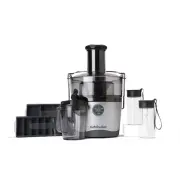
7 Contents. Thank you for purchasing the NutriBullet Juicer Pro ™ . 03 Important safeguards 08 What’s included 09 Assembly guide 10 Assembly & use 12 Usage instructions 17 Control panel 18 Juicing tips 22 Disassembly 24 Care and maintenance 25 Juice and unit storage 26 Troubleshooting guide 26 R...
Page 13 - Food Pusher
13 3 Select a speed to begin juicing. The speed selected will illuminate on the control panel. You may start at any speed and can toggle between speeds as desired depending on the type of produce (refer to the chart on page 18 for recommended speeds for each type of produce). NOTE: always start the ...
Page 15 - Juice Pitcher; Pulp Basin
15 7 Juice will begin to flow out of the spout and into the Juice Pitcher , while the pulp will be separated and stored in the Pulp Basin . NOTE: You may alternate between the two chute sizes (narrow and wide) as you are juicing. WARNING: Do not use excess force when pushing food down with the Food ...
Page 17 - MULTI-SPEED CONTROL PANEL
17 Control panel. OFF: Power is OFF . If the unit is ON , the center power button will be illuminated. Pressing the center button will turn the unit OFF . LOW: Best for juicing softer fruits and vegetables. HIGH: Best for harder produce like pineapples. TURBO: Best for juicing the toughest vegetable...
Page 18 - JUICING SPEED SELECTION GUIDE; INGREDIENTS SPEEDS
18 Juicing tips. JUICING SPEED SELECTION GUIDE Apple Turbo All Year Beets Turbo Summer / Fall / Winter Blueberry Turbo Summer Broccoli Turbo Fall / Spring Brussels Sprouts Turbo Fall / Winter Cabbage Low Fall / Winter / Spring Carrots Turbo All Year Cauliflower Turbo Fall Celery Turbo All Year Cucum...
Page 21 - Recipe Guide; Foods that should NEVER be
21 C O N S U M I N G J U I C E A N D P U L P Instead of composting or throwing away the pulp left over after juicing, you can choose to consume it. See our Recipe Guide for some fun tips on what to do with the leftover pulp. By using these creative ideas, you can enjoy pulp in a variety of delicious...
Page 26 - Troubleshooting guide.
26 Replacement parts. To order additional parts and accessories, please visit our website at nutribullet.com/shop/accessories or contact Customer Service at 1 (800) 523-5993. 1 PROBLEM: The power button flashes three times and then remains illuminated when I select a speed. SOLUTION: This means that...
Page 27 - NutriBullet's limited warranty
27 NutriBullet Juicer Pro ™ one-year limited warranty. L I M I T E D WA R R A N T Y F O R N U T R I B U L L E T ® NutriBullet's limited warranty obligations are confined to the terms set forth below: NutriBullet, LLC and Capital Brands Distribution, LLC (together, “NutriBullet”) warrants this NutriB...
Page 30 - Warranty registration.; warranty-registration
30 Warranty registration. How to find serial number under the Motor Base. Please visit nutribullet.com/ warranty-registration or call 1 (800) 523-5993 to register your new NutriBullet Juicer Pro™. You will be asked to enter the Serial Number* of your product, along with the purchase date and place o...