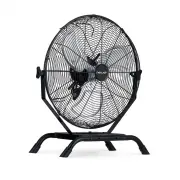
Page 2 - TABLE OF CONTENTS; EAD AND SAVE THESE INSTRUCTIONS; PRODUCT SPECIFICATIONS
2 newair.com TABLE OF CONTENTS R EAD AND SAVE THESE INSTRUCTIONS . Register Your Product Online……………………………………………………………………………3 Safety Information & Warnings ........................................................................... 4 Assembly Instructions ...........................................
Page 4 - IMPORTANT INSTRUCTIONS; SAFETY INFORMATION & WARNINGS
4 newair.com Intended Use: This product is intended for residential and office use etc. For industrial or other commercial applications use only with electrical wiring that is in good working order and that meets applicable codes and ordinances. If you have any questions whether your wiring is adequ...
Page 6 - WARNINGS
6 newair.com WARNINGS WARNING: Shock Hazard • Use your fan only in dry environments. This fan is not intended for use in a bathroom, laundry area, or similar locations, or near sinks, washing machines, swimming pools, or other sources of water. • Never locate fan where it may fall into a bathtub or ...
Page 7 - ASSEMBLY; STEEL SURFACE; ASSEMBLY INSTRUCTIONS
7 newair.com ASSEMBLY Installation work and electrical wiring must be done by qualified person(s) in accordance with all applicable codes and standards, including fire ‑ rated construction. When cutting or drilling into a wall or ceiling, do not damage electrical wiring and other hidden utilities. W...
Page 8 - FLOOR STAND ASSEMBLY:
8 newair.com FLOOR STAND ASSEMBLY: 1. Remove the 4 screws from the base tube (fig. 1 & 2) 2. Align the screw hole on the side of the metal plate and the hole on the base tube, then insert the screw and nut to tighten. Do the same thing on the other side of the metal plate. (fig. 3, 4 & 5) 3....
Page 9 - USING YOUR PRODUCT; OPERATION INSTRUCTIONS
9 newair.com USING YOUR PRODUCT Fan operation: Always operate the fan in an upright position following all instructions and recommendations listed in this manual. Fan location: Place the fan in the area of the room that will provide proper fan cooling. (note: IPX4 outdoor rating is only meant to ind...
Page 10 - CLEANING & MAINTENANCE
10 newair.com CLEANING & MAINTENANCE Cleaning: CAUTION-Before cleaning the fan be sure to disconnect power cord from the plug. Clean the grille surface with a clean damp cloth. Do not use harsh chemical or abrasive cleaners. DO NOT IMMERSE THE FAN OR ANY WIRES IN WATER. Replace the front grille ...
Page 11 - Fig 1 Fig 2 Fig 3
11 newair.com This product employs overload protection (fuse). A blown fuse indicates an overload or short-circuit situation. If the fuse blows, unplug the product from the outlet. Replace the fuse as per the user servicing instructions (follow product marking for proper fuse rating) and check the p...
Page 12 - TROUBLESHOOTING
12 newair.com Problem Possible Causes Solution The fan will not The fan is not plugged in Make sure the fan is Operate. and/or the electrical plugged in and/or the outlet isn’t working electrical outlet is properly. working properly. The circuit breaker may Reset the circuit breaker be tripped or th...
Page 13 - Warranty Exclusions:; LIMITED MANUFACTURER’S WARRANTY
13 newair.com This appliance is covered by a limited manufacturer’s warranty. For one year from the original date of purchase, the manufacturer will repair or replace any parts of this appliance that prove to be defective in materials and workmanship, provided the appliance has been used under norma...