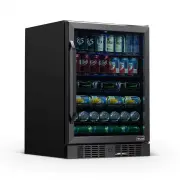
Page 2 - READ AND SAVE THESE INSTRUCTIONS.; T A B L E O F C O N T E N T S; S P E C I F I C A T I O N S
2 n e w a i r . c o m READ AND SAVE THESE INSTRUCTIONS. T A B L E O F C O N T E N T S Register Your Product .......................................................................................... 3 Safety Information & Warnings ....................................................................
Page 3 - REG I ST ER YOUR PRODUC T ONLI NE; Register Your NewAir Product Online Today!
3 REG I ST ER YOUR PRODUC T ONLI NE Register Your NewAir Product Online Today! Take advantage of all the benefits product registration has to offer: Service and Support Diagnose troubleshooting and service issues faster and more accurately Recall Notifications Stay up to date for safety, system upda...
Page 5 - P A R T S L I S T
Page 6 - I N S T A L L A T I O N; Before connecting the appliance to a power source, let it stand
6 n e w a i r . c o m I N S T A L L A T I O N Before connecting the appliance to a power source, let it stand upright for approximately 2 hours. This will reduce the possibility of a malfunction in the cooling system from handling during transportation. Before operating your cooler for the first tim...
Page 7 - O P E R A T I N G I N S T R U C T I O N S; H O W T O U S E T H E B U T T O N S O N T H E D I S P L A Y P A N E L
7 O P E R A T I N G I N S T R U C T I O N S H O W T O U S E T H E B U T T O N S O N T H E D I S P L A Y P A N E L Raise the desired temperature. * Lower the desired temperature. * * To set the temperature, press the UP or DOWN button on the control panel. The interior temperature can be adjusted in ...
Page 8 - C L E A N I N G & M A I N T E N A N C E; C L E A N I N G Y O U R C O O L E R
8 n e w a i r . c o m C L E A N I N G & M A I N T E N A N C E C L E A N I N G Y O U R C O O L E R To clean your cooler: • Unplug the cooler and remove anything inside. • Wash the inside of the unit with a solution made of warm water and baking soda solution (2 tablespoons of baking soda to one q...
Page 9 - T R O U B L E S H O O T I N G; Problem
9 T R O U B L E S H O O T I N G Problem Possible Causes Solution Cooler does not operate. The unit may be plugged in using a different voltage. Check if using the wrong voltage. The circuit breaker may be tripped or there is a blown fuse. Reset the circuit breaker or check for a broken fuse Cooler i...
Page 11 - L I M I T E D M A N U F A C T U R E R ’ S W A R R A N T Y; Warranty Exclusions:
11 L I M I T E D M A N U F A C T U R E R ’ S W A R R A N T Y This appliance is covered by a limited manufacturer’s warranty. For one year from the original date of purchase, the manufacturer will repair or replace any parts of this appliance that prove to be defective in materials and workmanship, p...