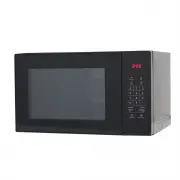
Page 3 - “PRECAUTIONS TO AVOID; IMPORTANT SAFETY INSTRUCTIONS
3 WARNING To reduce the risk of fire, electric shock, injury to persons or exposure to excessive microwave oven energy when using your appliance, follow basic precautions, including the following: • Read and follow the specific: “PRECAUTIONS TO AVOID POSSIBLE EXPOSURE TO EXCESSIVE MICROWAVE ENERGY”....
Page 5 - ARNING: Children should only use the oven under adult supervision; READ CAREFULLY AND KEEP FOR FUTURE REFERENCE
5 • Metallic containers for food and beverages are not allowed during microwave cooking. • The appliance shall not be cleaned with a steam cleaner. • The appliance is intended to be used freestanding. • The rear surface of appliances shall be placed against a wall. • Steam cleaner is not to be used....
Page 7 - Clean the cavity of the oven after using with a slightly damp cloth.; UTENSILS CAUTION; Cook on maximum power for 1 minute.
7 CLEANING BE SURE TO UNPLUG THE APPLIANCE FROM THE POWER SUPPLY. 1. Clean the cavity of the oven after using with a slightly damp cloth. 2. Clean the accessories in the usual way in soapy water. 3. The door frame and seal and neighbouring parts must be cleaned carefully with a damp cloth when they ...
Page 8 - MATERIALS YOU CAN USE IN MICROWAVE OVEN
Utensils Remarks Browning dish Follow manufacturer’s instructions. The bottom of browning dish must be at least 3/16 inch (5mm) above the turntable. Incorrect usage may cause the turntable to break. Dinnerware Microwave-safe only. Follow manufacturer's instructions. Do not use cracked or chipped dis...
Page 9 - MATERIALS TO BE AVOIDED IN MICROWAVE OVEN
Utensils Remarks Aluminum tray May cause arcing. Transfer food into microwave-safe dish. Food carton with metal handle May cause arcing. Transfer food into microwave-safe dish. Metal or metal trimmed utensils Metal shields the food from microwave energy. Metal trim may cause arcing. Metal twist ties...
Page 10 - SETTING UP YOUR OVEN; NAMES OF OVEN PARTS AND ACCESSORIES; Remove the oven and all materials from the carton and oven cavity.
10 SETTING UP YOUR OVEN a. Control panel b. Turntable shaft c. Turntable ring assembly d. Glass tray e. Observation window f. Door assembly g. Safety interlock system Grill Rack (Can not be used in microwave function and must be placed on the glass tray) a. Never place the glass tray upside down. Th...
Page 12 - OPERATION INSTRUCTION; CLOCK SETTINGS
12 OPERATION INSTRUCTION When the microwave oven is electrified,the oven will display “0:00”, buzzer will ring once. The input time should be within 0:00--23:59 (24 Hour). Example: To set 12:12 . 1. Press “ KITCHEN TIMER /CLOCK” twice, “00:00” will flash. 2. Press the number buttons of “1”, “2”, “1”...
Page 15 - DEFROST BY WEIGHT
15 Example : Cooking vegetable of 350g: 1. Press “ VEGETABLE.” button. Oven will display “150”, 2. Press “ VEGETABLE.” button again to choose weight, 300g, 500g 3. Press “ START/+30SEC.” to start cooking. 4. Note: Cake menu is under convection cooking with 160-warm-up function, and you should prehea...
Page 16 - AUTO MENU CHART
16 Menu Weight Press Times Display VEGETABLE 150g Once 150 350g Twice 350 500g 3 times 500 FISH 150g Once 150 250g Twice 250 350g 3 times 350 450g 4 times 450 650g 5 times 650 MEAT 150g Once 150 300g Twice 300 450g 3 times 450 600g 4 times 600 PASTA 50g (with cold water 450 Once 50 100g (with cold w...
Page 17 - Note: This can NOT be set as one stage of the multi-stage cooking.; MEMORY
17 When the oven is in the waiting states, press “ START/+30SEC.” button to start with full microwave power for 30 seconds (the maximum setting is 99 minutes and 99 seconds). Note: This can NOT be set as one stage of the multi-stage cooking. MEMORY MULTI STAGE COOKING QUICK START 1. Press “ MEMORY.”...
Page 18 - Menu; REHEAT
18 1. Press “ REHEAT.” pad , the “H-01” will flash and “AUTO.” indicator will light (Press the “ REHEAT.” pad several times to select the cooking program you wanted.) 2. Press “ START/+30SEC.” button to confirm. 3. Press the “ REHEAT.” pad several times t o select th e the weight of the cooking food...
Page 19 - INQUIRING FUNCTION
19 1. In waiting state, the oven will display clock and “ : ” will flash. 2. In function setting state, the oven will display the related setting. 3. In the operation and suspending state, the oven will display the residual cooking time. 4. During microwave, grill, combination or convection cooking,...
Page 20 - TROUBLE SHOOTING
Glen Dimplex Australia Pty Ltd1340 Ferntree Gully Road Scoresby VIC 3179Phone: 1300 556 816Email: [email protected]Web: www.morphyrichards.com.au Normal Microwave oven interfering TV reception Radio and TV reception may be interfered with when microwave oven is operating. It is similar to the interf...