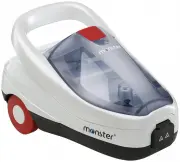
Page 2 - When using an electrical appliance, basic safety precau-; Read all instructions before using this appliance.; I M P O R TA N T S A F E T Y I N S T R U C T I O N S; Safety Instructions
S A V E THE S E I N S T R U C T IO N S When using an electrical appliance, basic safety precau- tions should always be observed, including the following: Read all instructions before using this appliance. WARNING: To reduce the risk of fire, electrical shock, or injury: 1. This appliance is authoriz...
Page 3 - E THE; CAUTIONS; Please contact the Customer Support Line should you require
S A V E THE S E IN S T R U C T ION S I M P O R TA N T S A F E T Y I N S T R U C T I O N S people, animals or other electrical equipment (i.e, inside an oven). The appliance should be used while the unit is resting on the ground. 17. Do not operate around flammable or combustible liquids such as gaso...
Page 4 - What’s Inside/Product Description
POWER DECAL SYSTEM a . b. c. d. 1 - Detail Nozzle w/Angled Tip2 - Locking Button3 - Steam Control Trigger4 - Steam Gun5 - Water Tank Cap6 - Water Tank7 - Control Panel a. Power Switch b. Decal System c. Water Fill Light d. Steam Ready Light 8 - Carry Handle9 - Water Release Cap 10 - Flexible Steam H...
Page 5 - What’s Inside/Product Description & Features; The Monster Steam Cleaner Features; reduces calcium buildup.; SMALL ACCESSORIES
2 1 4 W ha t’s I ns id e/ Pr o d uc t De sc rip tio n Fe a tu re s 5 What’s Inside/Product Description & Features The Monster Steam Cleaner Features 1. No need for detergents or chemicals. Just add water.2. Automatic refilling system.3. Ergonomic, lightweight Steam Gun.4. 2-in-1 steam cleaning a...
Page 6 - Cleaner Accessories; lea; C. Attach Brush Adapter to BBQ Brush
6 Cleaner Accessories C lea ne r A c c e ss o rie s Accessories - Attachment & Descriptions 2 The Small Brush is used for smaller areas that the Floor Brush cannot easily reach, such as corners of floors and on stairs. C. Attach Brush Adapter to BBQ Brush Use the BBQ Brush to scrape and clean gr...
Page 7 - ss; A. Attach Extension Tube or Steam Gun to Detail Nozzle; DETAIL NOZZLE AND Window Tool
7 Cleaner Accessories C leane r Ac c e ss o rie s A. Attach Extension Tube or Steam Gun to Detail Nozzle B. Attach Extension Tube or Steam Gun to Window Tool The Window Tool is very useful for cleaning large windows and glass. To use: Connect Window Tool to Steam Gun or Extension Tube for hard to re...
Page 8 - A. Attach Nylon or Brass Detail Brush to Detail Nozzle; DETAIL NOZZLE & ACCESSORIES; The Blind Cleaner will need to be attached; Remove Tip; by pulling it off the body.
8 Cleaner Accessories C lea ne r A c c e ss o rie s A. Attach Nylon or Brass Detail Brush to Detail Nozzle B. Attach Scraper to Detail Nozzle C. Attach Grout Brush to Detail Nozzle D. Attach Blind Cleaner to Detail Nozzle * CLICKS to lock in place. The Nylon Detail Brush is best for cleaning tile, c...
Page 9 - ATTACH MICROFIBRE PAD TO BRUSHES AND BLIND CLEANER; FLOOR BRUSH –; To Order Replacement Pads and Parts
9 Cleaner Accessories C leane r Ac c e ss o rie s ATTACH MICROFIBRE PAD TO BRUSHES AND BLIND CLEANER FLOOR BRUSH – A Microfibre Pad can be fitted on the Floor Brush to absorb dirt and protect delicate surfaces. It can also be used on vertical washable surfaces following the same procedure as for the...
Page 10 - A. Attach Carpet Pad to Carpet Glide; CARPET GLIDE and CARPET PAD
C lea ne r A c c e ss o rie s 10 Cleaner Accessories A. Attach Carpet Pad to Carpet Glide The Carpet Pad absorbs excess moisture produced by the Steamer, preventing carpet from getting overly damp. CARPET GLIDE and CARPET PAD ATTACH CARPET GLIDE TO FLOOR BRUSH WARNING: Always ensure steam trigger is...
Page 11 - Before Use; fo; Filling Steam Cleaner with Water; WARNINGS; Turning Steam Cleaner On; Automatic Refilling System; REMINDERS
11 Before Use Be fo re Us e 3 Filling Steam Cleaner with Water WARNINGS • Carefully read all instructions before filling the Water Tank. • Be sure the appliance is switched off at the Power Switch on the Steam Cleaner. The orange light on the Power Switch should be turned off. • Open the Water Tank ...
Page 12 - Using Your Steam Cleaner; Release Steam; A. Continuous Water Refilling; CAUTION
12 Using Your Steam Cleaner Us in g Y o u r S tea m C lea ne r IMPORTANT: When the Steam Cleaner has run out of water, steam output will cease and the Water Fill Light will illuminate red. Follow refill instructions to use your Steam Cleaner again. Release Steam To release steam from the Steam Clean...
Page 13 - Us; B. Refilling when Water Tank is completely empty; Turning Steam Cleaner Off
13 Using Your Steam Cleaner Using Your Steam Cleaner Us in g Yo u r S team C leane r B. Refilling when Water Tank is completely empty When water in the Water Tank runs out, the Power Switch will begin to flash, the Water Fill Light will illuminate and an alarm will buzz on and off ever y 2 seconds. ...
Page 14 - Using The Iron Attachment; Using the Iron Attachment; Professional Sole Plate
14 Using The Iron Attachment Us in g Th e Iro n A tt a c hm e nt Using the Iron Attachment 9 The Iron Attachment can only be used with the Monster Steam Cleaner (model SC4x2). It cannot be used as a stand alone iron. Please remove the plastic film underneath the Iron Attachment and all packaging bef...
Page 15 - Steam Release; Ironing Settings; Maintenance of the Iron Attachment
15 Using The Iron Attachment Using The Iron Attachment Us in g The I ro n Atta c hm e nt Steam Release To release steam press and hold the button on the top of the Iron Attachment. The steam can be locked for continuous steam output by sliding the button backward. To unlock slide the button for ward...
Page 16 - Maintenance & Cleaning; in; Decal System - Cleaning the Steam Cleaner; Replacement of Brushes, Microfibre Pads
16 Maintenance & Cleaning M a in te na nc e & C lea n in g Decal System - Cleaning the Steam Cleaner The Decal System alerts the user that the Boiler needs to be cleaned/ decalcified. When your steamer has been used for 11.5 hours, the “Decal System” button light will flash. Let the unit coo...
Page 17 - Tip; Steam Cleaner Tips & Reminders; Making Contact with Surfaces; Water; Temperature
17 Maintenance & Cleaning Tips & Reminders Tip s & R e m in d e rs Steam Cleaner Tips & Reminders This steam cleaning appliance has many practical uses that have not been mentioned in this manual. Please refer to the Cleaning Reference Guild included with this manual for tips and sug...
Page 18 - Notes
Page 20 - Customer Support; Monster Customer Support Line; AUSTRALIA; Success Way; Euroflex New Zealand Ltd; Triton Plaza; Euroflex SRL; ITALY
SC4X2 (Australia/NZ) 6/12/15 EFLX- 081AA Customer Support Customers needing assistance with their Monster Steam Cleaner can call the Customer Support Line on the phone numbers listed below. Customers should also call the Customer Support Line if they require product warranty repair or post- warranty...