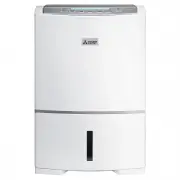
Page 2 - Recommended Ways of Using the Unit; When you want to dry laundry; When you want to clean the air; Frequently Asked Questions; When you want to dehumidify
2 Recommended Ways of Using the Unit When you want to dry laundry When you want to perform automatic operation When you want to perform continuous operation When you want to perform automatic operation When you want to perform continuous operation When you want to set the humidity Reducing blowing s...
Page 3 - Precautions; WARNING
3 Bef or e Using the Unit Precautions WARNING Meanings of the graphic symbols used in this manual and on the unit are explained below. Forbidden Keep away from fire Do not subject to water Do not disassemble Always follow the instructions The following diagrams indicate circumstances where danger ca...
Page 4 - CAUTION
4 CAUTION Do not cover an air outlet or air intake with laundry, cloth, curtain, etc. This results in poor ventilation and may cause heat generation/fire . Do not put vases or any other objects filled with water on the unit. Water may leak into the unit adversely affecting electric insulation and ca...
Page 5 - Drain the water tank before use.; Tips on Dehumidification; Warning
5 Bef or e Using the Unit Drain the water tank before use. Close the door and windows during operation. Drying laundry z Drying times will vary depending on the type of the laundry and the room temperature. The low temperature may double the drying time of normal temperature. (Low temperature means ...
Page 6 - Features of This Dehumidifier; How does the dehumidifier work?
6 Features of This Dehumidifier Room temperature may rise 2–6°C during operation. The dehumidifier does not have a cooler function. Due to heat produced during operation, the room temperature may rise 2–6°C. As a result, the unit may blow warm air, but this is not due to a malfunction. (During win...
Page 7 - Front; Names and Functions of Parts; Accessory
7 Bef or e Using the Unit Front Back Louvre P16 Air OutletControl Panel Names and Functions of Parts Tank Lid P9·19 Tank Guard P9·19 Water Tank P19 Level Window Floating Element P19 Sensor Do not cover. Handle P9 Rear Air IntakePM2.5 filter P9·15·21 Storage Hook Cord Tie Remove during operation Powe...
Page 9 - Inserting the water; Before Using Your Dehumidifier; Setting the PM2.5 filter; Remove the PM2.5 filter from the; Carrying the Unit; Hold the handle and move it.
9 Bef or e Using the Unit Inserting the water tank correctly Tank lid Tank guard Make sure the tank guard is securely attached. Plugging the power cord into the power socket Use a 230-240 V AC power socket only. Blip The current humidity is indicated. If the louvre is open, it closes automatically...
Page 10 - Drying Laundry; INTELLIGENT LAUNDRY
10 Drying Laundry 1 Press z POWER lamp lights. z The operation mode is displayed. z Inverter indicator lights. z Louvre opens, and blows air. 2 Press to select INTELLIGENT LAUNDRY. z A border is displayed around INTELLIGENT LAUNDRY Inf or mation z It is impossible to preset humidity when in INTELLIG...
Page 12 - Dehumidifying
12 1 Press to begin operation. 2 Select the operation mode. z To select the dehumidifying mode and operate Press P13–14 z To set the humidity and operate Press P13 3 Press and select the swing direction. P16 <To stop operation> Press Dehumidifying 2 3 2 1 Blip Blip z POWER lamp lights. z The o...
Page 13 - ECO AUTO
13 Oper ating Dehumidifying ECO AUTO EASY HIGH LOW In order to maintain the humidity level, the unit operates intermittently after automatic switching of air flow rate. • When the current humidity is lower than the set value, the unit will stop (both the blower/louvre will stop). It will restart if ...
Page 14 - MILDEW GUARD
14 Dehumidifying (Cont.) MILDEW GUARD About MILDEW GUARD mode The unit continues to operate for about another 4 hours after the humidity decreases to 50% and then stops automatically. The operation time varies depending on temperature and humidity and ranges from approximately 4 hours (approximately...
Page 15 - Using Child Lock; Cleaning the Air; Par; Replacement
15 Oper ating Using Child Lock Press for 3 seconds or more. z The child lock indicator is displayed. (Example) If you lock the unit when the POWER is OFF. The unit will not turn on, even if you press the POWER switch to turn it on. The LCD backlight and child lock indicator will blink. If you lo...
Page 16 - Using Louvre
16 Using Louvre • Automatic louvre starts • The monitor displays louvre direction Remove the plug from the power socket and connect again, automatic louvre stops. Displays louvre swing range (The louvre and monitor do not move in synchronization.) Louvre stopped Rear Upward Wide Each time the switch...
Page 17 - Using Timer
17 Oper ating Setting OFF TIMER 1 Switch the power ON. z Select operation mode. P10–14 z Select the louvre swing direction. P16 2 Blip Press Set the operation time. z Press once to display “ ” “ ”. z Each press will change the display in the sequence of 1 to 12 hours. (Holding the switch will cause ...
Page 18 - Drying Inside Operation; To abort DRYING; Automatic Operation; Manual Operation; Press while the
18 Drying Inside Operation The inside of the unit can be dried to suppress mildew growth on the cooler. The DRYING INSIDE operation is recommended after each use of the unit (approx. 1 hour). When continuous operation is being performed by continuous drainage (setting hose), there is no need to perf...
Page 19 - Draining; Remove the water tank.; When the water tank becomes full, the FULL lamp lights.; Close the tank lid.
19 Oper ating Draining 1 Remove the water tank. Place your hand on the handle and carefully pull the water tank out straight to prevent water from spilling. Hold the water tank. 2 Open the tank lid, and pour out the water. Tank guard Floating element Do not remove or dismantle. Tank lid Pour the wat...
Page 20 - Continuous Drainage
20 5 Close the power cord storage case. 6 Attach the tank to the unit, and set the end of the hose into the drain. If the tank is not reattached, the FULL lamp remains ON and operation is not possible. Continuous Drainage If a drain is available, the unit can continuously drain water by attaching a ...
Page 21 - Maintenance; When Cleaning the Unit; Wipe with a soft cloth.; Rear air intake • pre-filter •; Storage
21 Tr oub leshooting Maintenance When Cleaning the Unit Once Every Two Weeks Water tank • Main body Wipe with a soft cloth. Rear air intake • pre-filter • PM2.5 filter • sensor Clogged pre-filter will reduce the effectiveness of dehumidifying. Clean it every two weeks is desirable. Pre-filter needs ...
Page 22 - Symptom; Troubleshooting
22 z Check to see if the temperature/humidity is low. At first, confirm the current humidity. Low humidity reduces dehumidifying effectiveness. (In winter, the dry air makes the humidity low, and the amount of water collected is decreased.) This is not a malfunction. P6 Water does not collect in the...
Page 23 - Digital Display
23 Tr oub leshooting Troubleshooting Symptom Cause/Remedy z Check to see if the unit is on a slope or uneven surface which causes the unit to tilt or wobble. g Move to a safe and even surface. P4 z Check to see if the pre-filter is clogged. g Clean according to the methods specified in the “Maintena...