Page 2 - Contents; Settings mode
Contents 2 Warning and Safety instructions ...................................................................... 4 Caring for the environment .............................................................................. 17 Installation .................................................................
Page 4 - Warning and Safety instructions
Warning and Safety instructions 4 This refrigeration appliance complies with current local andnational safety requirements. However, inappropriate use can leadto personal injury and damage to property. Please read the operating and installation instructions carefullybefore using the refrigeration ap...
Page 5 - Correct application; This appliance is designed for domestic use and for use in similar
Warning and Safety instructions 5 Correct application This appliance is designed for domestic use and for use in similar environments by guests in hotel or motel rooms, bed & breakfastsand other typical living quarters. This does not include common/shared facilities or commercial facilities wi...
Page 6 - Safety with children
Warning and Safety instructions 6 Safety with children Young children must not be allowed to use this appliance. Older children may only use the appliance when its operation has been clearly explained to them and they are able to use it safely,recognising the dangers of misuse. Cleaning work m...
Page 7 - Technical safety; The refrigerant circuit has been checked for leaks. The
Warning and Safety instructions 7 Technical safety The refrigerant circuit has been checked for leaks. The refrigeration appliance complies with all current local and nationalsafety requirements. Warning: Risk of fire / Flammable materials. This refrigeration appliance contains the refrigerant I...
Page 10 - Correct installation
Warning and Safety instructions 10 In areas which may be subject to infestation by cockroaches or other vermin, pay particular attention to keeping the appliance andits surroundings clean at all times. Any damage caused bycockroaches or other vermin will not be covered by the warranty. Correct ins...
Page 11 - Correct use; To ensure proper air flow in and out of the appliance, the
Warning and Safety instructions 11 Correct use This refrigeration appliance is designed for use within specific ambient temperatures (climate range). Do not use it in ambienttemperatures for which it is not designed. The climate class is statedon the data plate inside the refrigeration appliance. ...
Page 12 - Stainless steel appliances; Accessories and spare parts
Warning and Safety instructions 12 Danger of injury! Never handle frozen food or the metal parts of the appliance with wet hands. Your hands may freeze to the frozenfood or to the metal. Danger of injury! Do not take ice cubes out with your bare hands and never place ice cubes or ice lollies in ...
Page 13 - Cleaning and care
Warning and Safety instructions 13 Cleaning and care Do not use any oils or grease on the door seals, as these will cause the seals to deteriorate and become porous with time. Do not use a steam cleaning appliance to clean this appliance. Steam could reach the electrical components and cause a s...
Page 14 - Transport; To avoid damage to the appliance, always transport it upright and
Warning and Safety instructions 14 Transport To avoid damage to the appliance, always transport it upright and in its packaging. Risk of injury and damage! The refrigeration appliance is very heavy and must be transported by two people.
Page 15 - Disposal of your old appliance
Warning and Safety instructions 15 Disposal of your old appliance Children playing could become trapped in the refrigeration appliance and could suffocate. - Remove the appliance door(s). - Remove the drawers. - Leave the adjustable shelves in the refrigeration appliance so children cannot climb i...
Page 16 - Symbol on the compressor (depending on model); The oil in the compressor can be fatal if swallowed or if it
Warning and Safety instructions 16 Symbol on the compressor (depending on model) This information is only relevant for recycling. There is no risk during normaloperation. The oil in the compressor can be fatal if swallowed or if it penetrates the airways.
Page 17 - Caring for the environment
Caring for the environment 17 Disposal of the packingmaterial The transport and protective packinghas been selected from materials whichare environmentally friendly fordisposal, and can normally be recycled. Recycling the packaging reduces theuse of raw materials in themanufacturing process and also...
Page 18 - Installation; Installation location
Installation *INSTALLATION* 18 Installation location Risk of damage due to high humidity.In environments with high humidity,condensation can build up onexternal refrigeration appliancepanels. This condensate can cause corrosionon external appliance panels.Install the refrigeration appliance in adr...
Page 19 - Climate range; Ventilation requirements; Risk of fire and damage due to
Installation *INSTALLATION* 19 Climate range This refrigeration appliance is designedfor use within specific ambienttemperatures (climate range). Do notuse in ambient temperatures for which itis not designed.A lower ambient temperature leads tothe compressor switching off for longerperiods. This can...
Page 20 - not; Changing the door hinging
Installation *INSTALLATION* 20 Installing multiple refrigerationappliances Risk of damage due to condensation on the externalappliance panels.In environments with high humidity,condensation can build up betweenthe external refrigeration appliancepanels, which can cause corrosion.Do not place diffe...
Page 21 - Risk of injury and damage due to
Installation *INSTALLATION* 21 Fitting the supplied wallspacers The wall spacers supplied must beused in order to achieve declaredenergy consumption values and toprevent the build-up of condensationat high ambient temperatures. Therefrigeration appliance depth isincreased by approx. 15 mm forapplian...
Page 22 - Aligning the appliance
Installation *INSTALLATION* 22 Move the appliance carefully to itsintended installation location. Position the refrigeration appliancewith the wall spacers (if fitted) or theback of the appliance close to thewall. Aligning the appliance Risk of damage and danger of injury due to the appliance ...
Page 25 - Appliance dimensions; Installation dimensions/View from above
Installation *INSTALLATION* 25 Appliance dimensions Installation dimensions/View from above FNS 4382 E edt/cs All dimensions are given in mm. The refrigeration appliance will function correctly if the specified ventilation cross-sections are kept clear. * Dimensions without wall spacers fitted. Appl...
Page 26 - Connections
Installation *INSTALLATION* 26 Connections FNS 4382 E edt/cs All dimensions are given in mm. a Front view b Mains connection cable, length = 2,100 mm A longer mains connection cable is available from Miele.
Page 28 - Electrical connection; Risk of fire from overheating.
Installation *INSTALLATION* 28 Electrical connection The refrigeration appliance must only beconnected to an earthed socket usingthe connection cable supplied. The socket should be easily accessibleafter the refrigeration appliance hasbeen installed. If the socket is not easilyaccessible, ensure tha...
Page 29 - Saving energy; Use
Saving energy 29 How to save energy: Installationlocation The refrigeration appliance has to cool more often at higherambient temperatures and consumes more energy in theprocess. Therefore, you should: - Install the refrigeration appliance in a well-ventilated room. - Do not install the refrigeratio...
Page 30 - Guide to the appliance; Appliance overview
Guide to the appliance 30 Appliance overview Picture shows an example of an appliance model.
Page 32 - Control panel with start display; Temperature display for the freezer section
Guide to the appliance 32 Control panel with start display -18 °C OK < > 1 2 3 4 a Temperature display for the freezer section b Sensors for selecting a setting c OK sensor for confirming a selection d Display for Miele@home connection status (depending on model)(only visible when the Miele...
Page 33 - Switching the keypad tone on or off
Guide to the appliance 33 / Switching the keypad tone on or off On / Changing the volume of the alarms and buzzers orswitching them off entirely (see “Selecting further settings”) On/Level 5 Changing the display brightness (see “Selecting further settings”) Level 4 °C / °F Changing t...
Page 34 - Selecting the desired function in Settings mode
Guide to the appliance 34 Selecting the desired function in Settings mode Touch the OK sensor on the control panel. appears in the display. Use the or sensor to scroll to the symbol. Touch OK . Select the function you want using the or sensor. Touch OK to select the fu...
Page 35 - Adjusting the interior fittings; Tilting the top drawer; Accessories supplied; Ice cube tray; Optional accessories; Miele all purpose microfibre cloth
Guide to the appliance 35 Adjusting the interior fittings Tilting the top drawer The drawer can be tilted to make iteasier to remove frozen food. Pull the drawer out. The drawer is secured with pull-outstops and cannot fall out. XXL box freezer drawer The extra high freezer drawer offersmore volum...
Page 36 - Switching on and off; Before using for the first time; Connecting the appliance; Switching on the appliance
Switching on and off 36 Before using for the first time Remove all packaging material andprotective film. Clean the inside of the appliance andthe accessories (see “Cleaning andcare”). Connecting the appliance Connect the appliance to theelectricity supply as described in"Electrical connec...
Page 37 - Switching off the appliance
Switching on and off 37 Switching off the appliance Touch the OK sensor on the control panel. appears in the display. Touch OK . Use the sensor to scroll to the symbol. Touch OK . appears in the display. The cooling system is switched off. Please note: the refrigerationappliance i...
Page 38 - The correct temperature; Temperature display; maximum; Setting the temperature
The correct temperature 38 It is very important to set the correcttemperature for storing food in theappliance. Bacteria will cause foodwhich is not stored at the correcttemperature to deteriorate rapidly.Temperature influences the growth rateof these microorganisms. Reducing thetemperature reduces ...
Page 39 - refrigeration appliance is not very full.
The correct temperature 39 If you change the temperaturesetting: Check the temperature display after afew hours. It will take this long for anaccurate reading to be given. - Wait for approx. 6 hours if the refrigeration appliance is not very full. - Wait for approx. 24 hours if the refrigeration a...
Page 40 - Using SuperFreeze; SuperFreeze
Using SuperFreeze 40 SuperFreeze When switched on, the SuperFreezefunction can be used to rapidly reduce the temperature in the freezer section to its lowest setting (depending on the ambienttemperature). The refrigerationappliance will work at full power andlower the temperature. Select thisf...
Page 41 - Selecting further settings
Selecting further settings 41 Explanation of the differentsettings Only the settings that require furtherexplanation are described below. The door alarm and other warningsare automatically suppressed whenyou are in Settings mode . Party mode The Party mode function is recommended if you wis...
Page 44 - Adjusting the display brightness
Selecting further settings 44 Changing the volume of the alarmsand buzzers / You can change the volume of thealarms and buzzers (e.g. in the event ofa door alarm or a fault message).Alternatively, you can switch the alarmsand buzzers off if you find themannoying. In Settings mode , use t...
Page 46 - Temperature and door alarm; Temperature alarm
Temperature and door alarm 46 Health risk due to consumption of spoiled food.If the temperature in the freezerremains above -18 °C for a longtime, the frozen food may start todefrost. This shortens the shelf life ofthe food.Check whether the frozen food hasstarted to defrost. If it has, checkthat ...
Page 47 - Door alarm; Switching the door alarm off early
Temperature and door alarm 47 Door alarm The refrigeration appliance isequipped with a warning system toavoid increased energy consumptionand food becoming warm if theappliance door is left open. If the appliance door is left open for alonger period of time, will appear in the temperature displ...
Page 48 - Freezing and storing food; Freezing fresh food; Health risk due to consumption; Storing frozen food; - that the temperature at which the
Freezing and storing food 48 Freezing fresh food Health risk due to consumption of spoiled food.If the temperature in the freezerremains above -18 °C for a longtime, the frozen food may start todefrost. This shortens the shelf life ofthe food.Check whether the frozen food hasstarted to defrost. If...
Page 49 - Home freezing; Before placing food in the appliance
Freezing and storing food 49 Home freezing Before placing food in the appliance When freezing more than 2 kg offresh food, switch on the SuperFreezefunction 6 hours before placing the food in the freezer. When freezing even larger amounts offood, switch on the SuperFreezefunction 24 hours ...
Page 50 - apart from; Storage time for frozen food; Food group
Freezing and storing food 50 Place the food so that it is touchingthe back of the drawer to help itfreeze through to the core as quicklyas possible. – VarioRoom: freezing the maximumamount of food (see data plate) If there is insufficient air circulation inthe freezer section, the coolingperforman...
Page 51 - Cooling drinks quickly; not left in; Using accessories; Making ice cubes
Freezing and storing food 51 Cooling drinks quickly When cooling drinks quickly in thefreezer, make sure bottles are not left in for more than one hour , otherwise they could burst, causing injury anddamage. Using accessories Making ice cubes Fill the ice cube tray 3/4 full withwater and place it ...
Page 52 - Defrosting
Defrosting 52 The appliance is equipped with a"NoFrost" system. The freezer defrostsautomatically. The moisture generated in theappliance collects on the evaporatorand is automatically defrosted anddissipated from time to time. This automatic defrosting systemenables the refrigeration applia...
Page 53 - Cleaning agents
Cleaning and care 53 The data plate located inside therefrigeration appliance must not beremoved. It contains informationwhich is required in the event of afault. Do not let water get into theelectronic unit. Risk of damage due to moisture ingress.The steam from a steam cleaningappliance can damag...
Page 54 - Switch the appliance off.
Cleaning and care 54 Preparing the refrigerationappliance for cleaning Switch the appliance off. appears in the display and the cooling system is switched off. Take any food out of the refrigerationappliance and store it in a cool place. Take out any removable accessoriesfor cleaning (see “...
Page 55 - by hand
Cleaning and care 55 Cleaning accessories by handor in the dishwasher The following components must becleaned by hand only: - All drawers The following components are dishwasher-safe : Risk of damage due to high dishwasher temperatures.Parts of the refrigeration appliancemay become unusable, e.g. ...
Page 56 - Cleaning the door seal; Risk of damage due to incorrect; Cleaning the ventilation gaps
Cleaning and care 56 Cleaning the front of theappliance and the side panels If soiling is left on for any length oftime, it may become impossible toremove. Surfaces may sufferdiscolouration or damage.Therefore it is best to remove soilingfrom the appliance doors and sidepanels immediately. All surfa...
Page 57 - After cleaning; Switch the SuperFreeze
Cleaning and care 57 After cleaning Refit all removable parts andaccessories in the appliance. Switch the refrigeration applianceback on, if necessary. The refrigeration appliance will startcooling again. Switch the SuperFreeze function on for a while so that the freezer cancool down quickl...
Page 58 - Problem solving guide; Problem
Problem solving guide 58 Many malfunctions and minor faults that can occur in daily operation can becorrected without contacting Miele. This will save you time and money becauseyou will not need a service call. You can find information on how to remedy faults yourself at www.miele.com/service. Pleas...
Page 61 - Other problems
Problem solving guide 61 Other problems Problem Possible cause and remedy Food has frozentogether. The food packaging was not dry when loaded in thefreezer. Use a blunt instrument, e.g. a spoon handle orplastic scraper, to prise it apart carefully. There is no audiblealarm even though thedoor has ...
Page 62 - Messages in the display; Message; lights up in the
Problem solving guide 62 Messages in the display Message Possible cause and remedy lights up in thedisplay. Therefrigerationappliance doesnot get cold,although theappliancecontrols areworking. Demo mode has been activated. Touch OK . Miele will appear initially in the display, followed by the st...
Page 66 - Noises; What causes them
Noises 66 Normalnoises What causes them Brrrrr ... A humming noise is made by the compressor. This noise canget louder for brief periods when the compressor switches on. Blubb,blubb ... A gurgling noise can be heard when coolant is circulatingthrough the pipes. Click ... Clicking sounds occur whenev...
Page 67 - Service; Contact in case of fault
Service 67 You can find information on how toremedy faults yourself and aboutMiele spare parts at www.miele.com/service. Contact in case of fault In the event of any faults which youcannot remedy yourself, please contactMiele. You can book a Miele customerservice call-out online atwww.miele.com.au/s...
Page 71 - Miele Head Office Melbourne:
Thailand Miele Appliances Ltd.BHIRAJ TOWER at EmQuartier43rd Floor Unit 4301-4303 689 Sukhumvit RoadNorth Klongton Sub-DistrictVadhana DistrictBangkok 10110, Thailand Miele Global Headquarters Germany Miele & Cie. KG, Carl-Miele-Straße 29, 33332 Gütersloh, Federal Republic of Germany Malaysia Mi...
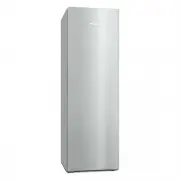


 Miele 11503300
User Manual
Miele 11503300
User Manual
 Miele 11503310
User Manual
Miele 11503310
User Manual
 Miele 11503330
User Manual
Miele 11503330
User Manual
 Miele 11503410
User Manual
Miele 11503410
User Manual
 Miele 11503430
User Manual
Miele 11503430
User Manual
 Miele 11503530
User Manual
Miele 11503530
User Manual
 Miele 11503550
User Manual
Miele 11503550
User Manual
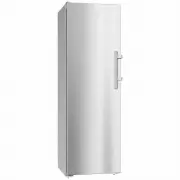 Miele FN28262EDTCS
User Manual
Miele FN28262EDTCS
User Manual
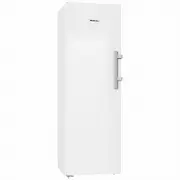 Miele FN28262WS
User Manual
Miele FN28262WS
User Manual