Page 2 - Caring for the environment
Caring for the environment 2 Disposal of the packingmaterial The transport and protective packaginghas been selected from materials whichare environmentally friendly fordisposal, and can normally be recycled. Recycling the packaging reduces theuse of raw materials in themanufacturing process and als...
Page 3 - Contents
Contents 3 Caring for the environment .................................................................................. 2 Warning and Safety instructions ......................................................................... 6 Guide to the appliance ...............................................
Page 4 - Steamer
Contents 4 Active ironing board .............................................................................................. 37 Suction function ............................................................................................... 37Inflation function ......................................
Page 5 - Optional accessories
Contents 5 Cleaning the water filter......................................................................................... 59 Disconnect the power supply........................................................................... 59Removing the water container .......................................
Page 6 - Warning and Safety instructions; Correct application
Warning and Safety instructions 6 This steam ironing system complies with current safetyrequirements. Inappropriate use can, however, lead to personalinjury and damage to property. To avoid the risk of accidents and damage to the steam ironingsystem, please read these instructions carefully before u...
Page 7 - Safety with children
Warning and Safety instructions 7 Safety with children Young children must be kept away from the steam ironing system. Older children may only use the steam ironing system when its operation has been clearly explained to them and they are able touse it safely, recognising the dangers of misuse. ...
Page 8 - Technical safety
Warning and Safety instructions 8 Technical safety Before setting up the steam ironing system, inspect it visually for any external damage. Never use a damaged steam ironing system. Adamaged steam ironing system can be dangerous. Check the iron of the steam ironing system for damage. Do not use ...
Page 9 - The electrical safety of this steam ironing system can only be
Warning and Safety instructions 9 The electrical safety of this steam ironing system can only be guaranteed when continuity is complete between it and an effectiveearthing system which complies with current local and nationalsafety regulations. It is most important that this basic safetyrequiremen...
Page 11 - Correct use; Do not
Warning and Safety instructions 11 Correct use Emitted steam, the iron soleplate together with the areas surrounding it on the iron, and the steamer jets are very hot.Danger of burning! Avoid direct contact. The steam ironing system is not designed for commercial purposes. Do not use a pressur...
Page 12 - connected
Warning and Safety instructions 12 Always place the iron with its soleplate horizontally on the resting surface of the steam ironing system. Ensure the steam function isswitched off and the soleplate does not protrude over the edges. Donot place the iron anywhere else as this presents a fire hazar...
Page 13 - Using accessories
Warning and Safety instructions 13 Do not insert any objects into the apertures on the steam ironing system. If an aperture is blocked, do not use the system. Do not hang items of laundry on the folded steam ironing system. This may cause the steam ironing system to tip over due to the effectof ...
Page 14 - Guide to the appliance
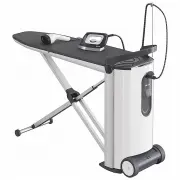
Guide to the appliance 14 a Ironing board b Iron with steam hose c Steam hose holder d Handle e Water container f Tower g Residual water drawer h Top storage compartmentFor the iron and the steam hoseholder. i Ironing board X-frame j Iron resting area k Mains connection cable l Lower storage compart...
Page 15 - Tower
Guide to the appliance 15 Tower a Rotary dial for height adjustmentand folding the appliance away b Iron resting area c Steam connection Tower (top view) with open storagecompartment (top) d Sockets for the steam hose holder e Control panel f Steam hose holder g Iron with steam hose
Page 16 - Control panel on tower; OK
Guide to the appliance 16 Control panel on tower h On/Off button Switches the steam ironing systemon or off. i DisplayDisplays messages and instructionsfor the user. j Arrow button Lights up if additional options areprovided or the display text exceedsthe specified length of a line. Scrollsthe ...
Page 17 - Transporting the appliance; The steam ironing system must
Transporting the appliance 17 The steam ironing system is fitted withtwo castors. This allows the steamironing system to be pulled across aneven surface when folded up. Hold the steam ironing system by itshandle and tip it gently towards youuntil the castors are free to roll. This allows you to na...
Page 18 - Assembling
Assembling 18 Move the steam ironing system to itsset-up location. Use one hand to pull the releasemechanism upwards. This releases the locking mechanism ofthe ironing board and the X-frame foldsdown. Hold onto the release mechanismand guide the ironing board into aposition of approx. 45°. The...
Page 19 - Adjusting the height; direction and hold
Assembling 19 The steam ironing system is nowassembled. This is its lowest workingposition of approx. 83 cm high. Adjusting the height The steam ironing system can beadjusted to your preferred workingheight. The maximum working height is102 cm. When adjusting the height, ensurethe mains connection c...
Page 20 - Adjust your working position
Assembling 20 At the same time, pull the handle onthe tower upwards with the otherhand or press the handle down. Do not push down on the ironingboard while adjusting the height!Always use the handle on the towerto do this. When you have reached your desiredworking height, release the rotarydial....
Page 21 - Connecting
Connecting 21 Connecting the mainsconnection cable The steam ironing system is designedfor connection to a properly installedearthed socket for AC 220-240 V,50-60 Hz. Open the (lower) storagecompartment by swinging the liddownwards. Remove the mains connection cablefrom the (lower) storagecompar...
Page 22 - Close the storage compartment lid.; Connecting the steam hose
Connecting 22 Removing the iron and thesteam hose holder Open the lid of the (top) storagecompartment on the tower. Take out the iron and the steam hoseholder. Close the storage compartment lid. Plug the steam hose holder into oneof the sockets provided. Useful tip: Use the socket on the sid...
Page 23 - Do not place the iron in an
Connecting 23 Slot the rubber ring on the steamhose into the steam hose holder. Ensure the steam hose is secure andis not twisted. To avoid damage or discolouration tothe ironing board cover, always placethe iron on the iron rest before youstart ironing and during pauses inironing. Do not plac...
Page 24 - Using for the first time; Determining water hardness; Using the test strips; It is useful to know your
Using for the first time 24 Before using the steam ironingsystem for the first time, remove allpackaging (e.g. the protective filmfrom the tower). Determining water hardness In order for the steam ironing system tofunction properly and to display amessage prompting you to descale it atthe correct ...
Page 25 - Before using for the first time; Language settings
Using for the first time 25 Before using for the first time The following steps must be carriedout before using the appliance for thefirst time: Switching on the steam ironingsystem Press the button on the control panel on the tower. Willkommen The Welcome screen appears for a fewseconds in ...
Page 26 - Setting the water hardness
Using for the first time 26 Setting the water hardness Set waterhardness ... Before the water hardness can be set,the display message Set water hardness ... must first be confirmed by pressing the OK button. The steam ironing system gives youthe option to set the water hardness toone of 10 set...
Page 27 - Set-up is now complete; will
Using for the first time 27 Set-up is now complete This completes the settings for usingthe appliance for the first time. Themessage Initial set-up complete will appear in the display. Confirm thismessage by pressing the OK button. The steam ironing system will normallyrun a rinse cycle automati...
Page 28 - Switching on
Switching on 28 Switching on the steam ironingsystem Press the button on the control panel of the tower to switch on thesteam ironing system. The button lights up and the Welcome screen appears for severalseconds in the display. If the iron was not connected to thesteam connection socket bef...
Page 29 - Filling the water container; will appear in the display.
Switching on 29 Filling the water container If the water container is empty or notfitted in the tower, the message Fill water cont. will appear in the display. Removing the water container Hold the water container by itshandle. Pull the handle downwards. The water container will release from...
Page 30 - Steam operation; Water quality
Switching on 30 Steam operation Ready for use After inserting the water container, waituntil the steam ironing system is readyto use steam. This is indicated by the Ready for use message in the display. If the water container is filled during theironing process, the steam generatormay have to ...
Page 32 - ßß; ßßß
Switching on 32 Care label (on the garment) Ironing with steam for best results (Material / Temperature setting) Ironing without steam (Material / Temperature setting) Low temperature With non-stick soleplate (see "Ironing with the non-sticksoleplate")Minimum iron, synthetics,appliqués, pr...
Page 33 - CoolDown function; AutoOff function
Switching on 33 CoolDown function Iron switched off The iron will switch off automatically if ithas not been moved for longer than3 minutes. The following message willappear in the display Iron switched off to let you know it has switched off. Aftera while steam will not be availableeither. Th...
Page 34 - Ironing; Iron; Steam ironing system B 3312:
Ironing 34 Iron Depending on the model, your steamironing system has one of the followingirons: Steam ironing system B 3312: a Steam button b Sliding switch for continuous steam c Suction function button d Inflation function button Steam ironing systemB 3826 / B 3847: a Steam button b Slidi...
Page 35 - Ironing with steam; Using short bursts of steam
Ironing 35 Ironing with steam The steam system is ready for usewhen Ready for use appears in the display. The burst of steam is controlledby the button on the iron. When the button is pressed, the fan on the underside of the ironing boardstarts automatically. When the button is released, ...
Page 36 - Ironing without steam; The iron soleplate gets very hot
Ironing 36 Ironing without steam Remove the water container from thesteam ironing system if you want toiron without steam. The steam generator will not heat up,thus saving you electricity. Ironing with the non-sticksoleplate There is a non-stick soleplate in the(lower) compartment. Simply clip the...
Page 37 - Removing the non-stick soleplate; Active ironing board; Suction function
Ironing 37 Removing the non-stick soleplate Hold the iron by the handle. The non-stick soleplate is still very hot after ironing.Avoid direct contact.Only touch the tab of the non-sticksoleplate. Pull back the tab at the back of thenon-stick soleplate. Remove the iron from the non-sticksolep...
Page 38 - Memory function
Ironing 38 Memory function The memory function saves the fandirection and the power setting usedlast with your steam ironing system.When you use the appliance the nexttime, you do not need to set it again. Heated ironing surface When the iron is connected and thesteam ironing system is switched on,t...
Page 39 - The steamer; Connecting the steamer; The iron soleplate is still very hot
Steamer 39 The B 3847 steam ironing system isequipped with a steamer in addition tothe iron. The steamer is available asan optional accessory for the B 3312and B 3826 steam ironing systems. The steamer makes ironing hanging garments easier, e.g. dresses andjackets. It comes with a removablebrush a...
Page 40 - appears in the
Steamer 40 Now you can connect the steamer tothe steam connection socket. Attaching the steamer to the steamconnection socket Pull back the sliding switch locatedon the side of the steam hose plug. Insert the steam hose plug into thesteam connection socket on thetower. Release the sliding swit...
Page 41 - Using the steamer
Steamer 41 Using the steamer Danger of burning due to hot steam!Never direct the steam or the steamjets at people, animals or electricalappliances of any kind.Never point the steam at clothingwhile the clothes are being worn. Theclothing will intensify burning of theskin. The emission of steam is ...
Page 42 - Brush attachment; Connecting the brush attachment
Steamer 42 Brush attachment The steamer is equipped with a brushattachment which can be clipped on.The brush attachment helps to raisegarment fibres. You can hold the steamer directlyonto the fabric while the brushattachment is in place.Always try it first on aninconspicuous part of the fabric. Conn...
Page 43 - Switching off; button on the; Lower storage compartment
Switching off 43 To switch off the steam ironingsystem, press the button on the control panel. The light in the button goes out. The steam ironing system is nowswitched off. The last selected fansettings are saved and are available forthe next time you switch on theappliance. Place the iro...
Page 44 - Dismantling; Hold the rotary dial in the
Dismantling 44 Setting the ironing board to itslowest working height To dismantle the steam ironingsystem, the ironing board must first beset to its lowest working height. Makesure you do not trap the mainsconnection cable in the system.Ensure the residual water drawer iscompletely emptied, pushed i...
Page 45 - Folding the ironing board; The ironing board is now unlocked.
Dismantling 45 Folding the ironing board Turn one of the two rotary dials as faras it will go towards the position. The ironing board is now unlocked. Release the rotary dial. The rotary dial will spring back into thecentre position. Guide the ironing board downwardsor allow it to slide dow...
Page 46 - Disconnecting the steam hose; Hold back the sliding switch.; Storing the iron; Storing the steamer
Dismantling 46 Disconnecting the steam hose Do not pull on the steam hose.Hold the plug at the end of the steamhose. The plug may still be warmimmediately after using the system. Pull back the sliding switch locatedon the side of the steam hose plug. Hold back the sliding switch. Withdraw the ...
Page 47 - Emptying the water container
Dismantling 47 Emptying the water container Empty the water container if thesteam ironing system is not going tobe used for a long period of time. Remove the water container (see"Filling the water container"). Make sure the water container iscompletely emptied. Storing the steam ironings...
Page 48 - Cleaning and care; Automatic rinsing; will be
Cleaning and care 48 Automatic rinsing The automatic rinse function clearsthe steam generator of mineraldeposits from the evaporated water. After approx. 3 litres of water have beenpassed through the system, the rinseprocess will start automatically the nexttime the steam ironing system isswitched o...
Page 49 - appears in the display.; Descaling
Cleaning and care 49 The residual water drawer isdishwasher-safe or can be washed byhand using warm water and a littlewashing-up liquid. Make sure the metal discs (contacts)at the top of the residual waterdrawer are clean and dry. Thesemetal discs send a signal to thesteam ironing system when theres...
Page 50 - Descaling warning; will appear in the
Cleaning and care 50 Descaling warning Descale soon will appear in the display the next time you switch thesteam ironing system on if there areonly approx. 2 hours of ironing availablebefore the system needs descaling. You can start the descaling processwhilst the system is cold via theSettings ...
Page 51 - Starting the descaling process early
Cleaning and care 51 Starting the descaling process early Ready for use When the steam ironing system isswitched on, press the button on the control panel. You are now in the settings menu. Usethe arrow buttons to select theindividual options. Language Use the or arrow button to selec...
Page 52 - Fill water container to mark; will appear in; Level mark on the water container; The screw cap is now closed.
Cleaning and care 52 Fill water container to mark Hold the water container by itshandle. Pull the handle downwards. The water container will release fromthe retainer. Pull the water container upwards andout. When removing the water container,you may notice some water drippingwhile the water...
Page 53 - Press the
Cleaning and care 53 Add descaler Press the OK button to display the next step. The message Fit water container will now appear in the display. Fit water container Fit the water container back in thetower. After about 10 minutes (the time it takesfor the descaling tablet to dissolve), ...
Page 54 - Empty drawer; Fit drawer
Cleaning and care 54 Empty drawer This message may be displayed afterinserting the water container with thedescaling tablet. If you do not see thismessage, you can skip the followingsteps and continue as soon as you seethe Pre-rinse message in the display. Set the steam ironing system to it...
Page 55 - Rinse water container and fill to; will appear
Cleaning and care 55 Rinse water container and fill to the mark Remove the water container from thetower. As long as the water container is notfitted in the tower, the display will showthe following message Fit water container . Open the screw cap. Rinse the water container thoroughly.M...
Page 57 - Cleaning the housing; Before cleaning the housing,
Cleaning and care 57 Cleaning the housing Before cleaning the housing, switch off at the socket andwithdraw the plug. Depending on the level of soiling, use adry or damp soft cloth to clean thehousing. Do not use abrasive cleaning agents. Cleaning the soleplate of theiron The soleplate of the ir...
Page 58 - When removing the ironing board
Cleaning and care 58 Cleaning or replacing theironing board cover If the ironing board cover is soiled, youcan wash and dry it. If the ironingboard cover is damaged, it must bereplaced before using the steamironing system again. When removing the ironing board cover, always ensure the steamironing...
Page 59 - Cleaning the water filter; Disconnect the power supply
Cleaning and care 59 Cleaning the water filter The water filter prevents foreignobjects in the water from entering thesteam ironing system and causingdamage. The water filter can be cleaned if it isdirty or clogged. You will notice if thewater filter is dirty since this will causemore frequent pumpi...
Page 60 - Removing the sealing ring
Cleaning and care 60 Removing the sealing ring Use the hook on the water filter coverto pull the sealing ring up and out ofthe right-hand socket. Please note that the top of the sealingring looks different to the bottom of it.The top has a smooth surface allround and the bottom has a narrowridge a...
Page 62 - Inserting the water container
Cleaning and care 62 Use a Phillips head screwdriver totighten the screw. Inserting the water container Refit the water container in theretainer in the tower. The steam ironing system is now readyfor operation again. If the water filter is not inserted, thesteam ironing system will not work.The ...
Page 63 - Care products; Descaling tablets
Optional accessories 63 Miele appliances are designed toachieve the best possible results and toprovide uncompromising satisfactionfor as long as possible. To achieve this,all factors must interact perfectly withone another. Therefore Miele offers acomprehensive range of accessoriesthat harmonise wi...
Page 64 - Problem solving guide; or
Problem solving guide 64 With the help of the following notes minor faults in the performance of theappliance, some of which may result from incorrect operation, can be correctedwithout contacting Miele. This will save time and money as a call-out charge willapply to customer service visits where th...
Page 65 - Problem
Problem solving guide 65 Problem solving guide Problem Possible cause and remedy The steam ironingsystem cannot beswitched on. The steam ironing system does not have any power. Check that – the plug is inserted into the wall socket and that the socket is switched on. – the circuit breaker has not ...
Page 70 - Display messages
Problem solving guide 70 Display messages Problem Possible cause and remedy Message in the display: Drain valve closing When the steam ironing system was switched on, thesteam generator drain was open. The drain is closedautomatically during this message. Message in the display: Drainage fau...
Page 74 - After sales service; model; Warranty
After sales service 74 After sales service In the event of a fault which you cannotcorrect yourself, please contact Miele. The contact details for Miele are givenat the back of these instructions. When contacting Miele please quotethe model and serial number of your appliance. This information can b...
Page 75 - Electrical connection
Electrical connection 75 Before you connect the steamironing system, you must check theconnection data (voltage andfrequency) on the data plate andcompare it with the data applicableto your local power supply.This data must match, otherwisethere is a risk of damage to thesteam ironing system.If in d...
Page 76 - Technical data
Technical data 76 Dismantled dimensions (H x W x D) 1280 x 470 x 370 mm Assembled dimensions (H x W x D) 970 x 470 x 1480 mm Weight 29 kg Voltage See data plate Total rated load See data plate Fuse rating ≥ 10 A Steam pressure for B 3312Steam pressure for B 3826 and B 3847 3.5 bar4.0 bar Steam quant...
Page 79 - Miele New Zealand Limited
www.miele.com.au Miele Experience Centre and Head Office Melbourne: 1 Gilbert Park DriveKnoxfield, VIC 3180 Miele Experience Centre South Melbourne: 206-210 Coventry StreetSouth Melbourne, VIC 3205 Miele Experience Centre and Office Sydney: 3 Skyline PlaceFrenchs Forest, NSW 2086 Miele Experience Ce...
Page 80 - FashionMaster