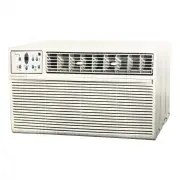
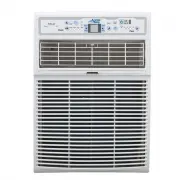
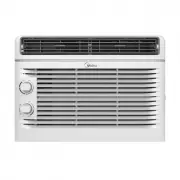
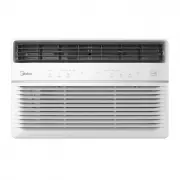
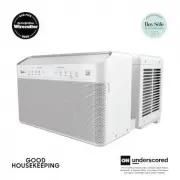
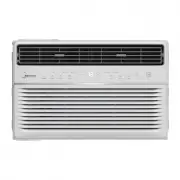
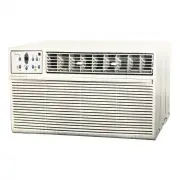
Page 2 - Page 2; Read This Manual; • Contact the installer for installation of this unit.; Owner’s Manual; CAUTION
Page 2 Read This Manual Inside you will find many helpful hints on how to use and maintain your air conditioner properly. Just a little preventive care on your part can save you a great deal of time and money over the life of your air conditioner. You’ll find many answers to common problems in t...
Page 3 - Page 3; Safety Precautions; This sy
Page 3 Safety Precautions CAUTION WARNING Saf ety Precautions To prevent injury to the user or other people and property damage, the instructions shown here must be followed. Incorrect operation due to ignoring of instructions may cause harm or damage. The level of risk is shown by the following...
Page 4 - mm
Page 4 WARNING • Do not direct airflow straight into people to avoid possible health hazard. • Always install a circuit breaker and a dedicated power circuit. Incorrect installation m ay cause fire and electric shock. • Do not open the unit during operation. It m ay cause electric shock. • Do no...
Page 5 - Page 5; NOTE; WARNING - Electrical Infor; Grounding type wall receptacle
Page 5 Saf ety Precautions NOTE The power supply cord with this air conditioner contains a current detection device designed to reduce the risk of fire. Please refer to the section Operation of Current Device for details. In the event that the power supply cord is da m aged, it can not be repair...
Page 6 - Page 6; button, you will notice a click as the RESET button pops out.; NOTES; Operation of Current Device
Page 6 The power supply cord contains a current device that senses damage to the power cord. To test your power supply cord as follows: 1. Plug in the air conditioner. 2. The power supply cord will have TWO buttons on the plug head. Press the TEST button, you will notice a click as the RESET but...
Page 7 - Page 7; Unit Specifications
Page 7 Unit Specifications and F e atur es 1 Unit Specifications MODEL MODEL MWA06CR71 MWA06CR71 MWA08CR71 MWA08CR71 MWA10CR71 MWA10CR71 MWA12CR71 MWA12CR71 Power supply Ph-V-Hz 1Ph, 115V-, 60Hz 1Ph-115V-60Hz 1Ph-115V-60Hz 1Ph-115V-60Hz Cooling Capacity Btu/h 6000 8000 10000 12000 EER Btu/w.h,w/...
Page 8 - Operating Instructions; Nor; Sound of Rushing Air; UHIULJHUDQWμRZLQJ; WARNING
Page 8 NOTE All the pictures in this m anual are for illustrative purposes only. The actual shape of the air conditioner you purchased m ay be slightly different, but its operations and fuctions are si m ilar. NOTE The cool circuit has an auto m atic 3 m inutes ti m e delayed start if the unit i...
Page 9 - Page 9; Set the selector control to the highest COOL setting.; Cooling Operation; Key Pad Features; Power
Page 9 To quickly begin operating the air conditioner, follow these steps: 1. Set the thermostat to the lowest number (coldest setting). 2. Set the selector control to the highest COOL setting. 3. Adjust the louver for comfortable air flow (see Air Directional Louvers). 4. Once the room feels co...
Page 10 - Operating on AUTO
Page 10 Oper ating Ins tructions (UP/DOWN) Button Press or hold either left ( - ) or right ( + ) button until the desired temperature is seen on the display. This temperature will be automatically maintained at the set temperature, between 62°F (17°C) and 86°F (30°C). If you want the display to ...
Page 12 - Additional Infor; The fan will continue to run during this time.; Air direction
Page 12 Oper ating Ins tructions Additional Infor m ation Now that you have mastered the operating procedure, here are more features in your control that you should become familiar with. • The Cool circuit has an automatic 3 minute time delayed start if the unit is turned off and on quickly. Thi...
Page 13 - Installation Instructions; • IMPORTANT; Tool You Will Need; Screwdriver
Page 13 Ins tallation Ins tructions 3 Installation Instructions Your air conditioner is designed to install in standard double hung windows with opening widths of 23 to 36 inches (584mm to 914mm) (See Fig. D). Model 6000~8000 BTU/h 10000~12000 BTU/h H 14” (356mm) 15-1/2” (394mm) H Wooden Windows...
Page 14 - PREPARE AIR CONDITIONER; sharp; Packaging; M o u n t i n g H a rd wa re; Top Rail Hardware; PREPARE THE WINDOW; A: Remove the air conditioner from the
Page 14 NOTE The top rail hardware and the following Fig. E, Fig. F and Fig. G are not applicable to the units over 10,000 Btu/h. 2. PREPARE AIR CONDITIONER Before installing unit, the top rail must be assembled on the unit for models with a capacity of less than 10,000Btu/h. CAUTION When handli...
Page 15 - How To Install
Page 15 Ins tallation Ins tructions 1. Place unit on floor, a bench or a table. There is a left and right side filler panel; be sure to use the proper panel for each side. When installed, the flange for securing the panel in place to the window sill will be facing into the room. A. Hold the side...
Page 16 - While keeping a firm grip on the air conditioner,; If stor; the overflow drain hole during nor; To prevent window sill fro; Extend the side panels out against the window frame
Page 16 Ins tallation Ins tructions 2. While keeping a firm grip on the air conditioner, carefully place the unit into the window opening so the bottom of the air conditioner frame is against the window sill (Fig. 4). Carefully close the window behind the top rail of the unit. NOTE If stor m win...
Page 17 - If AC is Blocked by Stor
Page 17 Ins tallation Ins tructions 6. To secure lower sash in place, attach right angle sash lock with 3/4” (19mm) or 1/2” (12.7mm) screw as shown (Fig. 8). 7. Cut window sash seal foam and insert it in the space between the upper and lower sashes (Fig. 9). Fig. 8 Fig. 8 Fig. 9 FOAM SEAL Fig. 9...
Page 18 - Care and Cleaning; Never use hot water over 40°C (104°F) to clean the air filter. Never atte
Page 18 Air Filter Cleaning Cabinet Cleaning Winter Storage The air filter should be checked at least once a month to see if cleaning is necessary. Trapped particles in the filter can build up and cause an accumulation of frost on the cooling coils. • Push the vent handle to the closed position ...
Page 19 - Troubleshooting Tips
Page 19 T roubleshooting T ips 5 Troubleshooting Tips Before calling for service, review this list. It may save you time and expense. This list includes common occurrences that are not the result of defective workmanship or materials in this appliance. Proble m Solution Air conditioner does not ...
Page 20 - Location of the re; Electronic display displays the following infor
Page 20 6 Remote Control Operating Instructions Using The Re m ote Control Location of the re m ote controller Use the remote controller within a distance of 8 meters / 26 feet from the appliance, pointing it towards the receiver. Reception is confirmed by a beep. Electronic display displays the...
Page 21 - Changing The Batteries On The Re; Battery replace; The clock feature is only avaliable on the re
Page 21 Oper ating Ins tructions (W ith R e m ote ) Changing The Batteries On The Re m ote Battery replace m ent: • Slide the rear cover on the remote in the directions of the arrow. Continue pulling (gently) until the cover separates completely from the unit. • Insert (2) batteries (AAA) follow...