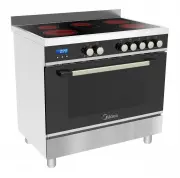
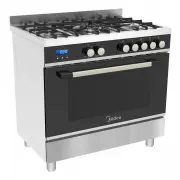
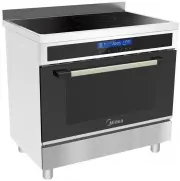
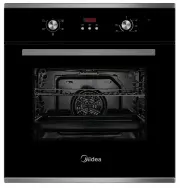
Page 2 - ACKNOWLEDGMENT; WARNING
2 ACKNOWLEDGMENT Thank you for purchasing our product. We hope you enjoy using the many features and benefits it provides. Before using this product please study this entire Instruction Manual carefully. Keep this manual in a safe place for future reference. Ensure that other people using the produc...
Page 4 - SAFETY HINTS; FITTING THE OVEN INTO THE KITCHEN UNIT; DECLARATION OF COMPLIANCE
4 SAFETY HINTS ● Do not use the oven unless you are wearing something on your feet. Do not touch the oven with wet or damp hands or feet. ● For oven: Oven door should not be opened often during the cooking period. ● The oven must be installed by an authorized technician and put into use. The manufac...
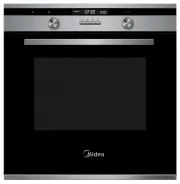
Page 5 - PRODUCT DESCRIPTION - MO9BL
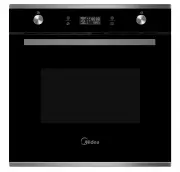
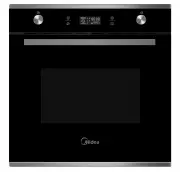
5 PRODUCT DESCRIPTION - MO9BL Symbol Function description Oven Lamp: Which enables the user to observe the progress of cooking without opening the door. Oven lamp will light for all cooking functions. Defrost: The circulation of air at room temperature enables quicker thawing of frozen food, (withou...
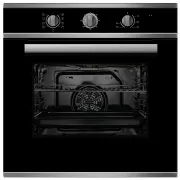
Page 6 - PRODUCT DESCRIPTION - MO9SS
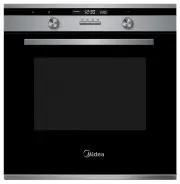
5 PRODUCT DESCRIPTION - MO9SS Symbol Function description Oven Lamp: Which enables the user to observe the progress of cooking without opening the door. Oven lamp will light for all cooking functions. Defrost: The circulation of air at room temperature enables quicker thawing of frozen food, (withou...
Page 7 - OPERATION INSTRUCTIONS; Inquiring Function
6 OPERATION INSTRUCTIONS 1. Clock Setting After connecting the oven to the power, the symbols " 0:00 " will be visible on the display.1> Press " ", the hour figures will flash.2> Rotate " K2 " to adjust the hour figures, (time should be within 0--23).3> Press " &...
Page 8 - Child lock Function; Delay Cook
7 5. Child lock Function To Lock: press " " and " " simultaneously for 3 seconds, there will be a long " beeping " sound and the " " will be illuminated. Lock quitting: press " " and " " simultaneously for 3 seconds, there will be a long " beeping ...
Page 9 - Note
8 3> Press the " " button to finish cooking setting, and the clock will be on the screen with delay cook sign " " always lighting. But no other function signals are presented. Delay cook time can be checked by pressing " ", 3 seconds later the screen will show clock again....
Page 10 - ACCESSORIES
9 ACCESSORIES ROTISSERIE SKEWER: The average speed of the motor heat the food evenly. At the same time, it can guarantee the nutrition of the food. Wire shelf: For grill dishes, cake pan with items for roasting and grilling. Universal pan: For cooking large quantities of food such as moist cakes, pa...
Page 11 - BULB REPLACEMENT; SECURING THE OVEN TO THE CABINET
10 SHELF PLACEMENT WARNING To ensure the oven shelves operate safely, correct placement of the shelves between the side rails is imperative. Shelves and the pan only can be used between the first and fifth levels.The shelves should use fitted correctly to ensure safe access and removal of dishes and...
Page 12 - VENTILATING OPENINGS; CONNECTION OF THE OVEN
11 Remark: Note: The number of accessories included depends on the particular appliance purchased. VENTILATING OPENINGS When cooking is finished or in pause state or in waiting state, if the oven's center temperature is over 75 degrees, the cooling fan will continue working for 15 minutes. Or when t...
Page 14 - CLEANING AND MAINTENANCE
13 CLEANING AND MAINTENANCE For the sake of a good appearance and reliability, keep the oven clean. The modern design of the unit facilitates maintenance to a minimum. The parts of the oven which come into contact with food have tobe cleaned regularly. Before any maintenance and cleaning, disconnect...