Page 2 - Addendum
2 Precautions to Avoid Possible Exposure to Excessive Microwave Energy (a) Do not attempt to operate this oven with the door open since this can result in harmful exposure to microwave energy. It is important not to break or tamper with the safety interlocks. (b) Do not place any object between the ...
Page 3 - Important Safety Instructions Warning; To reduce the risk of fire, electric shock, injury to persons
3 Important Safety Instructions Warning To reduce the risk of fire, electric shock, injury to persons or exposure to excessive microwave oven energy when using your appliance, follow basic precautions, including the following: 1. Read and follow the specific: "PRECAUTIONS TO AVOID POSSIBLE EXPOS...
Page 4 - and keep the door closed in order to stifle any flames.
4 7. WARNING: Liquids and other foods must not be heated in sealed containers since they are liable to explode. 8. When heating food in plastic or paper containers, keep an eye on the oven due to the possibility of ignition. 9. Only use utensils that are suitable for use in microwave ovens. 10. If s...
Page 5 - - Staff kitchen areas in shops, offices and other working; READ CAREFULLY AND KEEP FOR
5 18. The microwave oven shall not be placed in a cabinet unless it has been tested in a cabinet. 19. The microwave oven must be operated with the decorative door open. (For ovens with a decorative door.) 20. The appliance is intended to be used in household and similar applications such as: - Staff...
Page 6 - Consult a qualified electrician
6 To Reduce the Risk of Injury to Persons Grounding Installation Danger Electric shock hazard may rise when touching some of the internal components, which can cause serious personal injury or death. Do not disassemble this appliance. Warning Electric shock hazard may rise when with improper use of ...
Page 7 - Caution; Personal Injury Hazard; Be sure to unplug the appliance from the power supply.
7 Cleaning UTENSILS Caution Personal Injury Hazard It is hazardous for anyone other than a competent person to carry out any service or repair operation that involves the removal of a cover which gives protection against exposure to microwave energy. See the instructions on "Materials you can us...
Page 9 - Setting Up Your Oven; Names of Oven Parts and Accessories; Turntable Installation
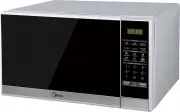
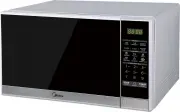
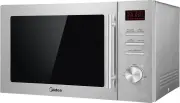
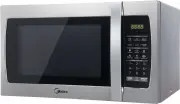
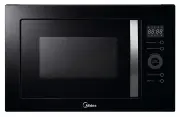
9 Setting Up Your Oven Names of Oven Parts and Accessories Remove the oven and all materials from the carton and oven cavity. Your oven comes with the following accessories:Glass tray 1 Turntable ring assembly 1 Instruction Manual 1 Turntable Installation A) Control panel B) Turntable shaft C) Turnt...
Page 10 - Countertop Installation; Installation; Select a level surface that; The accessible
10 Countertop Installation Installation Remove all packing materials and acces- sories. Examine the oven for any damage such as dents or broken door. Do not install the oven if it is damaged. 1. Select a level surface that provides enough open space for the intake and/or outlet vents. (1) The minimu...
Page 11 - Operation
11 Operation 1. Power Level 11 Power levels are available. 2. Clock Setting (1) Press “ CLOCK ”, “00:00” will display. (2) Press the number keys and enter the current time. For example, if time is 12:10 now, please press “1”, “2”, “1”, “0” in turn. (3) Press “ CLOCK ” to finish clock setting. “:” wi...
Page 12 - Weight Defrost Function; Time Defrost Function
12 Example: to cook the food with 50% microwave power for 15 minutes.a. Press “ TIME COOK ” once.”00:00” displays. b. Press “1”,”5”,”0”,”0” in order. c. Press “ POWER ” once, then press “5” to select 50% microwave power. d. Press “ START/+30SEC. ” to start cooking. Note: (1) In the process of settin...
Page 13 - Important Information about Microwave Popcorn Feature:
13 8. Popcorn (a) Press “ POPCORN ” repeatedly until the number you wish appears in the display, “50”, “100” g will display in order. For example, press “ POPCORN ” once, “50” appears. (b) Press “ START/+30 SEC. ” to cook, buzzer sounds once. When cooking is finished, buzzer will sound five times an...
Page 15 - Inquiring Function; Lock Function for Children
15 15. Multi-stage Cooking At most 2 stages can be set for cooking. In multi-stage cooking, if one stage is defrosting, then defrosting shall be placed at the first stage automatically. Note: Auto cooking cannot work in the multi-stage cooking. Example: if you want to cook with 80% microwave power f...
Page 16 - Trouble Shooting; Normal; Trouble
16 Trouble Shooting Normal Microwave oven interfering with TV reception Radio and TV reception may be interfered when microwave oven is operating. It is similar to the interference of small electrical appliances, like mixer, vacuum cleaner, and electric fan. It is normal. Dim oven light In low power...