Page 2 - CONTENTS
CONTENTS 1 Safety information ........................................ 2-3 Identifying parts of the freezer ........................................ 4 Transporting ........................................ 5 Installation ........................................ 5-6 Control features and functions .......
Page 3 - SAFETY INFORMATION; Congratulations on your new; Safety of children
SAFETY INFORMATION CAUTION WARNING Congratulations on your new eezer. This manual contains important information on the Midea fr installation, use and care of your appliance. Please read this manual carefully before use. Follow instructions and keep the manual for future reference. The appliance is ...
Page 4 - Safety Precautions
SAFETY INFORMATION 3 - The freezer is designed to operate on a single phase power supply within a voltage range of 220-240V/50Hz. - Do not allow any sharp objects to come in contact with the refrigerant system to avoid damage to the refrigerant circuit. - Keep ventilation openings, in the appliance ...
Page 5 - IDENTIFYING PARTS OF THE FREEZER
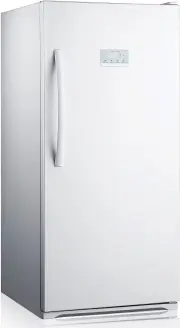
IDENTIFYING PARTS OF THE FREEZER 4 Light switch Temperature sensor Wire shelf Wire drawer 1 2 1 5 6 7 3 4 2 3 4 Door bin Wire door bin Kick panel 5 6 7
Page 6 - TRANSPORTING; Positioning your freezer; Allow for adequate ventilation around your freezer; INSTALLATION
TRANSPORTING Remove all packaging material before using new . This and adhesive tape your freezer includes the foam base and all adhesive tape holding the accessories inside and freezer outside. Clean both the inside and outside of the with a cloth lukewarm soapy freezer soft and water. Keep the upr...
Page 7 - Door Handle assembly; Remove the hexagonal key and; Kick Panel assembly; Fit the kick panel in place and screw into holes.
screw INSTALLATION Door Handle assembly 1. Remove the hexagonal key and the two screws from the plastic bag supplied inside the freezer and set the screws into the door holes. Position the door handle over the screws. Tighten the head cap screws in the side of the handle until secured in place on th...
Page 8 - CONTROL FEATURES AND FUNCTIONS; Buttons
7 CONTROL FEATURES AND FUNCTIONS 1 8 1 Quick freeze 2 4 Temperature setting / Quick Freeze time setting down (decrease) 5 7 Numeric display panel Buttons Display Temperature display format (°C or °F) Lock / Unlock 2 3 4 5 6 7 9 3 Temperature setting / Quick Freeze time setting up (increase) 6 Alarm ...
Page 9 - Locking and unlocking the display panel; Quick Freeze Mode; Note: It is not advisable to use Quick Freeze for 48 hours or more.; Adjusting temperature of the freezer; Setting temperature °C or °F format
CONTROL FEATURES AND FUNCTIONS 8 Locking and unlocking the display panel To lock the control panel, hold down the Lock / Unlock button (4) for 3 seconds until the Lock icon displays, this indicates the freezer control panel is locked. To unlock the control panel, press the Lock / Unlock button (4) u...
Page 10 - Error Codes display; ERROR CODE; Freezer temperature sensor failure; CLEANING & MAINTENANCE; Cleaning the appliance; Interior; Clean the; Door seal; Turn appliance off at the power point, then remove the power
CONTROL FEATURES AND FUNCTIONS Error Codes display The error codes listed below may appear on the display. Firstly press Alarm Reset and contact Midea Customer Care if the error code still displays after you have reset the alarm. ERROR CODE DESCRIPTION E1 Freezer temperature sensor failure E5 Freeze...
Page 11 - Please check the points below after maintenance:; (2) Can the power plug be inserted into the power socket correctly?; Replacing the Interior light; step 3; step 1; step 4; Before replacing the light:; Turn appliance off at the power point, then remove
CLEANING & MAINTENANCE Please check the points below after maintenance: (1) Is there any damage to the power lead? (2) Can the power plug be inserted into the power socket correctly? (3) Is the power plug and/or lead heating up? 10 Replacing the Interior light Open the freezer door and locate th...
Page 12 - ENERGY SAVING TIPS; Leave the freezer operating during short vacations.
11 Reduce opening the door frequently. This will increase the appliance efficien and cy reduce power consumption. Be sure to wrap foods properly, and wipe containers dry before placing them in the freezer. This cuts down on frost build-up inside the freezer. There should always be some space between ...
Page 13 - TROUBLESHOOTING GUIDE; SYMPTOM
12 TROUBLESHOOTING GUIDE If you think so e ing may be wrong with your freezer, you can carry out some easy checks before m th calling for service. Y o a cat e problem and spare yourself from inconvenience, saving time and u m y lo e th money. SYMPTOM SUGGESTION Free is not operating zer · Check that...
Page 14 - If service is required; Complete and retain the following information for your records:; Please retain proof of purchase for warranty claims.; Date of purchase
13 REPAIRS, SERVICE & WARRANTY It is hazardous for anyone installing, removing, altering, repairing servicing testing or , certifying the gas system of a gas device (i.e. charging, discharging or breaking into the refrigeration system that uses hydrocarbon refrigerants). Only an Authorised Servi...
Page 15 - SPECIFICATIONS
14 SPECIFICATIONS NOTE: · Product specifications are subject to change without prior notice. · This product is subject to continuous improvement, which may not be completely consistent with the manual, however the functions and operating methods will not change. Model MF411W Climate class T Classifica...