Page 2 - Important Notices for Consumers and Servicers; WARNING; Important Information; CAUTION
16021730 Rev. 0 2 Pride and workmanship go into every product to provide our customers with quality products. It is possible, however, that during its lifetime a product may require service. Products should be serviced only by a qualified service technician who is familiar with the safety procedures...
Page 3 - Table of Contents
3 16021730 Rev. 0 Important Information .................................................... 2 Component Testing ....................................................... 4 Service Procedures ....................................................... 7 Service Equipment .....................................
Page 4 - Component Testing
Component Testing ! WARNING To avoid risk of electrical shock, personal injury, or death, disconnect electrical power source to unit, unless testprocedures require power to be connected. Discharge capacitor through a resistor before attempting to service.Ensure all ground wires are connected before ...
Page 7 - Refrigerant Precautions; Line Piercing Valves; Service Procedures; Service Equipment
7 16021730 Rev. 0 Every time sealed HFC134a system is repaired, drier filter must be replaced.Cut drier out of system by completing the following steps. Do not unbraze drier filter. Applying heat to remove drier will drive moisture into system. 1. Score capillary tube close to drier and break.2. Ref...
Page 8 - Leak Testing; DANGER; Restrictions
16021730 Rev. 0 8 Open Lines During any processing of refrigeration system, never leave lines open to atmosphere. Open lines allow water vapor to enter system, making proper evacuation more difficult. Dehydrating Sealed Refrigeration System Moisture in a refrigerator sealed system exposed to heat ge...
Page 9 - Evacuation and Charging
9 16021730 Rev. 0 Service Procedures ! WARNING To avoid risk of electrical shock, personal injury, or death, disconnect electrical power source to unit, unless test procedures require power to be connected. Discharge capacitor through a 10,000 ohm resistor before attempting to service. Ensure all gr...
Page 10 - Refrigerant Charge
16021730 Rev. 0 10 Service Procedures ! WARNING To avoid risk of electrical shock, personal injury, or death, disconnect electrical power source to unit, unless test procedures require power to be connected. Discharge capacitor through a 10,000 ohm resistor before attempting to service. Ensure all g...
Page 11 - HFC134a Service Information
11 16021730 Rev. 0 Service Procedures ! WARNING To avoid risk of electrical shock, personal injury, or death, disconnect electrical power source to unit, unless test procedures require power to be connected. Discharge capacitor through a 10,000 ohm resistor before attempting to service. Ensure all g...
Page 12 - Replacement Service Compressor; Brazing
16021730 Rev. 0 12 Service Procedures To avoid risk of electrical shock, personal injury, or death, disconnect electrical power source to unit, unless test procedures require power to be connected. Discharge capacitor through a 10,000 ohm resistor before attempting to service. Ensure all ground wire...
Page 13 - Refrigerant Flow
13 16021730 Rev. 0 Refrigerant Flow Side by Side Refrigerant Flow Diagram
Page 14 - Cabinet Air Flow
16021730 Rev. 0 14 Cabinet Air Flow Side by Side Cabinet Air Flow Diagram
Page 15 - Ice and Water Dispenser Diagram
15 16021730 Rev. 0 Side by Side Ice and Water Flow Diagram Ice and Water Dispenser Diagram Ice Maker 5/16" Water lineto Dispenser 1/4" Water Line Water Coil Secondary Water Valve Water Filter Primary Water Valve
Page 16 - Water Valves Diagram; Bottom View; Primary Valve
16021730 Rev. 0 16 Water Valves Diagram Bottom View Back View Primary Valve Secondary Valve Filter Head Bypass
Page 17 - Troubleshooting Chart
17 16021730 Rev. 0 Troubleshooting Chart Symptom Possible Causes Corrective Action No power to unit Check for power at outlet. Check fuse box/circuit breaker for blown fuse or tripped breaker. Replace or reset. Faulty power cord Check with test light at unit; if no circuit and current is indicated a...
Page 20 - System Diagnosis; Symptoms of an Overcharge
16021730 Rev. 0 20 System Diagnosis CONDITION SUCTION PRESSURE VARIATION FROM NORMAL HEAD PRESSURE VARIATION FROM NORMAL T1 INLET TEMPERATURE VARIATION FROM NORMAL T2 OUTLET TEMPERATURE VARIATION FROM NORMAL T3 SUCTION TEMPERATURE VARIATION FROM NORMAL W ATTAGE VARIATION FROM NORMAL Refrigerant Over...
Page 21 - Symptoms of a Restriction
21 16021730 Rev. 0 System Diagnosis the high side (condenser) of the system. Only partial frosting of evaporator instead of even frosting of entire coil. NOTE 1 : Usually the first thing that is noticed by the user is a rise in temperature foods. Although temperatures will rise in both the freezer...
Page 22 - Symptoms of Low or High Ambient
16021730 Rev. 0 22 System Diagnosis Symptoms of Low or High Ambient Temperature Installation Lower ambient air temperature reduces the condensing temperature and therefore reduces the temperature of the liquid entering the evaporator. The increase in refrigeration effect due to operation in a lower ...
Page 23 - COMPRESSOR REPLACEMENT
23 16021730 Rev. 0 Slide Rail Mounting Screw COMPRESSOR REPLACEMENT 1. Turn the main power switch in the machine compartment to the off position Evacuate the sealed system. 2. Remove the high side slide rail mounting screw. 3. Slide the high side foward into the service position. 4. Clean and cut th...
Page 24 - CONDENSER REPLACEMENT
16021730 Rev. 0 24 Wicks Defrost Water Drain Pan Filter Drier 12. Evacuate, recharge and leak test the system. 13. Test run the unit to check operation 14. Replace the machine compartment cover. CONDENSER REPLACEMENT The following general information explains how to successfully replace the condense...
Page 25 - EVAPORATOR REPLACEMENT
25 16021730 Rev. 0 Figure 3 5. Disconnect the fan motor wire lead connector. (See figure 4) Wire Lead Connector Figure 4 6. Evacuate the sealed system. 7. Use steel wool or fine emery paper to clean and then cut the inlet and the outlet tube of the old condenser. 8. Clean both the inlet and outlet e...
Page 27 - The Compressor
27 16021730 Rev. 0 HEAT EXCHANGER REPLACEMENT 1. Follow steps one thru three on compressor replacement. 2. Unsolder the suction line from the suction stub of the compressor. 3. Unsolder the other end of the suction line from the evaporator. 4. Unsolder the capillary tube at the muffler. 5. Remove an...
Page 29 - Defrost Heaters
29 16021730 Rev. 0 5. Remove the wiring harness quick disconnect connector. 6. Remove the two fan backet assembly mounting screws. 7. Remove the fan blade by pulling it off the shaft. Mounting Screws Figure 1 MountingScrew MountingScrew Figure 2 Figure 3 8. Remove the screws that secure the rear bra...
Page 30 - Fountain Assembly
16021730 Rev. 0 30 Radiant Heaters Clips Figure 1 REPLACING THE DRIP PAN AND DRAIN TUBE HEATERS 1. Shut the main power switch off. 2. Perform steps 1 through 4 and 6 through 17 of Evaporator Replacement. 3. Replace the drip pan heater assembly or drain tube heater coil if open or shorted. 4. Install...
Page 32 - Fountain Bracket Assembly Removal
16021730 Rev. 0 32 9. Install the new PC board/frame assembly in reverse order of removal. Touch Fountain Assembly Removal 1. Shut the main power switch off. 2. Perform steps 1 through 7 of the PC Board/ Frame Removal. Figure 1 Mounting Screws 3.Remove the two touch fountain assembly mounting screws...
Page 34 - ICE/CRUSHER BIN SHELF
16021730 Rev. 0 34 Control Rod Control Rod 6. When removing the crusher housing, position the snap ring (1) as shown in the drawing below, then remove it and the retainer washer (2). 7. Push the auger assembly away from the crusher housing using your thumb (3). Crusher Blades Fixed Blades Auger Nut ...
Page 37 - CZT TEST MODE
37 16021730 Rev. 0 After the diverter is removed, 2 mounting screws are visible behind the drawer. Using a 1/4 hex head screw driver, remove these screws. Slide the compartment assembly forward. Disconnect the power cords to free the assembly, then pull it completely out and set it aside. Re...
Page 38 - TROUBLESHOOTING DIAGNOSTIC PROCEDURES
16021730 Rev. 0 38 TROUBLESHOOTING DIAGNOSTIC PROCEDURES INTERRUPT -88 -88 ON WATER FILTER SERVICE POWER RESET ON SERVICE UNIT DOOR POWER ALARM FREEZER REFRIGERATOR CLEAN CONDENSER REPLACE WORKING
Page 39 - With main power switch ON check for line input on input terminal.; POWER SUPPLY DIAGNOSTICS
39 16021730 Rev. 0 Check for line voltage inputs and outputs per label on top of the power supply. 1. LINE INPUT With main power switch ON check for line input on input terminal. 2. DC OUTPUT Check for +12VDC and +26VDC output on output terminal. Check for +12VDC on main control terminals JP11...
Page 40 - Diagnostic Control Mode; food door open and the; fresh food door switch taped in the closed position
16021730 Rev. 0 40 OUT Diagnostic Control Mode Unit always start in normal operation or showroom mode. To get into mode selection with fresh food door open and the fresh food door switch taped in the closed position , press Power Interrupt 3 times. Display will show Current Mode. Use the FZ up...
Page 47 - U S E R
Form No. A/05/02 Part No. 111405-1 MCS p/n 61005583 Litho U.S.A. ©2002 Maytag Appliances Sales Co. U S E R G U I D E
Page 48 - E L C O M E; A B L E O F; COULD; S AV E T H E S E I N S T R U C T I O N S
1 W E L C O M E Welcome and congratulations on yourpurchase of a Jenn-Air ® Luxury™ Series Built-In refrigerator! Your complete satisfaction is veryimportant to us. For best results, wesuggest reading this material to helpacquaint you with proper operatingand maintenance procedures. Should you need ...
Page 49 - I M P O R T A N T S A F E T Y I N S T R U C T I O N S; When using your appliance, always follow; OFF
2 I M P O R T A N T S A F E T Y I N S T R U C T I O N S S AV E T H E S E I N S T R U C T I O N S WARNING: When using your appliance, always follow basic precautions, including the following: • Use the refrigerator only for its intended purpose. • To prevent possibility of hazard due to electrical sh...
Page 50 - I G H T; I N S T A L L A T I O N; TO INSTALL THE LIGHT SHIELDS:
3 For complete directions on proper instal-lation of this refrigerator, please refer tothe separate installation instructions pro-vided. IMPORTANT: • Make sure the floor under the refrig- erator is level with the surroundingfinished floor. • Protect a finished floor with ply- wood, cardboard or othe...
Page 51 - M A C H I N E C O M P A R T M E N T
4 M A C H I N E C O M P A R T M E N T TO REMOVE THE MACHINECOMPARTMENT COVER: Grasp the cover on the outer edges andlift up, then out and off. Set the coveraside. NOTE: DO NOT remove the foam piecesfrom the machine compartment coveror the condenser. Main Power Switch Water Filter (see pages 13-14) C...
Page 52 - E L E C T R O N I C C O N T R O L C E N T E R; N I T I A L
5 T E M P E R AT U R E A D J U S T M E N T S • Allow the temperature to stabilize for 24 hours after loading the refrigeratorbefore making any temperature adjust-ments. • The first touch of the up or down arrow shows the current temperaturesetpoint. • Subsequent touches of the pad raise the temperat...
Page 53 - RESET
6 F A H R E N H E I T / C E L S I U S D I S P L AY The control can be changed to displaytemperatures in either degrees Fahrenheitor degrees Celsius. • Open the machine compartment at the top of the refrigerator (see page 4). P O W E R I N T E R R U P T When enabled, PowerInterrupt will record anddis...
Page 54 - F R E S H F O O D C O M P A R T M E N T
7 A L A C A R T E S T O R A G E D R AW E R TO REMOVE: • Pull the drawer out until it stops.• Tilt the drawer up and pull it out. TO REINSTALL: • Slide the empty drawer bracket back on the track until the bracket tab slipsunder the track “catch.” • Tilt the drawer front up, slide the drawer back into...
Page 55 - C L I M A T E Z O N E TM S T O R A G E D R A W E R S; ClimateZoneTM Drawer Settings
8 C L I M A T E Z O N E ™ S T O R A G E D R A W E R S The two lower drawers in the fresh foodcompartment are equipped withClimateZone™ Technology. This tech-nology allows the temperature withineach drawer to be tightly controlled forstoring meats, fresh produce or citrus. The electronic temperature ...
Page 56 - D O O R S T O R A G E
9 A U T O M AT I C H U M I D I T Y C O N T R O L The ClimateZone™ drawers are equip-ped with Automatic Humidity Control,eliminating the need for manual humidityslide controls. * The Automatic Humidity Control system features a unique, patented mate-rial called Shape Memory Polymer (SMP)that when lam...
Page 57 - F R E E Z E R C O M P A R T M E N T; TO REMOVE WIRE SHELVES:
10 F R E E Z E R C O M P A R T M E N T A D J U S TA B L E W I R E S H E LV E S TO REMOVE WIRE SHELVES: • Completely unload the shelf or remove basket. • Lift up the rear of the shelf slightly. • Pull the shelf straight out. TO LOCK THE SHELF INTOANOTHER POSITION: • Tilt up the front edge of the shel...
Page 58 - A U T O M A T I C I C E M A K E R; C E
11 A U T O M A T I C I C E M A K E R After the refrigerator has been connectedto the water supply, move the wire leverarm on the icemaker into the down (ON) position to start its operation. The icemaker will fill with water when thefreezer reaches the proper temperature.It may be 8 to 12 hours befor...
Page 59 - A U T O M A T I C I C E A N D W A T E R D I S P E N S E R; DO NOT
12 A U T O M A T I C I C E A N D W A T E R D I S P E N S E R ( S E L E C T M O D E L S ) NOTES: • When using the ice dispenser for the first time, discard the first two orthree dozen cubes. • When using the water dispenser for the first time, press the actuator padfor ten minutes to bleed the air fr...
Page 60 - W A T E R F I L T E R
13 W A T E R F I L T E R NOTES: • The filter bypass or water filter must be in place or no water or ice will bedispensed. • DO NOT dispose of the filter bypass. It should be stored for futureuse, in the event that you choose touse the water and ice dispenserwithout a filter. I N I T I A L F I LT E R...
Page 61 - Replacement Filter Model Number:; NSF; State of California; Water Treatment Device
14 R E P L A C E M E N T F I LT E R C A R T R I D G E S For replacement filter cartridges or forservice, contact your local dealer orMaytag Appliance Sales Company, Jenn-AirCustomer Assistance, 1-866-459-6298(USA and Canada) Replacement Filter Model Number: UKF7002AXX - Taste, odor, chlorine,cysts a...
Page 63 - STORAGE; V E G E T A B L E S E L E C T I O N A N D
16 FRESH VEGETABLES Artichokes Asparagus Beets Bok Choy Broccoli Brussels Sprouts Carrots Cauliflower Corn Fresh Cut Vegetables and Salad Mixes Leeks Lettuce: Boston/Bibb,Iceberg, Romaine Mushrooms Radicchio Radishes Spinach Sprouts SELECTION Choose tight, compact heads that feel heavy for their siz...
Page 64 - F R U I T S E L E C T I O N A N D S T O R A G E C H A R T
17 FRESH FRUITS Apples Apricots Berries: BlackberriesBlueberriesRaspberriesStrawberries Cantaloupe Cherries Cranberries Grapefruit Grapes Kiwifruit Lemons and Limes Mango Nectarines Oranges Papaya SELECTION Look for apples with firm, smooth skin and good color. Thepresence of scald, which is a dry b...
Page 66 - M A I N T E N A N C E; O N D E N S E R; must be
19 M A I N T E N A N C E C O N D E N S E R Cleaning of the condenser is recom-mended every 3-6 months. TO CLEAN: • Remove Machine Compartment cover (see page 4). • Turn the power to the unit off using the Main Power switch. WARNING: Always re- member to turn off (“O”) thepower to the refrigerator at...
Page 67 - Do not
20 TO REPLACE THE BULB BEHINDTHE LOWER CLIMATEZONE™DRAWER: • Turn the power off (“O”) to the refrigerator at the Main Power switch inthe upper machine compartment (seepage 4). • Unload and remove both Climate- Zone™ drawers. • Remove the air diverter located at the rear of the fresh food compartment...
Page 68 - N O R M A L O P E R A T I N G S O U N D S
21 Recent improvements in refrigeration design may introduce sounds in your new refrigerator that were not noticed in earlier models. These improvements were made to create a refrigerator that will preserve food better, run more energy efficiently, and perform quieter overall. Because new refrigerat...
Page 69 - C A R E A N D C L E A N I N G; EXTERIOR
22 22 PARTS CLEANING PROCEDURE Condenser Clean with a soft bristle brush or vacuum cleaner every 3-6 months. For additional information, see page 19. Door Handles Clean with detergent and water and mild liquid sprays. Do not use abrasive cleaners. Doors - Painted Clean with detergent and water and m...
Page 70 - B E F O R E Y O U C A L L F O R S E R V I C E
23 F R E S H F O O D O R F R E E Z E R D O O R D I F F I C U LT T O O P E N . • Due to air flow between the compart- ments, it may be difficult to open thedoors for several seconds after one ofthem is closed. D I S P E N S E R W I L L N O T D I S P E N S E WAT E R O R I C E ( S E L E C T M O D E L S...
Page 71 - A C C E S S O R I E S; Placement
24 A C C E S S O R I E S A D D I T I O N A L A C C E S S O R I E S A R E AVA I L A B L E F R O M Y O U R D E A L E R , O N L I N E AT T H E A C C E S S O R Y S T O R E AT W W W . J E N N A I R . C O M O R B Y C A L L I N G 1 - 8 6 6 - 4 5 9 - 6 2 9 8 : Width/Models Placement Accessory Model 48 "...
Page 72 - Appendix B
Page 73 - Installation Instructions; Installation Checklist:; INSTALLER; Steel Hanger Strap
1 Preparing the Space: Make sure the opening where the unit will be installed, isproperly prepared for "Cut Out" dimension. Check placementfor electrical outlet and water line. (Fig. 1) NOTE: For the door to open properly, it must be able to open atleast 90 degrees. For installation in a cor...


 Maytag MEDB765FC0
User Manual
Maytag MEDB765FC0
User Manual
 Maytag MGDX600XL0
User Manual
Maytag MGDX600XL0
User Manual
 Maytag MMV4205FZ4
User Manual
Maytag MMV4205FZ4
User Manual
 Maytag MSS25C4MGB00
User Manual
Maytag MSS25C4MGB00
User Manual
 Maytag MGR8600DH1
User Manual
Maytag MGR8600DH1
User Manual
 Maytag MGT8775XS02
User Manual
Maytag MGT8775XS02
User Manual
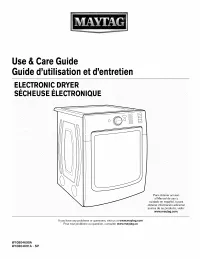 Maytag MED8200FC0
User Manual
Maytag MED8200FC0
User Manual
 Maytag CRE9500ACW
User Manual
Maytag CRE9500ACW
User Manual
 Maytag MSD2274VEM02
User Manual
Maytag MSD2274VEM02
User Manual
 Maytag MFI2570FEH00
User Manual
Maytag MFI2570FEH00
User Manual
 Maytag MHW3505FW0
User Manual
Maytag MHW3505FW0
User Manual