Page 2 - PRODUCT REGISTRATION
2 PRODUCT REGISTRATION Thank you for purchasing a Magic Chef Commercial product. The first step to protect your new product is to complete the product registration on our website: www.mcappliance.com/register. The benefits of registering your product include the following: 1. Registering your produc...
Page 3 - CONTEN TS
3 CONTEN TS PRODUCT REGISTRATION . . . . . . . . . . . . . . . . . . . . . . . . . . . . . . . . . . . . . . . . . . . . . . . . . . . . . 2PRECAUTIONS . . . . . . . . . . . . . . . . . . . . . . . . . . . . . . . . . . . . . . . . . . . . . . . . . . . . . . . . . . . . . . . . 4IMPORTANT SAFETY IN...
Page 4 - PRECAUTIONS; EXPLANATION OF SYMBOLS
4 PRECAUTIONS EXPLANATION OF SYMBOLS WARNING Hazards or unsafe practices which COULD result in severe personal injury or death. CAUTION Hazards or unsafe practices which COULD result in minor personal injury or property damage. WARNING : Read and understand all safety precautions. Failure to follow ...
Page 5 - IMPORTANT SAFETY IN STRUCTIONS
5 IMPORTANT SAFETY IN STRUCTIONS WARNING Hazards or unsafe practices which COULD result in severe personal injury or death. CAUTION Hazards or unsafe practices which COULD result in minor personal injury or property damage.IMPORTANTIn the event a gas odor is detected, shut down units at main shutoff...
Page 7 - SPECIFIC ATIONS
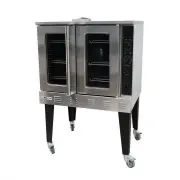
7 SPECIFIC ATIONS Figure 1 Model Dimensions (W x H x D) Net Weight Gas Type NG LP Pressure (PSI/W.C.) BTU Pressure (PSI/W.C.) BTU M38COD 408 lbs. (185 kg) 0.144 PSI 4” W.C. 54,000 0.36 PSI 10” W.C. 54,000 38.2” x 57.8” x 40.1” 970 x 1468 x 1019 (mm)
Page 8 - INSTALLATION INSTRUCTIONS; BEFORE INSTALLING
INSTALLATION INSTRUCTIONS 8 CAUTION : Read all instructions before installing BEFORE INSTALLING 1. Remove all packing material and tape, as well as any protective plastic from the equipment.2. Place the equipment in the desired position and height.3. Install the four (4) legs onto the equipment.4. C...
Page 13 - OPERATION; LIGHTING, RELIGHTING, AND SHUTDOWN INSTRUCTIONS
OPERATION 13 LIGHTING, RELIGHTING, AND SHUTDOWN INSTRUCTIONS To light the oven, just switch the power switch at the top left corner of the control panel to the “ON” position. (The oven is equipped with a direct hot surface ignition system. There is no pilot to light.)If the burners fail to ignite wi...
Page 14 - CARE AND MAINTENANCE
14 Wait until the HEAT ON indicator cycles on and off three times, indicating that the pre-set temperature has been reached. Open the oven doors, load the food to be cooked into the oven, and close the doors. Set the cook timer as desired (up to 55 minutes). Be aware that the timer does not control ...
Page 15 - WIRING DIAGRAM; TROUBLESHOOTING
15 θ T1--Gas igniter θ T2--Flame sensor IC2--Gas controllerYV--Combination valve Please note that this guide serves only as a reference for solutions to common problems. WIRING DIAGRAM Call Customer Service Turn Power Switch to ON Close Doors Call Customer Service Turn gas valve to the open position...
Page 16 - LIMITATIONS OF REMEDIES AND EXCLUSIONS:; LIMITATIONS OF REMEDIES AND EXCLUSIONS:
16 LIMITED WARRANTY MC Appliance Corporation warrants each new Commercial Stockpot Range to be free from defects in material and workmanship, and agrees to remedy any such defect or to furnish a new part(s), at the company’s option, for any part(s) of the unit that has failed during the warranty per...
Page 17 - Printed in China
17 CNA International, Inc. d/b /a MC Applian ce Corporation. All rights reserved. Magic Che f® logo is a registered trademark of CNA In ternational, Inc. www.mcapplian ce.com Printed in China