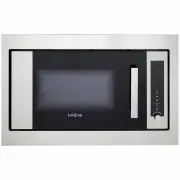
Page 2 - TABLE OF CONTENTS; CONGRATULATIONS; Correct Conditions of Use
TABLE OF CONTENTS Additional information on products, accessories, warranty, replacement parts and services can be found at www.linarie.com.au 1. General Information .............................. 03 1.1 Appliance information 2. General Safety Instructions .................... 03 2.1 General safety ...
Page 3 - GENERAL INFORMATION; Appliance Information; GENERAL SAFETY INTRUCTIONS; Unauthorized Modifications
1. GENERAL INFORMATION A damaged appliance can be dangerous. If you find the appliance is damaged or marked, you must report it within 7 days if you wish to claim for damage/marks under the manufacturer’s warranty. This does not affect your statutory rights. Do not use a damaged appliance.The manufa...
Page 5 - Placement of Oven; TECHNICAL DATA SHEET; Trim kit specification; Cavity dimensions; Parameter
www.linarie.com.au The oven light will turn on during cooking and also when the door is opened. To reduce the risk of fire in the oven cavity: Placement of Oven [only applicable for built-in models] Circuits Make sure all the packing materials are removed from inside the door. Inspect the oven after...
Page 6 - Frame installation procedure
www.linarie.com.au Unit is in (mm) cont. installation 6 Cabinet measurement Requirements (illustrated above):1) Cabinet's lenght is 566-580mm. Minimum distance.2) Cabinet's height is 365-380mm. Minimum distance.3) Cabinet's depth should be no less than 550mm.4) Outside dimension of cabinet should be...
Page 7 - Before using the oven for the first time; Follow the procedure above anytime you want to adjust the clock.; Beep sound; Operation instruction; ) Single button heating; ) Combination Cooking
7 www.linarie.com.au 5.1 Control panel 5. OPERATION Grill Micro Displaywindow Defrost/Time setting GrillAuto MenuClock/TimerStart/Reset 5.2 Before using the oven for the first time You can use the oven without setting the clock. Oven will not operate while colon is still blinking. Clock is 24h displ...
Page 8 - set cooking time
8 www.linarie.com.au 6. SCHEMATIC DIAGRAM cont. operation Press 2 seconds. TRANSFORMER MAGNETRON (DOOR OPENED,COOK OFF CONDITION) R4-1 C4 D2 RY N R3 D1 R2 CONTROLLER JP 1-2 JP 1-1 RY K4 K2 GND K3D RY H(OUT) SW2 R4-2 T(IN) N P(OUT) C2 RY SWB SO D N E L L L C1 R1 F1 NOISE FILTER L C3 FU L FM TM SWA H ...
Page 9 - CARE OF YOUR MICROWAVE OVEN; GENERAL INFORMATION; PROBLEM; WARNING
www.linarie.com.au 8 8. CARE OF YOUR MICROWAVE OVEN 7. TROUBLESHOOTING GENERAL INFORMATION Allow the appliance to cool down completely before cleaning and maintenance.The surface and controls are susceptible to scratches and abrasion. Please observe the following cleaning instructions. Oven will not...
Page 10 - Disposing of your old appliance; Disposal considerations; ENVIRONMENTAL TIPS
9.2 Disposing of your old appliance 10. WARRANTY & AFTER SALES SERVICE The transport and protective packaging has been selected from materials which are environmentally friendly for disposal, and can normally be recycled. Recycling the packaging reduces the use of raw materials in the manufactur...
Page 11 - LIKE TO
LIKE TO KNOW MORE? ©Linärie For further information on all Linärie appliances, or to obtain detailed dimension and installation information, phone or email our Customer Care team or visit our website: Australia [email protected]www.linarie.com.au Follow [email protected] www.linarie.com.au