Page 2 - Contents
Contents 1 The appliance at a glance............................. 3 1.1 Additional benefits............................................ 3 1.2 Delivered contents........................................... 3 1.3 Appliance and equipment overview.................. 3 1.4 Range of appliance use..............
Page 3 - Additional benefits; The appliance at a glance
Symbol ExplanationRead instructionsPlease read the information in these instruc- tions carefully to understand all of the bene- fits of your new appliance.Check applianceCheck all parts for transport damage. If you have any complaints, please contact your agent or customer service.DifferencesThese i...
Page 4 - Range of appliance use; General safety instructions
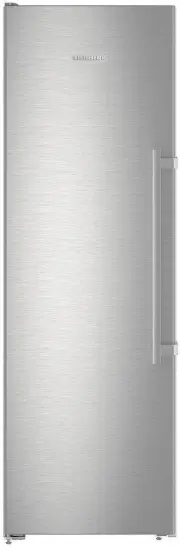
(2) Lighting (9) Ice cube scoop (3) Serial tag (10)NoFrost (4) Tilting drawer (11)Ventilation slit (5) SpaceBox (12)VarioSpace (6) IceTower (13)Adjustable feet (front), transport castors (rear), transport handles at the top (rear) and bottom (front) (7) IceMaker Note u The shelves, drawers, and bask...
Page 7 - Turning on the appliance; Insert the equipment; Food management
DANGER Indicates an immediately hazardous situation, which if not avoided, will result in death or serious injury. WARNING Indicates a hazardous situation, which if not avoided, could result in death or serious injury. CAUTION Indicates a hazardous situation, which if not avoided, could result in mi...
Page 8 - Energy saving
Note Failure to follow these guidelines can lead to food perishing. 4.1.1 Freezer This provides a dry, frosty storage climate at 0 °F (-18 °C). A frosty climate is suitable for storing frozen food and goods for several months, preparing ice cubes, or freezing fresh food.Freezing foodYou can freeze a...
Page 9 - Controls and displays; Use
appliance use) . A warmer ambient temperature can increase the energy consumption. - Avoid opening the appliance door for any longer then necessary - The lower the temperature is set the higher the energy consumption. - All food stored in the appliance should be well wrapped and covered. This preven...
Page 11 - Temperature; PartyMode; EnergySaver
6.3 Functions Temperature The temperature depends on the following factors:- the number of times the door is opened - The duration the door is opened - the room temperature of the installation location - the type, temperature and amount of food Freezer compartment Recommended setting 0 °F (-18 °C) S...
Page 12 - Language
u Activate the function. (see 6.2 Operating logic) -or- u Activate via the Liebherr SmartDevice-App. w It can take up to 24 hours for the first ice cubes to be made. Deactivating the function u Deactivate the function. (see 6.2 Operating logic) -or- u Deactivate the function via the Liebherr SmartDe...
Page 14 - TubeClean; Ice cubes; Reset
Activating/deactivating SabbathMode u To activate this function, swipe the display until youreach Settings and press for 1 second. The menu shows the available settings. u Swipe the display until the symbol for SabbathMode (Menora) appears. Press the symbol for 3 seconds. w The display changes color...
Page 15 - Equipment
Temperature alarm This message appears if the temperature does not match the set temperature.Temperature differences may be caused by:- Hot fresh food was placed in the appliance. - When sorting and removing food from the appliance, too much warm ambient air got in. - There has been a prolonged powe...
Page 17 - IceTower
The pull-out board with IceTower is mounted on a glass shelf with pull-out rails. You can dismantle the pull-out board for cleaning. 7.2.1 Dismantling the pull-out board with IceTower Removing the container Fig. 23 u Remove the pull-out board. u Lift the container Fig. 23 (5) at the front. u Remove ...
Page 19 - Defrosting the appliance; Maintenance
Using the freezer packs Fig. 32 When the freezer packs are fully frozen: u Place on the frozen goods in the top, front part of the freezer. 8 Maintenance 8.1 Defrosting the appliance 8.1.1 Defrosting with NoFrost Defrosting is performed automatically by the NoFrost system. The moisture condenses on ...
Page 20 - Technical specifications; Customer support
Clean in the dishwasher up to 140 °F (60 °C):- Ice cube scoop u Disassemble the equipment: see the relevant section. u Clean the equipment. 8.2.5 Cleaning the IceMaker There are various options for cleaning the IceMaker.We recommend cleaning in the following situations: q Initial commissioning q If ...
Page 23 - Customer service; 0 Decommissioning; Preparing the appliance for; Disposing of the appliance in an; Decommissioning
9.4 Customer service First check if you can fix the error yourself (see 9 Customer support) . If this is not the case, please contact customer service.Please refer to the enclosed “Liebherr Service” brochure for the address. WARNING Unprofessional repair! Injuries. u A damaged power cable may only b...
Page 24 - Disposal
Dispose of batteries separately from the old appliance. Certain batteries should NOT go in household garbage or recycling bins. Waste batteries can always be recycled or taken to household hazardous waste collection points. To prevent fires from lithium-ion batteries, tape battery terminals and/or p...
Page 26 - Freezer
home.liebherr.com/fridge-manuals Freezer Issue date: 20220607 Part number index: 7088351-00 For Service in the U.S.: Liebherr Service Center Toll Free: 1-866-LIEBHER or 1-866-543-2437 [email protected] PlusOne Solutions, Inc. 3501 Quadrangle Blvd, Suite 120 Orlando, FL 32817 For Service in Canada: L...