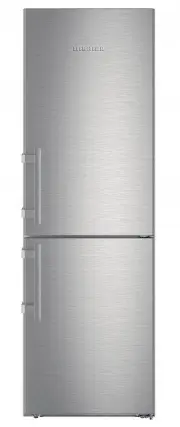
Page 2 - Contents; Overview of the appliance and its; Appliance at a glance
Contents 1 Appliance at a glance............................................ 2 1.1 Overview of the appliance and its equipment........... 2 1.2 Appliance range of use............................................. 3 1.3 Conformity................................................................ 3 1.4 P...
Page 4 - Example of contents arrangement; General safety information
temperature deviates from the standard temperature of 25°C, the energy consumption may differ. - Open the appliance for as short a time as possible. - The lower the temperature is set the higher the energy consumption. - Arrange the food in an organised way (see 1) . - Keep all food properly packed ...
Page 5 - Operating structure; Controls and displays
- Keep burning candles, lamps and other items with naked flames away from the appliance so that they do not set the appliance on fire. - Please be sure to store alcoholic drinks or other packaging containing alcohol in tightly closed containers. Any alcohol that leaks out may be ignited by electrica...
Page 6 - Appliance options
Fig. 7 (1) Main menu (2) Option selected The menu field gives access to the appliance options and settings. Selected options are also displayed. 3.3 Navigation Touch the menu to access the individual options. An audible signal sounds after confirming an option or a setting. The display switches to t...
Page 7 - Transporting the appliance; Putting into operation
4 Putting into operation 4.1 Transporting the appliance CAUTION Risk of injury and danger of damage as a result of incorrect transport! u Transport the appliance in a packed condition. u Transport the appliance upright. u Do not transport the appliance without assistance. 4.2 Installing the applianc...
Page 8 - Reversing the door
4.3 Reversing the door If necessary, you can change the way the door opens:Ensure that the following tools are available: q Torx® 25 (T25) q Torx® 15 (T15) q Slotted screwdriver q Open-ended wrench SW10 q Spirit level q Open-ended wrench supplied with the T25 tool q If necessary, a cordless screwdri...
Page 9 - Moving the upper bearing parts to the
4.3.2 Removing the lower door Fig. 10 CAUTION Risk of injury if the door tips! u Take good hold of the door. u Set down the door carefully. u Pull out the bolts towards the top. Fig. 10 (1) u Swing the door out, pull it upwards and set it aside. Fig. 10 (2) 4.3.3 Moving the upper bearing parts to th...
Page 12 - Moving the handles to the other side
4.3.7 Moving the handles to the other side Fig. 19 u Pull off the cover. Fig. 19 (1) u Remove the screws with the T15 screwdriver. Fig. 19 (2) u Remove the handle. Fig. 19 (3) u Carefully lift up the side plugs with a slotted screwdriver and pull them out. Fig. 19 (4) u Insert the plugs again on the...
Page 13 - Insertion into a row of kitchen units
u Carefully lift up the plugs with a slotted screwdriver and remove them. Fig. 21 (1) u Insert the plugs again on the other side of the door. Fig. 21 (2) u Position the door from above onto the lower bearing pins. Fig. 21 (3) u Insert the centre bearing pin through the centre bearing bracket into th...
Page 14 - Disposing of packaging; Connecting the appliance; Switching on the appliance
A [mm] * B [mm] * C [cm 2 ] * D [mm] * E [mm] * 665 x 65 Min. 300 Min. 50 Min. 46 For 700 mm wide appliances:* A [mm]* B [mm]* C [cm 2 ]* D [mm]* E [mm]* 665 x 65 min. 300 min. 50 min. 46 x If wall spacers are used, the dimensions increase by 15 mm (see 4.2) .The dimensions apply for an opening angl...
Page 15 - Switching the fridge compartment on; Setting the clean ventilation grid; Changing the temperature unit; Switching on the child safety device; Control
Note The manufacturer recommends: u Store frozen produce at -18 °C or colder. Connect and switch on appliance approx. 2 hours before loading for the first time. 4.7.1 Switch on appliance If the standby symbol is displayed over the whole screen: u Press the standby symbol. w The appliance is switched...
Page 16 - Refrigerator compartment
WARNING Danger of food poisoning. If a power cut occurs when Sabbath mode is enabled, this message is not saved. Once the power is restored the appli- ance continues to work in Sabbath mode. When this mode is over no message about the power cut is displayed on the temperature display. If a power cut...
Page 18 - Freezer compartment
5.4.8 Using the bottle holder u To avoid the bottles tipping over, push the bottle holder along. 5.4.9 BioCool box Controlling humidity u Low humidity: Move the slide control to the left. u High humidity: Move the slide control to the right. Removing the BioCool boxFor 600 mm wide appliances:* Fig. ...
Page 21 - Maintenance
u Clean the drawer and, if necessary, remove excess water from the drawer. IceMaker holiday function*The IceMaker holiday function is suitable for short phases when no ice cubes are to be made, for example, when you are on holiday.Switching the IceMaker holiday function on.The IceMaker drawer must b...
Page 22 - Cleaning the ventilation grid; Cleaning the appliance
u Regularly clean the drain opening to allow the water to flow away (see 6.5) . Freezer compartment:A layer of frost or ice can build up in the freezer compartment after a long period of operation.The layer of frost or ice builds up faster if the appliance is opened often or if the food is warm when...
Page 23 - Customer service; Malfunctions
Do not treat the lettering on the painted door surfaces with harsh, abrasive agents. Wipe off any dirt with a soft cloth and some water or neutral cleaner.* u Clean drain hole: Remove deposits with a narrow instrument, e.g. a cotton bud. u Empty water collect tray: remove water tank. Carefully unlat...
Page 25 - Messages
The unit has iced up or condensation has formed. → The door seal may have also slipped out of its groove. u Check to ensure that the door seal is seated properly in the groove. 8 Messages Error messages and reminders are displayed by an audible signal and a message on the screen. The audible signal ...
Page 26 - Switching the appliance off; Switch off the appliance from the menu; Taking the appliance out of service; 0 Disposing of the appliance; Decommissioning
9 Decommissioning 9.1 Switching the appliance off Note If the appliance or the freezer or fridge compartment cannot be switched off the child safety device has been switched on. u Switch the child safety device off (see 5.2.2) . 9.1.1 Switch off the appliance from the menu The whole appliance is swi...
Page 27 - Disposing of the appliance
Disposing of the appliance * Depending on model and options 27