Page 2 - TABLE OF CONTENTS
2 TABLE OF CONTENTS TABLE OF CONTENTS 3 PRODUCT FEATURES 4 SAFETY INSTRUCTIONS 4 IMPORTANT SAFETY INSTRUCTIONS 8 PRODUCT SPECIFICATIONS 9 PRODUCT OVERVIEW 9 Exterior 10 Interior 11 INSTALLATION 11 Installation Overview12 Unpacking the Refrigerator12 Choosing the Proper Location14 Removing/Assembling...
Page 3 - PRODUCT FEATURES; FILTERED WATER AND ICE DISPENSER; FRESH ZONE DRAWERS; ICE PLUS
3 PRODUCT FEATURES ENGLISH PRODUCT FEATURES Depending on the model, some of the following functions may not be available. FILTERED WATER AND ICE DISPENSER The water dispenser dispenses fresh, chilled water.The ice dispenser dispenses cubed and crushed ice. DOOR ALARM The Door Alarm function is desig...
Page 4 - SAFETY INSTRUCTIONS; READ ALL INSTRUCTIONS BEFORE USE; Your safety and the safety of others are very important.; CAUTION; WARNING; INSTALLATION
4 SAFETY INSTRUCTIONS SAFETY INSTRUCTIONS READ ALL INSTRUCTIONS BEFORE USE Your safety and the safety of others are very important. We have provided many important safety messages in this manual and on your appliance. Always read and follow all safety messages.These words mean: CAUTION You may be in...
Page 5 - OPERATION
5 SAFETY INSTRUCTIONS ENGLISH • Keep packing materials out of the reach of children. Packaging material can be dangerous for children. There is a risk of suffocation. • Do not install the refrigerator in a damp or dusty place where insulation on electrical parts may deteriorate. • Do not place the r...
Page 6 - MAINTENANCE
6 SAFETY INSTRUCTIONS • If connected to a circuit protected by fuses, use time delay fuse. • MAINTENANCE • Do not use a hair dryer to dry the inside of the refrigerator. • Do not light a candle to remove odors in the refrigerator. • . Ensure the area is adequately ventilated and contact an authorize...
Page 7 - including the following:; SAVE THESE INSTRUCTIONS
7 SAFETY INSTRUCTIONS ENGLISH CAUTION To reduce the risk of minor or moderate injury to persons, malfunction, or damage to the product or property when using this product, follow basic precautions, including the following: • Do not hang on to or place heavy objects on the refrigerator’s dispenser. I...
Page 8 - PRODUCT SPECIFICATIONS
8 PRODUCT SPECIFICATIONS PRODUCT SPECIFICATIONS Electrical requirements: 115 V, 60 Hz Min. / Max. water pressure: Model 22 cu. ft. Description Standard-depth, Side by Side refrigerator Net weight 280 lbs (127 kg) LSXC22396*. Model 26 cu. ft. GS73SXS,GS74SXS,LSXS26396*,LS74SXS.Description Counter-dep...
Page 9 - PRODUCT OVERVIEW; Exterior
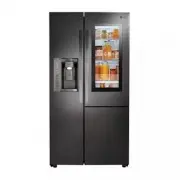
9 PRODUCT SPECIFICATIONS PRODUCT OVERVIEW The images in this guide may be different from the actual components and accessories, which are subject to change by the manufacturer without prior notice for product improvement purposes. Exterior 3 2 1 5 4 6 7 8 Filtered Water and Ice Dispenser LED Display...
Page 10 - Interior
10 PRODUCT SPECIFICATIONS Interior 1 2 3 4 5 7 8 10 9 6 3 Automatic Icemaker Automatically produce and store ice. Freezer Door Bins Store small packages of frozen food. Do not store ice cream or food which will be stored for a long period of time within these baskets. LED interior lamps Light up the...
Page 11 - Installation Overview
11 INSTALLATION ENGLISH INSTALLATION Installation Overview location. Unpacking the Refrigerator Choosing the Proper Location Disassembling/Assembling Connecting the Water Line Leveling and Door Alignment CAUTION • Connect to a potable water supply only. Note • Parts, functions, and options vary by m...
Page 12 - Choosing the Proper; Water; Electricity; Flooring; Ambient Temperature
12 INSTALLATION Unpacking the Refrigerator WARNING • Use two or more people to move and install the refrigerator. Failure to do so can result in back injury or other injury. • The refrigerator is heavy moving the refrigerator for cleaning or service. Always pull the refrigerator straight out when mo...
Page 13 - Dimensions and Clearances
13 INSTALLATION ENGLISH Dimensions and Clearances • refrigerator through doors or narrow openings. • Assembling the Doors and Drawers in this manual. • The installation location chosen for the refrigerator should allow space behind the unit for connections and • Too small of a distance from adjacent...
Page 14 - Handles; Removing the Refrigerator Handles; Removing/Assembling the
14 INSTALLATION Removing/Assembling Handles • When moving the refrigerator through a narrow opening, removing the doors is preferred. • The appearance of the handles may vary from what is shown. WARNING When assembling or disassembling the refrigerator handles: • • Do not swing the handle into nearb...
Page 15 - door
15 INSTALLATION ENGLISH • When lifting the hinge free of the latch, be careful that the door does not fall forward. CAUTION Removing the Left (Freezer) Door with Water Line Connection1 2 3 4 56 Disconnect the 2 water line connections, located on the back of the refrigerator. Hold the water supply co...
Page 16 - Door
16 INSTALLATION 1 Place the door onto the lower hinge pin. 1 Place the door onto the lower hinge pin. 2 Fit the upper hinge over the hinge lever latch and into place. Rotate the lever counterclockwise to secure the hinge. 3 Reconnect all wire harnesses. Hook the tab on the switch side of the cover u...
Page 17 - Assembling the Refrigerator Door; Connecting the Water Line; Before Beginning
17 INSTALLATION Assembling the Refrigerator Door 1 Place the door onto the lower hinge pin. Lower Hinge 2 Fit the upper hinge over the hinge lever latch and into place. Rotate the lever counterclockwise to secure the hinge. (1) (2) 3 Reconnect all wire harnesses. Hook the tab on the switch side of t...
Page 18 - Supplies Needed
18 INSTALLATION If the water pressure from the reverse osmosis system is less than 20 psi or 138 kPa or 1.4 kgf/ cm 2 198 cc capacity): • necessary. • Allow the storage tank on the reverse osmosis • If the water pressure remains low, call a licensed, • All installations must be in accordance with lo...
Page 20 - Leveling and Door Alignment; Leveling
20 INSTALLATION 9 Connect the tubing to the refrigerator. NOTE • Before making the connection to the refrigerator, be sure that the refrigerator power cord is not plugged into the wall outlet. • valve. • Place the compression nut and ferrule (sleeve) onto the end of the tubing as shown. • Insert the...
Page 21 - Door Alignment; Turning on the Power; Position the Rrigerator
21 INSTALLATION ENGLISH Door Alignment Both the left and right refrigerator doors have an adjustable nut, located on the bottom hinge, to raise and lower them to align properly.If the space between the doors is uneven, follow the instructions below to align the doors evenly:Use the wrench (included ...
Page 22 - Before Use
22 OPERATION OPERATION Before Use Clean the refrigerator. Clean the refrigerator thoroughly and wipe off all dust that accumulated during shipping. CAUTION • Do not scratch the refrigerator with a sharp object or use a detergent that contains the refrigerator. Remove adhesive residue by wiping it of...
Page 23 - Control Panel; Control Panel Features
23 OPERATION ENGLISH Control Panel Depending on the model, some of the following functions may not be available. Control Panel Features 12 3 6 78 9 4 5 Ice Type Press the Ice Type button to choose either cubed or crushed ice. The Cubed or Crushed Ice icon illuminates. * Water Filter Replace Filter i...
Page 25 - Ice and Water Dispenser; Dispenser Structure; Using the Dispenser; Locking the Dispenser
25 OPERATION ENGLISH NOTE • Because air circulates between both sections, any odors formed in one section will transfer to the other. You must thoroughly clean both sections to eliminate odors. • To prevent odor transfer and dried out food, wrap or cover foods tightly. (See the Food Storage Guide se...
Page 26 - Cleaning the Dispenser Drip Tray; Ice Compartment; Detaching the In-Door Ice Bin; Assembling the In-Door Ice Bin
26 OPERATION Cleaning the Dispenser Drip Tray 1 Grip the drip tray with both hands and pull it out. 2 Wipe out dirty areas with a clean cloth. Ice Compartment CAUTION • Keep hands and tools out of the ice compartment door and dispenser chute. Failure to do so may result in damage or personal injury....
Page 27 - Automatic Icemaker; Turning the Automatic Icemaker On
27 OPERATION Automatic Icemaker Auto shutoff (feeler arm) NOTE • Ice is made in the automatic icemaker and sent to the dispenser. The icemaker produces 70 - 182 cubes in a 24-hour period, depending on freezer compartment temperature, room temperature, number of door openings and other operating cond...
Page 28 - Storing Food; Where to Store Food
28 OPERATION Storing Food Where to Store Food Each compartment inside the refrigerator is designed to store different types of food.Store food in the optimal space to enjoy the freshest taste. 1 2 3 4 5 7 6 In-Door Ice Bin If a large amount of ice is needed, transfer the ice in the in-door ice bin t...
Page 29 - Food Storage Tips
29 OPERATION CAUTION • bins. Doing so may cause damage to the bin or personal injury if items are removed with excessive force. • Do not store glass containers in the freezer. Contents may expand when frozen, break the container and cause injury. NOTE • If you are leaving home for a short period, li...
Page 30 - Storing Frozen Food; Freezing; Packaging; Detaching/Assembling the; Fresh Zone Drawer
30 OPERATION Storing Frozen Food Check a freezer guide or a reliable cookbook for further information about preparing food for freezing or food storage times. Freezing Your freezer will not quick-freeze a large quantity of food. Do not put more unfrozen food into the freezer than will freeze within ...
Page 31 - Removing the Fresh Zone Cover; Door Bins; InstaView Function
31 OPERATION ENGLISH Removing the Fresh Zone Cover Hold the cover with both hands and pull it out. NOTE • Remove the Fresh Zone drawers before removing the Fresh Zone cover. Door Bins The door bins are removable for easy cleaning and adjustment. one location. 1 To remove the bin, simply lift the bin...
Page 32 - Adjusting the Refrigerator; Detaching the Shelf
32 OPERATION Door-in-Door Case To open the Door-in-Door case, pull evenly on the marked area. The Door-in-Door Case is removable for easy cleaning and adjustment. CAUTION • Remove contents from Door-in-Door case before disassembly. 1 To remove the Door-in-Door case, lift up and pull out. 2 To replac...
Page 33 - SMART FUNCTIONS; Connect your smartphone to the wireless; Mobile data; or; Cellular Data; LG ThinQ Application; LG ThinQ; LG ThinQ Application Features; Smart Diagnosis
33 SMART FUNCTIONS ENGLISH SMART FUNCTIONS 3 Connect your smartphone to the wireless router. 2 Turn off the Mobile data or Cellular Data on your smartphone. LG ThinQ Application This feature is only available on models with Wi-Fi.The LG ThinQ application allows you to communicate with the appliance ...
Page 34 - Wireless LAN Module Specifications; Installing the LG ThinQ Application; Initial Appliance Registration
34 SMART FUNCTIONS Wireless LAN Module Specifications Frequency Range 2412 - 2462 MHzOutput Power (Max) < 30 dBm FCC Notice The following notice covers the transmitter module contained in this product.This equipment has been tested and found to comply with the limits for a Class B digital device,...
Page 36 - Smart Grid Function; Smart Grid Application Features; Temporary Appliance Load Reduction
36 SMART FUNCTIONS Smart Grid Function When the refrigerator operates in Smart Grid mode, the Smart Refrigerator function can control energy usage or delay the operation of some functions to save energy during peak usage periods. • You can override the Smart Grid function any time (using the Smart G...
Page 37 - Smart DiagnosisTM; Using LG ThinQ to Diagnose Issues; • The control panel will be turned off, and
37 SMART FUNCTIONS ENGLISH LG Open API You can manage Smart Grid features for the LG Smart Refrigerator.Please check the detailed specifications on the notice page on us.smartthinq.com. API List • Demand Response − Send demand response signal • Power Saving − Set saving mode − Get schedule of DR/Del...
Page 38 - Cleaning; General Cleaning Tips
38 MAINTENANCE MAINTENANCE Cleaning WARNING • CAUTION • Do not use an abrasive cloth or sponge when cleaning the interior and exterior of the refrigerator. • Do not place your hand on the bottom surface of the refrigerator when opening and closing the doors. • When lifting the hinge free of the latc...
Page 39 - Replacing the Water Filter; Before Replacing the Water Filter:
39 MAINTENANCE Replacing the Water Filter Replace the Water Filter : • Approximately every six months. • When the Replace Filter icon turns on. • When the water dispenser output decreases. Before Replacing the Water Filter: highest position, it will need to be removed prior to To remove any shelf : ...
Page 43 - TROUBLESHOOTING; FAQs: Frequently Asked Questions
43 TROUBLESHOOTING TROUBLESHOOTING FAQs: Frequently Asked Questions Q: What are the best temperature settings for my refrigerator and freezer? A: The default setting for the refrigerator is 37° Fahrenheit (3° Celsius). The default setting for the freezer is 0° Fahrenheit (-18° Celsius). Adjust these...
Page 44 - Before Calling for Service; Cooling
44 TROUBLESHOOTING Before Calling for Service Review this section before calling for service; doing so will save you both time and money. Cooling Problem Possible Cause Solutions Refrigerator and Freezer section are not cooling. The refrigerator control is set to OFF (some models). Turn the control ...
Page 52 - Noises
52 TROUBLESHOOTING Noises Problem Possible Cause Solutions Clicking The defrost control will click when the automatic defrost cycle begins and ends. The thermostat control (or refrigerator control on some models) will also click when cycling on and off. Normal Operation Rattling Rattling noises may ...
Page 53 - LIMITED WARRANTY
53 ENGLISH LIMITED WARRANTY LIMITED WARRANTYFOR USA ARBITRATION NOTICE: THIS LIMITED WARRANTY CONTAINS AN ARBITRATION PROVISION THAT REQUIRES YOU AND LG TO RESOLVE DISPUTES BY BINDING ARBITRATION INSTEAD OF IN COURT, UNLESS YOU CHOOSE TO OPT OUT. IN ARBITRATION, CLASS ACTIONS AND JURY TRIALS ARE NOT...
Page 60 - NOTES
Page 62 - For inquiries or comments,
LG Customer Information Center Register your product Online! www.lg.com For inquiries or comments, visit www.lg.com or call: 1-800-243-0000 U.S.A. 1-888-542-2623 CANADA