Page 3 - TABLE OF CONTENTS
ENGLISH 2 346 IMPORTANT SAFETY INSTRUCTIONSWhen Connecting the PowerWhen Using the Refrigerator Product OverviewProduct Specification StartingAdjusting the Temperatures and FunctionsControl PanelShelfFreezer Door BinDairy CornerAdjustable Door BinRefrigerator Gallon BinRefrigerator/Freezer DrawersUp...
Page 4 - Safety Instructions; IMPORTANT SAFETY INSTRUCTIONS; This guide contains many important safety messages.; DANGER; WARNING; CAUTION
Safety Instructions 3 IMPORTANT SAFETY INSTRUCTIONS This guide contains many important safety messages. Always read and obey all safety messages. This is the safety alert symbol. It alerts you to safety messages that inform you of hazards that can kill or hurt you or others or cause damage to the pr...
Page 5 - ENGLISH; When Connecting the Power; Use a dedicated outlet.; Plug in the power plug with the power cord facing downward.; Do not extend or modify the length of the power cord.
Safety Instructions ENGLISH 4 WARNING To reduce the risk of fire, electric shock, or personal injury when using your product, basic safety precautions should be followed, including the following. Read all instructions before using this appliance. WARNING TIP-OVER HAZARD Use two or more people to mov...
Page 6 - Do not pull out the cord or touch the power plug with wet hands.; Do not unplug the refrigerator by pulling on the cord.; used in case of requiring disconnect after installation.
Safety Instructions 5 Unplug the power cord or turn off the power when cleaning or moving the refrigerator. • Failure to do so may cause electric shock or injury.• Press the POWER button for 3 seconds to turn off the power at display panel. Do not pull out the cord or touch the power plug with wet h...
Page 7 - When Using the Refrigerator; Do not place heavy or dangerous objects on the refrigerator.; Do not allow children to climb into the product.
Safety Instructions ENGLISH 6 2. When Using the Refrigerator Do not place heavy or dangerous objects on the refrigerator. Opening or closing the door may cause objects to fall, resulting in injury, fire, or electric shock. Do not install the refrigerator in a damp location or where it will be expose...
Page 9 - Risk of Fire and Flammable Materials
Safety Instructions ENGLISH 8 Install the refrigerator on a solid and level floor. If the refrigerator tips when opening or closing the door, it could fall over, causing property damage and personal injury. Do not put hands, feet, or metal objects into the air vents or cover, or below or behind the ...
Page 11 - Close the door carefully when children are near.; Do not put live animals into the refrigerator.; SAVE THESE INSTRUCTIONS
Safety Instructions ENGLISH 10 Close the door carefully when children are near. Keep fingers out of pinch point areas; clearances between the doors and cabinets are necessarily small. Do not put live animals into the refrigerator. SAVE THESE INSTRUCTIONS
Page 12 - Product Overview; Electrical requirements:
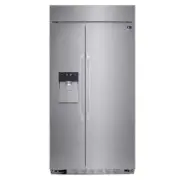
Product Overview 11 Product Overview Product Specifications The appearance and specifications listed in this manual may vary due to constant product improvements. Electrical requirements: 115 V, 60 Hz Min. / Max. water pressure: 20 - 120 psi (138 - 827 kPa) Model LSSB2692**, LSSB2696**Description Bu...
Page 13 - Operation; Starting; Adjusting the Temperatures and Functions
Operation ENGLISH 12 Starting When the refrigerator is first installed, allow it to stabilize at normal operating temperatures for 2-3 hours prior to filling it with fresh or frozen foods. If operation is interrupted, wait 5 minutes before restarting. Adjusting the Temperatures and Functions Dispens...
Page 14 - Control Panel; LED Display Control Panel; Power; NOTE
Operation 13 Control Panel 1 10 9 8 7 11 2 3 4 5 6 LED Display Control Panel 1 Power 2 Ice Plus 3 Freezer 4 Refrigerator The Power button turns off all electrical power to the unit. Press and hold the Power button for 3 seconds to turn off the power. When the power is off, the indicator light is off...
Page 15 - Water Filter; Door Alarm
Operation ENGLISH 14 6 Water Filter Press and hold the Water Filter button for approximately 3 seconds to reset the filter indicator after the water filter has been replaced. • Replace the water filter approximately every 6 months, when the water filter indicator light reaches 0 or if the ice or wat...
Page 17 - Automatic; Cleaning; Icemaker Not
Operation ENGLISH 16 CAUTION • The automatic icemaker can automatically make 6 cubes at a time, 70~120 pieces per day. This quantity may vary by circumstance, including ambient temperature, door opening, freezer load. etc. • Icemaking stops when the ice storage bin is full.• To turn the icemaker off...
Page 18 - Remove; BIN; How to remove; Open Door Alert; System
Operation 17 • Do not dismantle the ice storage bin unless it is necessary. • Use both hands to remove the ice bin to avoid dropping it. • Do not touch the ejector mechanism with hands or tools. It may damage the icemaker or hurt your hands (figure 2). WARNING Remove • Grip the handle as shown in th...
Page 19 - Throw away the first few batches of ice (about 24 cubes) and water; Never use thin crystal glass or crockery to collect ice.; Keep the glass at a proper distance from the ice outlet.
Operation ENGLISH 18 Throw away the first few batches of ice (about 24 cubes) and water (about 7 glasses) first made after refrigerator installation. The first ice and water may include particles or odor from the feed water pipe or feed water box. This is also necessary if the refrigerator has not b...
Page 20 - Shelf; Freezer Door Bin; Disassembling
Operation 19 Shelf The shelves in the refrigerator are adjustable to meet individual storage needs. 1. Lift the front of the shelf slightly. 2. While supporting the shelf, tilt it and pull it out. Make sure that shelves are level from one side to the other. Failure to do so may result in the shelf f...
Page 21 - Adjustable Door Bins; Dairy Corner
Operation ENGLISH 20 Adjustable Door Bins Use to store small, packaged refrigerated food or beverages such as milk, canned drinks, etc. The adjustable door bins are removable for easy cleaning and adjustment. You must remove the dairy corner before disassembling the adjustable door bin. To remove th...
Page 22 - Refrigerator Gallon Bin
Operation 21 Refrigerator Gallon Bin For storing larger containers, such as gallons of milk. Hold the bin with both hands, lift up and pull out. Disassembling Hold the bin with both hands and click it into place, one side at a time. Reassembling Refrigerator/Freezer Drawers For convenient storage of...
Page 23 - Replacing the Water Filter
Operation ENGLISH 22 Disassembling Replacing the Water Filter Replace the water filter:- Approximately every six months.- When the water filter indicator turns on.- When the water dispenser output decreases. - When the ice cubes are smaller than normal. 1. Remove the old water filter. - Lower or rem...
Page 25 - Storing Food; Food Storage Guide
Storing Food ENGLISH 24 Food Storage Guide (Refer to the Product Overview for identification of parts.) Store various frozen foods such as meat, fish, ice cream, frozen snacks, etc. • Store small packed frozen food.• The temperature in the door bins is likely to increase as the door opens; therefore...
Page 26 - Food storage guide
Storing Food 25 Food storage guide • Store fresh food in the refrigerator compartment. How food is frozen and thawed is an important factor in maintaining its freshness and flavor. • Do not store food that spoils quickly, such as bananas and melons, at low temperatures. • Allow hot food to cool prio...
Page 27 - Smart Functions; LG ThinQ Application
Smart Functions ENGLISH 26 LG ThinQ Application This feature is only available on models with Wi-Fi.The LG ThinQ application allows you to communicate with the appliance using a smartphone. Models with QR Code Scan the QR code attached to the product using the camera or a QR code reader application ...
Page 28 - FCC Notice
Smart Functions 27 FCC Notice Wireless LAN module Specifications The following notice covers the transmitter module contained in this product. This equipment has been tested and found to comply with the limits for a Class B digital device, pursuant to Part 15 of the FCC Rules. These limits are desig...
Page 30 - Smart DiagnosisTM Feature; Using LG ThinQ to
Smart Functions 29 Smart Diagnosis™ Feature This feature is only available on models with the or logo. Use this feature to help you diagnose and solve problems with your appliance. If you experience a problem with your Wi-Fi equipped appliance, it can transmit troubleshooting data to a smartphone us...
Page 31 - Care and Maintenance; General information; Vacation Time; Replacing LED
Care and Maintenance ENGLISH 30 General information If you choose to leave the refrigerator on while you are away, follow these steps to prepare the refrigerator before you leave.1. Use up any perishables and freeze other items.2. Turn off the icemaker and empty the ice bin. If you choose to turn th...
Page 32 - Exterior
Care and Maintenance 31 Cleaning Clean the interior regularly. Wash all compartments using a baking soda solution or a mild detergent and warm water. Rinse and dry. Verify that the power cord is not damaged or overheated. Insert power plug completely into outlet. Keep the refrigerator clean to preve...
Page 33 - Troubleshooting Guide; COOLING; Refrigerator and
Care and Maintenance ENGLISH 32 Troubleshooting Guide COOLING Before conducting troubleshooting, make sure that the following basic requirements are met: Service FlowWater SupplyWater PressureOperating Ambient Temperature LimitsElectrical Ratings 0.5 gpm (1.9 lpm) Potable Water 20-120 psi (138 - 827...
Page 34 - Cooling System
Care and Maintenance 33 Refrigerator is replacing an older model. Refrigerator was recently plugged in or power restored. Door opened often or a large amount of food / hot food was added. Doors are not closed completely. Refrigerator is installed in a hot location. Condenser / back cover is clogged....
Page 36 - Interior moisture
Care and Maintenance 35 Doors are opened often or for long periods of time. Doors not closed correctly. Weather is humid. Defrost cycle recently completed. Food is not packaged correctly. When the doors are opened often or for long periods of time, warm, humid air enters the compartment. This raises...
Page 38 - Icemaker is not
Care and Maintenance 37 Demand exceeds ice storage capacity. House water supply is not connected, valve is not turned on fully, or valve is clogged. Water filter has been exhausted. Low house water supply pressure. Reverse Osmosis filtration system is used. Tubing connecting refrigerator to house su...
Page 40 - Not dispensing
Care and Maintenance 39 Unable to hear the sound of ice coming out? Doors are not closed completely. Infrequent use of the dispenser. The delivery chute is clogged with frost or ice fragments. The dispenser display is locked. Ice bin is empty. In the control panel, select the modes for cubed ice and...
Page 45 - NOISE
Care and Maintenance ENGLISH 44 NOISE The defrost control will click when the automatic defrost cycle begins and ends. The thermostat control (or refrigerator control on some models) will also click when cycling on and off. Normal Operation Clicking Rattling noises may come from the flow of refriger...
Page 48 - Before Calling for Service; Noise; Occurrence; Door open
Care and Maintenance 47 Before Calling for Service The following occurrences are normal. Noise Occurrence Ticking or clicking sound Whirring or motor sound Sound of water flowing Whooshing sound when opening or closing door Vibrating sound Loud sound after first installing Solution This is the sound...
Page 49 - Performance Data Sheet
Performance Data Sheet Model: ADQ36006101-S Use Replacement Cartridge: ADQ36006101 The concentration of the indicated substances in water entering the system was reduced to a concentration less than or equal to the permissible limit for water leaving the system as specified in NSF/ANSI Standard 42 a...
Page 50 - LIMITED WARRANTY - FOR USA
LIMITED WARRANTY - FOR USA ARBITRATION NOTICE: THIS LIMITED WARRANTY CONTAINS AN ARBITRATION PROVISION THAT REQUIRES YOU AND LG TO RESOLVE DISPUTES BY BINDING ARBITRATION INSTEAD OF IN COURT, UNLESS YOU CHOOSE TO OPT OUT. IN ARBITRATION, CLASS ACTIONS AND JURY TRIALS ARE NOT PERMITTED. PLEASE SEE TH...
Page 51 - PROCEDURE FOR RESOLVING DISPUTES:
• Damage or failure to the Product caused by accidents, pests and vermin, lightning, wind, fire, floods, acts of God, or any other causes beyond the control of LG. • Damage or failure caused by unauthorized modification or alteration, or if used for other than the intended purpose. • Damage or failu...
Page 52 - Agreement to Binding Arbitration and Class Action Waiver.; Arbitration Rules and Procedures.; Hearings and Location.
Agreement to Binding Arbitration and Class Action Waiver. Upon failure to resolve the dispute during the 30 day period after sending written notice to LG, you and LG agree to resolve any claims between us only by binding arbitration on an individual basis, unless you opt out as provided below. Any d...
Page 53 - LIMITED WARRANTY - FOR CANADA
LIMITED WARRANTY - FOR CANADA ARBITRATION NOTICE: THIS LIMITED WARRANTY CONTAINS AN ARBITRATION PROVISION THAT REQUIRES YOU AND LG TO RESOLVE DISPUTES BY BINDING ARBITRATION INSTEAD OF IN COURT, UNLESS THE LAWS OF YOUR PROVINCE OR TERRITORY DO NOT PERMIT THAT, OR, IN OTHER JURISDICTIONS, IF YOU CHOO...
Page 57 - Register your product Online!
For inquiries or comments, visit www.lg.com or call; 1-800-243-00001-888-865-30261-888-542-2623 USA, Consumer UserUSA, Commercial UserCANADA www.lg.com Register your product Online! LG Customer Information Center