Page 2 - ENGLISH; TABLE OF CONTENTS
2 TABLE OF CONTENTS ENGLISH TABLE OF CONTENTS 3 PRODUCT FEATURES 4 IMPORTANT SAFETY INSTRUCTIONS 7 COMPONENTS 7 Refrigerator Exterior 8 Refrigerator Interior 9 INSTALLATION 9 Installation Overview 10 Specifications11 Unpacking Your Refrigerator11 Choosing the Proper Location11 - Flooring12 - Ambient...
Page 3 - PRODUCT FEATURES; DOOR ALARM
3 PRODUCT FEATURES ENGLISH PRODUCT FEATURES * Depending on the model, some of the following functions may not be available. DOOR ALARM The Door Alarm function is designed to prevent refrigerator malfunctioning that could occur if a refrigerator door or freezer door remains open. If a refrigerator do...
Page 4 - IMPORTANT SAFETY INSTRUCTIONS; READ ALL INSTRUCTIONS BEFORE USING THE APPLIANCE.; WARNINg; Power
4 IMPORTANT SAFETY INSTRUCTIONS ENGLISH IMPORTANT SAFETY INSTRUCTIONS READ ALL INSTRUCTIONS BEFORE USING THE APPLIANCE. This guide contains many important safety messages. Always read and obey all safety messages. WARNINg You can be killed or seriously injured if you do not follow instructions. CAUT...
Page 6 - Installation; SAVE THESE INSTRUCTIONS
6 IMPORTANT SAFETY INSTRUCTIONS ENGLISH CAUTION Installation • The refrigerator must be properly installed in accordance with the Installer Instructions that were taped to the front of the refrigerator. • Be careful when you unpack and install the refrigerator. Immediately dispose of plastic and oth...
Page 7 - COMPONENTS
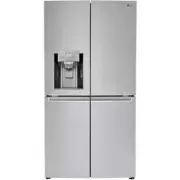
7 COMPONENTS ENGLISH COMPONENTS Use this page to become more familiar with the parts and features of your refrigerator. *The appearance and specifications of the actual product may differ depending on the model. Refrigerator Exterior Refrigerator Preserves food. Freezer Preserves frozen food. Filter...
Page 8 - Refrigerator Interior
8 COMPONENTS ENGLISH Refrigerator Interior LED Interior Lamp The interior lamps light up the inside of the refrigerator. Bluetooth Speaker* Adjustable Refrigerator Shelf The shelves in your refrigerator are adjustable to meet your individual storage needs. Dairy Corner Used to preserve dairy product...
Page 9 - INSTALLATION; Installation Overview; NOTE
9 INSTALLATION ENGLISH INSTALLATION Installation Overview Please read the following installation instructions first after purchasing this product or transporting it to another location. NOTE Connect to potable water supply only. 1 Unpacking your refrigerator 4 Connecting the water supply and water l...
Page 10 - Specifications
10 INSTALLATION ENGLISH Specifications The appearance and specifications listed in this manual may vary due to constant product improvements. Bottom-freezer refrigerator model LNXS30866* Description French door refrigerator Electrical requirements 115 VAC @ 60 Hz Min./Max. Water pressure 20 - 120 ps...
Page 11 - Choosing the Proper Location; Flooring
11 INSTALLATION ENGLISH Choosing the Proper Location • Select a place where a water supply can be easily connected for the automatic icemaker. Unpacking Your Refrigerator WARNINg • Use two or more people to move and install the refrigerator. Failure to do so can result in back or other injury. • You...
Page 12 - Ambient Temperature; Removing/Assembling the Doors; Removing the Left Refrigerator Door
12 INSTALLATION ENGLISH Ambient Temperature Install this appliance in an area where the temperature is between 55°F (13°C) and 110°F (43°C). If the temperature around the appliance is too low or high, cooling ability may be adversely affected. Measuring the Clearances Too small of a distance from ad...
Page 13 - Removing the Right Refrigerator; CAUTION
13 INSTALLATION ENGLISH 3 Remove the cover and pull out the tube . Disconnect all wire harnesses . 4 Rotate the hinge lever counterclockwise . Lift the top hinge free of the hinge lever latch. CAUTION When lifting the hinge free of the latch, be careful that the door does not fall forward. Hinge Lev...
Page 14 - Removing the Freezer Doors
14 INSTALLATION ENGLISH 4 Lift the door from the middle hinge pin and remove the door. CAUTION Place the door, inside facing up, on a non-scratching surface. 3 Remove the door by raising it from the lower hinge. 3 Tighten the two hinge bolts. Removing the Freezer Doors 1 Remove the two hinge bolts. ...
Page 15 - Assembling the Right Refrigerator Door
15 INSTALLATION ENGLISH Install the right-side door first. 1 Make sure that the plastic sleeve is inserted in the bottom of the door. Lower the door onto the middle hinge pin as shown in the figure. 2 Fit the hinge over the hinge lever latch and slot it into place. Rotate the lever counterclockwise ...
Page 16 - Assembling the Left Refrigerator
16 INSTALLATION ENGLISH Install the left refrigerator door after the right door is installed. 1 Make sure that the plastic sleeve is inserted in the bottom of the door. Install the refrigerator door onto the middle hinge. 2 Fit the hinge over the hinge lever latch and slot it into place. Rotate the ...
Page 17 - Connecting the Water Line; Before You Begin
17 INSTALLATION ENGLISH NOTE 1) Gently insert the tube until only one line shows on the tube. (Correct) (Incorrect) 2) Pull the tube to make sure that the tube is tightly fastened. Collet Tube Insert Line Connecting the Water Line Before You Begin This water line installation is not covered by the r...
Page 18 - Water Pressure
18 INSTALLATION ENGLISH CAUTION Wear eye protection during installation to prevent injury. Water Pressure The water pressure must be 20~120 psi or 138~827 kPa or 1.4~8.4 kgf/cm² on models without a water filter and 40~120 psi or 276~827 kPa or 2.8~8.4 kgf/cm² on models with a water filter. If a reve...
Page 19 - Water Line Installation Instructions
19 INSTALLATION ENGLISH NOTE The hookup line cannot be white, plastic tubing. Licensed plumbers must use only copper tubing (NDA tubing #49595 or #49599) or Cross Link Polyethylene (PEX) tubing. Water Line Installation Instructions Install the shutoff valve on the nearest frequently used drinking wa...
Page 20 - Turning On The Power
20 INSTALLATION ENGLISH 7 CONNECT THE TUBING TO THE VALVE Place the compression nut and ferrule (sleeve) for the copper tubing onto the end of the tubing and connect it to the shutoff valve. Make sure the tubing is fully inserted into the valve. Tighten the compression nut securely. 8 FLUSH OUT THE ...
Page 21 - Door Alignment; Refrigerator Door Alignment; Leveling
21 INSTALLATION ENGLISH Door Alignment Leveling the doors may not be possible when the floor is not level, or is of weak or poor construction. The refrigerator is heavy and should be installed on a rigid and solid surface. Some wood flooring may cause leveling difficulties if it flexes excessively. ...
Page 22 - Freezer Door Alignment
22 INSTALLATION ENGLISH Freezer Door Alignment • Method 1 is recommended. • For freezer doors, use wrench 2 . 1 (Method 1) Open the door, and adjust the height by tightening the nut above the foot with the wrench 2 . 2 ( Method 2, only allows a maximum of 3mm of adjustment) (1) Use the wider side of...
Page 23 - HOW TO USE; Before use
23 HOW TO USE ENGLISH HOW TO USE Before use Clean the refrigerator. Clean your refrigerator thoroughly and wipe off all dust that accumulated during shipping. NOTE Remove adhesive residue by wiping it off with your thumb or dish detergent. CAUTION • Do not scratch the refrigerator with a sharp objec...
Page 24 - Control Panel; Control Panel Features; Ice Plus
24 HOW TO USE ENGLISH Control Panel Depending on the model, some of the following functions may not be available. NOTE The displayed temperature is the target temperature, and not the actual temperature of the refrigerator. The actual refrigerator temperature depends on the food inside the refrigera...
Page 25 - Replace Filter
25 HOW TO USE ENGLISH Replace Filter When the Replace Filter icon turns on, the air filter needs to be replaced. After replacing the air filter, press and hold the Fresh Air Filter button for three seconds to turn the icon light off. Changing the air filter approximately every six months is recommen...
Page 26 - Smart Grid
26 HOW TO USE ENGLISH Wi-Fi T h e W i - F i b u t t o n , w h e n u s e d w i t h t h e L G Smart Refrigerator smart phone app, allows the refrigerator to connect to your home’s Wi-Fi network. Refer to the following page for information on the initial setup of the application.The Wi-Fi LED allows yo...
Page 27 - Detaching the In-Door Ice Bin; Assembling the In-Door Ice Bin
27 HOW TO USE ENGLISH Ice-detecting sensor CAUTION When handling the ice bin, keep hands away from the icemaker tray area to avoid personal injury. In-Door Ice Bin Depending on the model, some of the following functions may not be available. Detaching the In-Door Ice Bin 1 Gently pull the handle to ...
Page 28 - Automatic Icemaker; Turning the Automatic Icemaker
28 HOW TO USE ENGLISH Automatic Icemaker Depending on the model, some of the following functions may not be available. Ice is made in the automatic icemaker and sent to the dispenser. The icemaker will produce 50-80 cubes in a 24-hour period, depending on freezer compartment temperature, room temper...
Page 29 - When You Should Turn the
29 HOW TO USE ENGLISH Automatic Icemaker (continued) • The first ice and water dispensed may include particles or odor from the water supply line or the water tank. • Throw away the first few batches of ice. This is also necessary if the refrigerator has not been used for a long time. • Never store ...
Page 30 - Ice and Water Dispenser; Dispenser; Using the Dispenser; Cleaning the Dispenser Tray; Locking the Dispenser
30 HOW TO USE ENGLISH Ice and Water Dispenser Depending on the model, some of the following functions may not be available. CAUTION Keep children away from the dispenser to prevent them from playing with or damaging the controls. Dispenser Support Using the Dispenser 1 Press on the Water, Cubed, or ...
Page 31 - Storing Food; Food Preservation Location
31 HOW TO USE ENGLISH NOTE • If you are leaving home for a short period of time, like a short vacation, the refrigerator should be left on. Refrigerated foods that are able to be frozen will stay preserved longer if stored in the freezer. • If you are leaving the refrigerator turned off for an exten...
Page 32 - Food Storage Tips; Food; Storing Frozen Food; Freezing
32 HOW TO USE ENGLISH Food Storage Tips The following tips may not be applicable depending on the model. Wrap or store food in the refrigerator in airtight and moisture-proof material unless otherwise noted. This prevents food odor and taste transfer throughout the refrigerator. For dated products, ...
Page 33 - Packaging; Adjusting the Refrigerator; Detaching the Shelf
33 HOW TO USE ENGLISH Storing Frozen Food (continued) Packaging Successful freezing depends on correct packaging. When you close and seal the package, it must not allow air or moisture in or out. If it does, you could have food odor and taste transfer throughout the refrigerator and could also dry o...
Page 34 - Using the Folding Shelf
34 HOW TO USE ENGLISH Using the Folding Shelf You can store taller items, such as containers or bottles, by simply pushing the front half of the shelf underneath the back half of the shelf. Pull the front of the shelf firmly toward you to return to a full shelf. When Closing the Door CAUTION • Do no...
Page 35 - Big Fresh Zone; Removing the Big Fresh Zone Drawer
35 HOW TO USE ENGLISH CAUTION • Always empty the drawers before removing them, and use both hands when removing and assembling them. • Make sure that the refrigerator doors are fully open before removing and assembling the drawers. Big Fresh Zone Removing the Big Fresh Zone Drawer 1 Open both refrig...
Page 36 - Removing/Assembling the
36 HOW TO USE ENGLISH CAUTION • Use two hands when removing or assembling the Fresh Zone compartment. • Open both refrigerator doors completely and empty and remove the Door-in-Door case and bins before removing or assembling the Fresh Zone compartment. Removing/Assembling the Fresh Zone Compartment...
Page 38 - Dairy Corner
38 HOW TO USE ENGLISH Door-in-Door (Depending on the model, some of the following functions may not be available.) The Door-in-Door compartment allows for easy access to commonly used beverages and food items. The inner Door-in-Door includes two door bins, the Cheese & Butter and Condiment bins,...
Page 39 - Compartment
39 HOW TO USE ENGLISH CAUTION Remove contents from the Door-in-Door compartment before disassembly. 3 Remove the screws on both sides of the Door-in-Door compartment. 4 Move the EasyLift bin up to remove it. Lift the lower door bin from the bottom to remove it. 2 Move the EasyLift bin to the top of ...
Page 40 - Removing the Mini Table; Mini Table
40 HOW TO USE ENGLISH Removing the Mini Table 1 Open the Door-in-Door and raise the mini table to a vertical position. Use a small flat-blade screwdriver to carefully remove the rubber cover on the bottom left and access the hinge pin. Do not lose the rubber cover. 2 Insert the screwdriver in the sl...
Page 41 - EasyLift Bin; Freezer Drawer; Removing the Freezer Drawer
41 HOW TO USE ENGLISH 2 3 1 2 3 1 3 2 1 2 3 1 2 3 1 3 2 1 EasyLift Bin (Depending on the model, some of the following functions may not be available.) Move the EasyLift bin up and down easily and conveniently as necessary. Remove the contents of the bin before raising or lowering it. • To raise the ...
Page 42 - Assembling the Freezer Drawer; Refrigerator/Freezer Door Bins
42 HOW TO USE ENGLISH CAUTION • The drawers are heavy. Always use two hands when removing or assembling the drawers to avoid product damage or personal injury. • Always open the freezer doors completely before removing or assembling the drawers. Assembling the Freezer Drawer 1 Open both freezer door...
Page 43 - SMART FUNCTIONS; LG SmartThinQ Application; Before Using LG SmartThinQ; Installing the LG SmartThinQ
43 SMART FUNCTIONS ENGLISH SMART FUNCTIONS LG SmartThinQ Application • For appliances with the or logo The LG SmartThinQ application allows you to communicate with the appliance using a smartphone. Before Using LG SmartThinQ 1 Use a smartphone to check the strength of the wireless router (Wi-Fi netw...
Page 44 - LG SmartThinQ Application Features; Wireless LAN Module Specifications
44 SMART FUNCTIONS ENGLISH LG SmartThinQ Application Features Firmware Update Keep the appliance performance updated. Energy Monitoring (On Some Models) This feature keeps track of the refrigerator’s power consumption and the number of door openings. Remote Control Control the Refrigerator Temperatu...
Page 46 - Smart Grid Function; Smart Grid Application Features
46 SMART FUNCTIONS ENGLISH Smart Grid Function When the refrigerator operates in Smart Grid mode, the Smart Refrigerator function can control energy usage or delay the operation of some functions to save energy during peak usage periods. • You can override the Smart Grid function any time (using the...
Page 47 - Smart DiagnosisTM Function; Smart DiagnosisTM through the
47 SMART FUNCTIONS ENGLISH Smart Diagnosis™ Function Should you experience any problems with the appliance, it has the capability of transmitting data via your telephone to the LG Customer Information Center. NFC or Wi-Fi equipped models can also transmit data to a smartphone using the LG Smart Thin...
Page 48 - MAINTENANCE; Cleaning; General Cleaning Tips; Exterior
48 MAINTENANCE ENGLISH MAINTENANCE Cleaning • Both the refrigerator and freezer sections defrost automatically; however, clean both sections about once a month to prevent odors. • Wipe up spills immediately. • Always unplug the refrigerator before cleaning. General Cleaning Tips • Unplug refrigerato...
Page 49 - Replacing the Fresh Air Filter
49 MAINTENANCE ENGLISH 2 Install a new air filter. Place the new filter inside of the cover with the side that says “Front” facing outward. Turn the filter cover to the right to attach it to the refrigerator wall. 3 Reset the filter sensor. After changing the filter, push and hold the Air Filter but...
Page 50 - Replacing the Water Filter
50 MAINTENANCE ENGLISH Replacing the Water Filter Replace the water filter: • Approximately every six months. • When the water filter indicator turns on. • When the water dispenser output decreases. • When the ice cubes are smaller than normal. 3 Assemble the door bin. 1 Remove the old water filter....
Page 51 - Performance Data Sheet
51 MAINTENANCE ENGLISH Performance Data Sheet Use Replacement Cartridge: ADQ73613401 The concentration of the indicated substances in water entering the system was reduced to a concentration less than or equal to the permissible limit for water leaving the system as specified in NSF/ANSI Standard 42...
Page 52 - Application Guidelines / Water Supply Parameters
52 MAINTENANCE ENGLISH It is essential that the manufacturer’s recommended installation, maintenance and filter replacement requirements be carried out for the product to perform as advertised. Replacement Cartridge: ADQ73613401 To purchase replacement filters, visit our website at www.lg.com Refer ...
Page 53 - California Department of Public Health Certification 14-3015
53 MAINTENANCE ENGLISH California Department of Public Health Certification 14-3015
Page 54 - TROUBLESHOOTING
54 TROUBLESHOOTINg ENGLISH TROUBLESHOOTING Review the Troubleshooting section before calling for service; doing so will save you both time and money. Problem Possible Causes Solutions Refrigerator and Freezer section are not cooling. The refrigerator control is set to OFF (some models). Turn the con...


 LG DoorCooling+ GC-B247SEDC
User Manual
LG DoorCooling+ GC-B247SEDC
User Manual
 LG DoorCooling+ GC-B247SMDC
User Manual
LG DoorCooling+ GC-B247SMDC
User Manual
 LG GA-B379PLQA
User Manual
LG GA-B379PLQA
User Manual
 LG GA-B379PVCA
User Manual
LG GA-B379PVCA
User Manual
 LG GA-B409UCA
User Manual
LG GA-B409UCA
User Manual
 LG GA-B419SEUL
Manual
LG GA-B419SEUL
Manual
 LG GA-B419SLUL
Manual
LG GA-B419SLUL
Manual
 LG GA-B419SMHL
Manual
LG GA-B419SMHL
Manual
 LG GA-B419SQGL
Manual
LG GA-B419SQGL
Manual
 LG GA-B419SQUL
Manual
LG GA-B419SQUL
Manual
 LG GA-B419SWJL
Manual
LG GA-B419SWJL
Manual
 LG GA-B459CESL
User Manual
LG GA-B459CESL
User Manual
 LG GA-B459CLSL
User Manual
LG GA-B459CLSL
User Manual
 LG GA-B459CLWL
User Manual
LG GA-B459CLWL
User Manual
 LG GA-B459CQSL
User Manual
LG GA-B459CQSL
User Manual
 LG GA-B509
User Manual
LG GA-B509
User Manual
 LG GA-B509CESL
User Manual
LG GA-B509CESL
User Manual