Page 2 - TABLE OF CONTENTS
2 TABLE OF CONTENTS 3 PRODUCT FEATURES 4 SAFETY INSTRUCTIONS 4 IMPORTANT SAFETY INSTRUCTIONS 8 PRODUCT SPECIFICATIONS 9 PRODUCT OVERVIEW 9 Exterior10 Interior 13 INSTALLATION 13 Installation Overview14 Unpacking the Refrigerator14 Choosing the Proper Location16 Removing/Assembling Handles17 Removing...
Page 3 - PRODUCT FEATURES; FILTERED WATER AND ICE DISPENSER; HUMIDITY CONTROLLED CRISPERS; ICE PLUS
3 PRODUCT FEATURES ENGLISH PRODUCT FEATURES Depending on the model, some of the following functions may not be available. FILTERED WATER AND ICE DISPENSER The water dispenser dispenses fresh, chilled water.The ice dispenser dispenses cubed and crushed ice. DOOR ALARM The Door Alarm function is desig...
Page 4 - SAFETY INSTRUCTIONS; READ ALL INSTRUCTIONS BEFORE USE; Your safety and the safety of others are very important.; WARNING; INSTALLATION
4 SAFETY INSTRUCTIONS SAFETY INSTRUCTIONS READ ALL INSTRUCTIONS BEFORE USE Your safety and the safety of others are very important. We have provided many important safety messages in this manual and on your appliance. Always read and follow all safety messages. This is the safety alert symbol. This ...
Page 5 - OPERATION
5 SAFETY INSTRUCTIONS ENGLISH • Keep packing materials out of the reach of children. Packaging material can be dangerous for children. There is a risk of suffocation. • Do not install the refrigerator in a damp or dusty place where insulation on electrical parts may deteriorate. • Do not place the r...
Page 6 - MAINTENANCE
6 SAFETY INSTRUCTIONS • Keep ventilation openings, in the appliance enclosure or in the built-in structure, clear of obstruction. • Do not use mechanical devices or other means to accelerate the defrosting process, other than those recommended by the manufacturer. • Do not damage the refrigerant cir...
Page 7 - GROUNDING INSTRUCTIONS; CAUTION; including the following:; SAVE THESE INSTRUCTIONS
7 SAFETY INSTRUCTIONS ENGLISH GROUNDING INSTRUCTIONS • Improper connection of the equipment-grounding conductor can result in a risk of electric shock. Check with a qualified electrician or service personnel if you are in doubt whether the appliance is properly grounded. Do not modify the plug provi...
Page 8 - PRODUCT SPECIFICATIONS
8 PRODUCT SPECIFICATIONS PRODUCT SPECIFICATIONS The appearance and specifications listed in this manual may vary due to constant product improvements. Electrical requirements: 115 V, 60 Hz Min. / Max. water pressure: 20 - 120 psi (138 - 827 kPa) Model LFXS28968* Description Standard-depth, French do...
Page 9 - PRODUCT OVERVIEW; Exterior
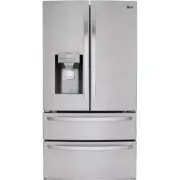
9 PRODUCT OVERVIEW ENGLISH PRODUCT OVERVIEW The images in this guide may be different from the actual components and accessories, which are subject to change by the manufacturer without prior notice for product improvement purposes. Exterior 3 45 1 6 7 8 2 5 6 7 3 4 1 2 8 Control Panel Sets the refr...
Page 10 - Interior
10 PRODUCT OVERVIEW Interior Standard Door : LFXS28968* / LMXS28626* / LMXS28636* 1 3 1 2 4 6 5 7 10 2 7 14 10 12 13 14 12 3 4 5 6
Page 13 - Installation Overview
13 INSTALLATION ENGLISH INSTALLATION Installation Overview Please read the following installation instructions first after purchasing this product or transporting it to another location. Unpacking the Refrigerator Choosing the Proper Location Disassembling/ Assembling Connecting the Water Line Level...
Page 14 - Unpacking the Refrigerator; Choosing the Proper; Water; Electricity; Flooring; Ambient Temperature
14 INSTALLATION Unpacking the Refrigerator WARNING • Use two or more people to move and install the refrigerator. Failure to do so can result in back injury or other injury. • The refrigerator is heavy. Protect the floor when moving the refrigerator for cleaning or service. Always pull the refrigera...
Page 15 - Dimensions and Clearances
15 INSTALLATION ENGLISH Dimensions and Clearances • Check the dimensions of the appliance and the installation path to ensure there is sufficient room to move the refrigerator through doors or narrow openings. • If an opening is too narrow to fit the refrigerator through, remove the refrigerator doo...
Page 16 - Handles; Removing the Refrigerator Handles
16 INSTALLATION Removing/Assembling Handles • When moving the refrigerator through a narrow opening, removing the doors is preferred. • The appearance of the handles may vary from what is shown. WARNING When assembling or disassembling the refrigerator handles: • Grasp the handle firmly to avoid dro...
Page 17 - Removing the Freezer Drawer Handle; Removing/Assembling the; Removing the Left Refrigerator Door
17 INSTALLATION ENGLISH Removing the Freezer Drawer Handle 1 Loosen the set screws (1) located on the lower side of the handle with a 1/8 in. Allen wrench and remove the handle. 2 Loosen the mounting fasteners (2) with a 1/4 in. Allen wrench, and remove the mounting fasteners. Assembling the Freezer...
Page 18 - Removing the Right Refrigerator
18 INSTALLATION 2 Remove the screw (1) from the hinge cover at the top of the refrigerator. Lift the hook (not visible), located at the bottom of the front side of the cover (2) with a flat-head screwdriver. 3 Remove the cover and pull out the tube (1). Disconnect all wire harnesses (2). Unscrew the...
Page 19 - Assembling the Right Refrigerator
19 INSTALLATION ENGLISH 2 Detach the wire harness (1). 3 Rotate the hinge lever (1) clockwise. Lift the top hinge (2) free of the hinge lever latch. Hinge Lever Latch CAUTION • When lifting the hinge free of the latch, be careful that the door does not fall forward. 4 Lift the door from the middle h...
Page 20 - Assembling the Left Refrigerator
20 INSTALLATION Assembling the Left Refrigerator Door Install the left refrigerator door after the right door is installed. 1 Make sure that the plastic sleeve is inserted in the bottom of the door. Install the refrigerator door onto the middle hinge. 2 Fit the hinge (1) over the hinge lever latch a...
Page 21 - Removing the Freezer Drawers
21 INSTALLATION ENGLISH Removing the Freezer Drawers For models with two freezer drawers, remove both drawers in the same way.The Pullout Drawer located above the freezer drawer is not shown for clarity. WARNING To reduce the risk of electric shock, injury to persons, and death, follow basic precaut...
Page 22 - Assembling the Freezer Drawer
22 INSTALLATION 6 Hold both rails and push them in simultaneously. Assembling the Freezer Drawer 1 Pull out both rails simultaneously, until they are fully extended. 2 Grasp the drawer on each side and hook the drawer supports into the rail tabs located on both sides. CAUTION • Do not hold the handl...
Page 23 - Connecting the Water Line; Before Beginning; Supplies Needed
23 INSTALLATION ENGLISH Connecting the Water Line Before Beginning This water line installation is not covered by the refrigerator warranty. Follow these instructions carefully to minimize the risk of expensive water damage.If necessary, call a qualified plumber to correct water hammer before instal...
Page 24 - Water Line Installation Instructions
24 INSTALLATION • Shutoff valve to connect to the cold water line. The shutoff valve should have a water inlet with a minimum inside diameter of 5/32 in. at the point of connection to the COLD WATER LINE. Saddle-type shutoff valves are included in many water supply kits. Before purchasing, make sure...
Page 26 - Leveling and Door Alignment; Leveling; Door Alignment; Standard Door
26 INSTALLATION Leveling and Door Alignment Leveling The refrigerator has two front leveling legs. Adjust the legs to alter the tilt from front-to-back or side-to side. If the refrigerator seems unsteady, or the doors do not close easily, adjust the refrigerator’s tilt using the instructions below: ...
Page 27 - Turning on the Power; Position the Refrigerator
27 INSTALLATION ENGLISH The right refrigerator door does not have an adjustable nut.If the space between the doors is uneven, follow the instructions below to align the right door: 1 With one hand, lift up both the inner and outer door sections of the right door to raise them at the middle hinge. (I...
Page 28 - Before Use
28 OPERATION OPERATION Before Use Clean the refrigerator. Clean the refrigerator thoroughly and wipe off all dust that accumulated during shipping. CAUTION • Wipe adhesive residue off with your thumb or dish detergent. Do not use sharp objects or abrasive, flammable, or alcohol-based cleaners. • Do ...
Page 29 - Control Panel; Control Panel Features
29 OPERATION ENGLISH Control Panel Depending on the model, some of the following functions may not be available. Control Panel Features 1 2 3 4 5 6 7 8 9 NOTE • When the refrigerator is in the Power Saving Mode, the display remains off until a door is opened or a button is pressed. Once on, the disp...
Page 31 - Ice and Water Dispenser; Using the Dispenser; Locking the Dispenser
31 OPERATION ENGLISH CAUTION Display Mode (For Store Use Only) • The Display Mode disables all cooling in the refrigerator and freezer sections to conserve energy while on display in a retail store. When activated, OFF is displayed on the control panel and the display remains on for 20 seconds. To d...
Page 32 - Ice Compartment; Detaching the In-Door Ice Bin
32 OPERATION Ice Compartment CAUTION • Keep hands and tools out of the ice compartment door and dispenser chute. Failure to do so may result in damage or personal injury. Keep the ice compartment door closed tightly. If the ice compartment door is not closed tightly, the cold air in the ice bin will...
Page 33 - Automatic Icemaker; Turning the Automatic Icemaker On
33 OPERATION ENGLISH Automatic Icemaker Power Switch Ice-detecting Sensor Icemaker NOTE • Ice is made in the automatic icemaker and sent to the dispenser. The icemaker produces 70 - 182 cubes in a 24-hour period, depending on freezer compartment temperature, room temperature, number of door openings...
Page 34 - Storing Food; Food Storage Tips
34 OPERATION Storing Food Depending on the model, some of the following functions may not be available.Each compartment inside the refrigerator is designed to store different types of food. Store food in the optimal space to enjoy the freshest taste. Food Storage Tips Wrap or store food in the refri...
Page 35 - Storing Frozen Food; Freezing; Humidity Controlled Crispers
35 OPERATION ENGLISH Storing Frozen Food Check a freezer guide or a reliable cookbook for further information about preparing food for freezing or food storage times. Freezing Your freezer will not quick-freeze a large quantity of food. Do not put more unfrozen food into the freezer than will freeze...
Page 36 - Glide‘N’Serve; Durabase; Detaching/Assembling the
36 OPERATION Glide‘N’Serve The Glide’N’Serve provides storage space with a variable temperature control that can keep the compartment at a slightly different temperature than the refrigerator section. This drawer can be used for large party trays, deli items and beverages. (This drawer should not be...
Page 37 - Crisper Cover
37 OPERATION ENGLISH Crisper Cover To remove, lift the front of the cover up until it detaches from the back wall of the cabinet, then pull it out. Door Bins The door bins are removable for easy cleaning and adjustment. 1 To remove the bin, simply lift the bin up and pull straight out. 2 To replace ...
Page 39 - Adjusting the Refrigerator; Using the Folding Shelf
39 OPERATION ENGLISH Adjusting the Refrigerator Shelves The shelves in the refrigerator are adjustable to meet individual storage needs. Your model may have full or split shelves.Adjusting the shelves to fit items of different heights will make finding the exact item you want easier. Detaching the S...
Page 40 - SMART FUNCTIONS; LG ThinQ Application; LG ThinQ Application Features
40 SMART FUNCTIONS SMART FUNCTIONS LG ThinQ Application This feature is only available on models with the or logo. The LG ThinQ application allows you to communicate with the appliance using a smartphone. LG ThinQ Application Features • Energy Monitoring† - This feature keeps track of the refrigerat...
Page 41 - Installing the LG ThinQ Application; Initial Appliance Registration; Wireless LAN Module Specifications; FCC Notice
41 SMART FUNCTIONS ENGLISH Installing the LG ThinQ Application Search for the LG ThinQ application from the Google Play Store or Apple App Store on a smartphone. Follow instructions to download and install the application. Connecting to Wi-Fi The Wi-Fi button, when used with the LG ThinQ application...
Page 42 - Smart Grid Function; Temporary Appliance Load Reduction
42 SMART FUNCTIONS Industry Canada Statement • For transmitter module contained in this product This device contains licence-exempt transmitter(s)/ receiver(s) that comply with Innovation, Science and Economic Development Canada’s licence exempt RSS(s). Operation is subject to the following two cond...
Page 43 - Override Smart Grid Mode; Smart DiagnosisTM Feature; Using LG ThinQ to Diagnose Issues
43 SMART FUNCTIONS ENGLISH • TALR mode is automatically deactivated after the received duration (max. 10 minutes), or when you override the Smart Grid function. The mode is immediately deactivated and the refrigerator returns to its normal state when the door is opened or closed, or the dispenser is...
Page 44 - Cleaning; General Cleaning Tips
44 MAINTENANCE MAINTENANCE Cleaning WARNING • Use non-flammable cleaner. Failure to do so can result in fire, explosion, or death. CAUTION • Do not use an abrasive cloth or sponge when cleaning the interior and exterior of the refrigerator. • Do not place your hand on the bottom surface of the refri...
Page 45 - Replacing the Fresh Air Filter; Replacing the Water Filter; Before Replacing the Water Filter:
45 MAINTENANCE ENGLISH Replacing the Fresh Air Filter Replace the Fresh Air Filter: • Approximately every six months. • When the Replace Filter icon turns on. 1 Rotate the filter cover counterclockwise to release the tabs, and remove the cover. 2 Remove the filter from the inside of the cover by pre...
Page 50 - TROUBLESHOOTING; FAQs: Frequently Asked Questions
50 TROUBLESHOOTING TROUBLESHOOTING FAQs: Frequently Asked Questions Q: What are the best temperature settings for my refrigerator and freezer? A: The default setting for the refrigerator is 37° Fahrenheit (3° Celsius). The default setting for the freezer is 0° Fahrenheit (-18° Celsius). Adjust these...
Page 51 - Before Calling for Service; Cooling
51 TROUBLESHOOTING ENGLISH Before Calling for Service Review this section before calling for service; doing so will save you both time and money. Cooling Problem Possible Cause Solutions Refrigerator and Freezer section are not cooling. The refrigerator control is set to OFF (some models). • Turn th...
Page 59 - Noises
59 TROUBLESHOOTING ENGLISH Noises Problem Possible Cause Solutions Clicking The defrost control will click when the automatic defrost cycle begins and ends. The thermostat control (or refrigerator control on some models) will also click when cycling on and off. • Normal Operation Rattling Rattling n...
Page 61 - LIMITED WARRANTY; FOR USA
61 LIMITED WARRANTY ENGLISH LIMITED WARRANTY FOR USA ARBITRATION NOTICE: THIS LIMITED WARRANTY CONTAINS AN ARBITRATION PROVISION THAT REQUIRES YOU AND LG TO RESOLVE DISPUTES BY BINDING ARBITRATION INSTEAD OF IN COURT, UNLESS YOU CHOOSE TO OPT OUT. IN ARBITRATION, CLASS ACTIONS AND JURY TRIALS ARE NO...
Page 64 - FOR CANADA
64 LIMITED WARRANTY FOR CANADA ARBITRATION NOTICE: THIS LIMITED WARRANTY CONTAINS AN ARBITRATION PROVISION THAT REQUIRES YOU AND LG TO RESOLVE DISPUTES BY BINDING ARBITRATION INSTEAD OF IN COURT, UNLESS THE LAWS OF YOUR PROVINCE OR TERRITORY DO NOT PERMIT THAT, OR, IN OTHER JURISDICTIONS, IF YOU CHO...


 LG DoorCooling+ GC-B247SEDC
User Manual
LG DoorCooling+ GC-B247SEDC
User Manual
 LG DoorCooling+ GC-B247SMDC
User Manual
LG DoorCooling+ GC-B247SMDC
User Manual
 LG GA-B379PLQA
User Manual
LG GA-B379PLQA
User Manual
 LG GA-B379PVCA
User Manual
LG GA-B379PVCA
User Manual
 LG GA-B409UCA
User Manual
LG GA-B409UCA
User Manual
 LG GA-B419SEUL
Manual
LG GA-B419SEUL
Manual
 LG GA-B419SLUL
Manual
LG GA-B419SLUL
Manual
 LG GA-B419SMHL
Manual
LG GA-B419SMHL
Manual
 LG GA-B419SQGL
Manual
LG GA-B419SQGL
Manual
 LG GA-B419SQUL
Manual
LG GA-B419SQUL
Manual
 LG GA-B419SWJL
Manual
LG GA-B419SWJL
Manual
 LG GA-B459CESL
User Manual
LG GA-B459CESL
User Manual
 LG GA-B459CLSL
User Manual
LG GA-B459CLSL
User Manual
 LG GA-B459CLWL
User Manual
LG GA-B459CLWL
User Manual
 LG GA-B459CQSL
User Manual
LG GA-B459CQSL
User Manual
 LG GA-B509
User Manual
LG GA-B509
User Manual
 LG GA-B509CESL
User Manual
LG GA-B509CESL
User Manual