Page 2 - TABLE OF CONTENTS
2 TABLE OF CONTENTS 3 PRODUCT FEATURES 4 SAFETY INSTRUCTIONS 4 IMPORTANT SAFETY INSTRUCTIONS 8 PRODUCT SPECIFICATIONS 9 PRODUCT OVERVIEW 9 Exterior10 Interior 11 INSTALLATION 11 Installation Overview12 Unpacking the Refrigerator12 Choosing the Proper Location14 Removing/Assembling Handles15 Removing...
Page 3 - PRODUCT FEATURES; HUMIDITY CONTROLLED CRISPERS; ICE PLUS
3 PRODUCT FEATURES ENGLISH PRODUCT FEATURES Depending on the model, some of the following functions may not be available. HUMIDITY CONTROLLED CRISPERS The Humidity Controlled Crispers are designed to help keep fruits and vegetables fresh and crisp. Control the amount of humidity in the crispers by a...
Page 4 - SAFETY INSTRUCTIONS; READ ALL INSTRUCTIONS BEFORE USE; Your safety and the safety of others are very important.; WARNING; INSTALLATION
4 SAFETY INSTRUCTIONS SAFETY INSTRUCTIONS READ ALL INSTRUCTIONS BEFORE USE Your safety and the safety of others are very important. We have provided many important safety messages in this manual and on your appliance. Always read and follow all safety messages. This is the safety alert symbol. This ...
Page 5 - OPERATION
5 SAFETY INSTRUCTIONS ENGLISH • Keep packing materials out of the reach of children. Packaging material can be dangerous for children. There is a risk of suffocation. • Do not install the refrigerator in a damp or dusty place where insulation on electrical parts may deteriorate. • Do not place the r...
Page 6 - MAINTENANCE
6 SAFETY INSTRUCTIONS • This appliance is not intended for use by persons (including children) with reduced physical, sensory or mental capabilities, or lack of experience and knowledge, unless they have been given supervision or instruction concerning the use of the appliance by a person responsibl...
Page 7 - GROUNDING INSTRUCTIONS; CAUTION; including the following:; SAVE THESE INSTRUCTIONS
7 SAFETY INSTRUCTIONS ENGLISH GROUNDING INSTRUCTIONS • Improper connection of the equipment-grounding conductor can result in a risk of electric shock. Check with a qualified electrician or service personnel if you are in doubt whether the appliance is properly grounded. Do not modify the plug provi...
Page 8 - PRODUCT SPECIFICATIONS
8 PRODUCT SPECIFICATIONS PRODUCT SPECIFICATIONS The appearance and specifications listed in this manual may vary due to constant product improvements. Electrical requirements: 115 V, 60 Hz Min. / Max. water pressure: 20 - 120 psi (138 - 827 kPa) Model LFCS28768* Description Standard-depth, French do...
Page 9 - PRODUCT OVERVIEW; Exterior
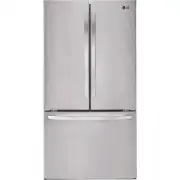
9 PRODUCT OVERVIEW ENGLISH PRODUCT OVERVIEW The images in this guide may be different from the actual components and accessories, which are subject to change by the manufacturer without prior notice for product improvement purposes. Exterior 3 4 5 2 1 Refrigerator Fresh food compartment Handle Opens...
Page 10 - Interior
10 PRODUCT OVERVIEW Interior 1 2 3 4 5 10 7 8 9 11 6 12 LED Interior Lighting Lights up the inside of the refrigerator. Water filter Purifies water. NOTE • The filter should be replaced every 6 months. See the Replacing the Water Filter section in this manual for details. Crisper Helps vegetables an...
Page 11 - Installation Overview
11 INSTALLATION ENGLISH INSTALLATION Installation Overview Please read the following installation instructions first after purchasing this product or transporting it to another location. Unpacking the Refrigerator Choosing the Proper Location Disassembling/ Assembling Connecting the Water Line Level...
Page 12 - Unpacking the Refrigerator; Choosing the Proper; Water; Electricity; Flooring; Ambient Temperature
12 INSTALLATION Unpacking the Refrigerator WARNING • Use two or more people to move and install the refrigerator. Failure to do so can result in back injury or other injury. • The refrigerator is heavy. Protect the floor when moving the refrigerator for cleaning or service. Always pull the refrigera...
Page 13 - Dimensions and Clearances
13 INSTALLATION ENGLISH Dimensions and Clearances • Check the dimensions of the appliance and the installation path to ensure there is sufficient room to move the refrigerator through doors or narrow openings. • If an opening is too narrow to fit the refrigerator through, the doors must be removed. ...
Page 14 - Handles; Removing the Refrigerator Handles
14 INSTALLATION Removing/Assembling Handles • When moving the refrigerator through a narrow opening, removing the doors is preferred. • The appearance of the handles may vary from what is shown. WARNING When assembling or disassembling the refrigerator handles: • Grasp the handle firmly to avoid dro...
Page 15 - Removing the Freezer Drawer Handle; Removing/Assembling the; Removing the Left Refrigerator Door
15 INSTALLATION ENGLISH Removing the Freezer Drawer Handle 1 Loosen the set screws (1) located on the lower side of the handle with a 1/8 in. Allen wrench and remove the handle. 2 Loosen the mounting fasteners (2) with a 1/4 in. Allen wrench, and remove the mounting fasteners. Assembling the Freezer...
Page 16 - Removing the Right Refrigerator
16 INSTALLATION 2 Disconnect all the wire harnesses. 3 Rotate hinge lever counterclockwise. Lift the top hinge free of the hinge lever latch. Hinge Lever Latch Hinge Lever CAUTION • When lifting the hinge free of the latch, be careful that the door does not fall forward. 4 Lift the door from the mid...
Page 17 - Assembling the Right Refrigerator; Assembling the Left Refrigerator
17 INSTALLATION ENGLISH 4 Lift the door from the middle hinge pin and remove the door. CAUTION • Place the door, inside facing up, on a nonscratching surface. Assembling the Right Refrigerator Door Install the right-side door first. 1 Make sure that the plastic sleeve is inserted in the bottom of th...
Page 18 - Removing the Freezer Drawers
18 INSTALLATION 2 Rotate the hinge lever clockwise. Lift the top hinge free of the hinge lever latch. Hinge Lever Latch Hinge Lever 3 Connect all the wire harnesses. 4 Place the hinge cover in place. Insert and tighten the cover screw. Hinge Cover NOTEDisassembling/Assembling the Water Lines Collet ...
Page 19 - Assembling the Freezer Drawer
19 INSTALLATION ENGLISH 3 Lift the front of the drawer up, then pull it straight out. 4 Remove the Durabase basket from the rails. Remove the screws from the rails at both ends. 5 Grip both sides of the drawer and pull it up to remove it from the rails. CAUTION • Do not hold the handle when removing...
Page 20 - Connecting the Water Line; Before Beginning
20 INSTALLATION 3 Lower the door into its final position and tighten the screws located on both sides. 4 Push the drawer back until it clicks into place. 5 Replace the ice bin in the drawer. Insert the Durabase basket in the rail assembly. Connecting the Water Line Before Beginning This water line i...
Page 21 - Supplies Needed
21 INSTALLATION ENGLISH If the water pressure from the reverse osmosis system is less than 20 psi or 138 kPa or 1.4 kgf/ cm 2 (takes more than 4 seconds to fill a cup of 7 oz or 198 cc capacity): • Check to see if the sediment filter in the reverse osmosis system is blocked. Replace the filter if ne...
Page 22 - Leveling and Door Alignment; Leveling
22 INSTALLATION 3 Drill the hole for the valve. • Drill a ¼ in. hole in the water pipe using a sharp bit. Remove any burrs resulting from drilling the hole in the pipe. Be careful not to allow water to drain into the drill. Failure to drill a ¼ in. hole may result in reduced ice production or smalle...
Page 23 - Door Alignment
23 INSTALLATION ENGLISH 9 Connect the tubing to the refrigerator. NOTE • Before making the connection to the refrigerator, be sure that the refrigerator power cord is not plugged into the wall outlet. • Remove the plastic flexible cap from the water valve. • Place the compression nut and ferrule (sl...
Page 24 - Turning on the Power; Position the Refrigerator
24 INSTALLATION Turning on the Power • After installing, plug the refrigerator’s power cord into a 3-prong grounded outlet and push the refrigerator into the final position. CAUTION • Connect to a rated power outlet. • If necessary, have a qualified electrician check the wall outlet and wiring for p...
Page 25 - Before Use
25 OPERATION ENGLISH OPERATION Before Use Clean the refrigerator. Clean the refrigerator thoroughly and wipe off all dust that accumulated during shipping. CAUTION • Do not scratch the refrigerator with a sharp object or use a detergent that contains alcohol, a flammable liquid or an abrasive when r...
Page 26 - Control Panel; Control Panel Features
26 OPERATION Control Panel Depending on the model, some of the following functions may not be available. Control Panel Features 1 2 3 4 NOTE • When the refrigerator is in the Power Saving Mode, the display remains off until a door is opened or a button is pressed. Once on, the display remains on for...
Page 27 - Automatic Icemaker; Turning the Automatic Icemaker On
27 OPERATION ENGLISH Automatic Icemaker Power Switch Auto shutoff (feeler arm) NOTE • The automatic icemaker can automatically make 12 cubes at a time, 50-110 pieces within a 24 hour period if conditions are favorable. This amount may vary according to the environment (ambient temperature around the...
Page 28 - Storing Food; Where to Store Food
28 OPERATION Storing Food Where to Store Food Each compartment inside the refrigerator is designed to store different types of food.Store food in the optimal space to enjoy the freshest taste. 1 2 4 5 3 6 Vegetable Storage (Crisper) Preserves vegetables and fruit. Pullout Drawer Provides extra stora...
Page 29 - Food Storage Tips
29 OPERATION ENGLISH CAUTION • Do not overfill or pack items too tightly into door bins. Doing so may cause damage to the bin or personal injury if items are removed with excessive force. • Do not store glass containers in the freezer. Contents may expand when frozen, break the container and cause i...
Page 30 - Storing Frozen Food; Freezing; Humidity Controlled Crispers
30 OPERATION Storing Frozen Food Check a freezer guide or a reliable cookbook for further information about preparing food for freezing or food storage times. Freezing Your freezer will not quick-freeze a large quantity of food. Do not put more unfrozen food into the freezer than will freeze within ...
Page 31 - Detaching/Assembling the; Crisper Cover
31 OPERATION ENGLISH Glide‘N’Serve The Glide’N’Serve provides storage space with a variable temperature control that can keep the compartment at a slightly different temperature than the refrigerator section. This drawer can be used for large party trays, deli items and beverages. (This drawer shoul...
Page 32 - Door Bins; Adjusting the Refrigerator
32 OPERATION Door Bins The door bins are removable for easy cleaning and adjustment. 1 To remove the bin, simply lift the bin up and pull straight out. 2 To replace the bin, slide it in above the desired support and push down until it snaps into place. CAUTION • Regularly detach and wash the storage...
Page 33 - SMART FUNCTIONS; LG ThinQ Application; LG ThinQ Application Features; Smart DiagnosisTM; Installing the LG ThinQ Application
33 SMART FUNCTIONS ENGLISH SMART FUNCTIONS LG ThinQ Application This feature is only available on models with the or logo. The LG ThinQ application allows you to communicate with the appliance using a smartphone. LG ThinQ Application Features Smart Diagnosis™ This function provides useful informatio...
Page 34 - Cleaning; General Cleaning Tips
34 MAINTENANCE MAINTENANCE Cleaning WARNING • Use non-flammable cleaner. Failure to do so can result in fire, explosion, or death. CAUTION • Do not use an abrasive cloth or sponge when cleaning the interior and exterior of the refrigerator. • Do not place your hand on the bottom surface of the refri...
Page 35 - Replacing the Water Filter; Before Replacing the Water Filter:
35 MAINTENANCE ENGLISH Replacing the Water Filter Replace the Water Filter : • Approximately every six months. • When the Replace Filter icon turns on. Before Replacing the Water Filter: If the top shelf, located below the water filter, is in the highest position, it will need to be removed prior to...
Page 39 - TROUBLESHOOTING; FAQs: Frequently Asked Questions
39 TROUBLESHOOTING ENGLISH TROUBLESHOOTING FAQs: Frequently Asked Questions Q: What are the best temperature settings for my refrigerator and freezer? A: The default setting for the refrigerator is 37° Fahrenheit (3° Celsius). The default setting for the freezer is 0° Fahrenheit (-18° Celsius). Adju...
Page 40 - Before Calling for Service; Cooling
40 TROUBLESHOOTING Before Calling for Service Review this section before calling for service; doing so will save you both time and money. Cooling Problem Possible Cause Solutions Refrigerator and Freezer section are not cooling. The refrigerator control is set to OFF (some models). • Turn the contro...
Page 46 - Noises
46 TROUBLESHOOTING Noises Problem Possible Cause Solutions Clicking The defrost control will click when the automatic defrost cycle begins and ends. The thermostat control (or refrigerator control on some models) will also click when cycling on and off. • Normal Operation Rattling Rattling noises ma...
Page 47 - LIMITED WARRANTY; FOR USA
47 LIMITED WARRANTY ENGLISH LIMITED WARRANTY FOR USA ARBITRATION NOTICE: THIS LIMITED WARRANTY CONTAINS AN ARBITRATION PROVISION THAT REQUIRES YOU AND LG TO RESOLVE DISPUTES BY BINDING ARBITRATION INSTEAD OF IN COURT, UNLESS YOU CHOOSE TO OPT OUT. IN ARBITRATION, CLASS ACTIONS AND JURY TRIALS ARE NO...
Page 50 - FOR CANADA
50 LIMITED WARRANTY FOR CANADA ARBITRATION NOTICE: THIS LIMITED WARRANTY CONTAINS AN ARBITRATION PROVISION THAT REQUIRES YOU AND LG TO RESOLVE DISPUTES BY BINDING ARBITRATION INSTEAD OF IN COURT, UNLESS THE LAWS OF YOUR PROVINCE OR TERRITORY DO NOT PERMIT THAT, OR, IN OTHER JURISDICTIONS, IF YOU CHO...