Page 3 - WARNING – To reduce the risk of fire, electric shock, or injury:; READ ALL INSTRUCTIONS; I M P O RTA N T S A F E T Y
3 • Do not leave the vacuum unattended while it is on. Unplug from outlet when not charging and before servicing. • Do not use outdoors or on wet surfaces. • The vacuum is not a toy. Do not allow children to play with the vacuum. • Close supervision is necessary when the vacuum is used by persons (i...
Page 4 - SAVE THESE INSTRUCTIONS
4 SAFETY INSTRUCTIONS (CONT.) • Do not pull or carry the vacuum by the charging cable, use the cable as a handle, close a door on the cable, or pull the cable around sharp edges or corners. Do not run any appliance over the cable. • Do not pull on the cable to remove it from the outlet. Only use the...
Page 5 - G E T T I N G T O K N O W Y O U R V A C U U M; R Q
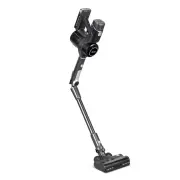
5 G E T T I N G T O K N O W Y O U R V A C U U M A. Control Panel B. HEPA-Type Pre-Filter C. Vacuum Body Release Button D. Stick E. Vacuum Head Release Button F. Vacuum Head G. Roller Brush Cushion H. Roller Brush I. LED Lights J. Roller Brush Release Button K. Telescoping Crevice Tool L. 2-in-1 Dust...
Page 6 - C O N T R O L PA N E L
6 C O N T R O L PA N E L A. Auto Mode Button • Press to turn on Auto Mode (see Auto Mode , page 9). • Automatically adjusts power to match the amount of dust. • Increase or decrease power manually to exit Auto Mode. B. Increase/Decrease Power • Press or to manually increase or decrease suction power...
Page 7 - U S I N G Y O U R V A C U U M; Battery Indicator Light Chart
7 U S I N G Y O U R V A C U U M 1. Attach the vacuum head or nozzle attachment to the bottom of the stick and attach the vacuum body to the top of the stick [Figure 1.1] . Figure 1.1 Battery Level Battery Indicator 70–100% 3 lights 50–70% 2 lights 20–50% 1 light 0–20% 1 flashing light Note: There is...
Page 10 - C A R E & M A I N T E N A N C E; Battery Installation
10 C A R E & M A I N T E N A N C E Battery Installation Your vacuum uses a 2500mAh Li-ion battery. On a full charge, the battery lasts approximately 40 minutes on power level 1. Use the included charger/charging dock to charge the vacuum. Charging the Vacuum Note: • To maintain the life of the b...
Page 13 - C L E A N I N G; Cleaning the Vacuum Body
13 Figure 3.1 Figure 3.2 Figure 3.3 C L E A N I N G Cleaning the Vacuum Body Cleaning the Dust Bin & Metal Filter 1. Turn the vacuum off. 2. Wipe the vacuum body down with a damp cloth. 3. Allow the vacuum body to completely dry before using. 1. Make sure the vacuum is off and the dust bin is co...
Page 14 - Cleaning the HEPA-Type Filters
14 CARE & MAINTENANCE (CONT.) To maintain the performance of your filters, they should be routinely washed and replaced. • The pre-filter should be washed once a month and replaced after 6 months. • The main filter should be washed once every 6 months and replaced after 1 year. Cleaning the HEPA...
Page 15 - Cleaning the Roller Brush; S T O R A G E
15 CARE & MAINTENANCE (CONT.) Clean the roller brush every 4–5 uses to avoid blockage or jamming. 1. Turn the vacuum off. Detach the vacuum head from the stick by pressing the Vacuum Head Release Button. 2. Press the Roller Brush Release Button and pull out the roller brush [Figure 3.8] . When t...
Page 16 - T R O U B L E S H O O T I N G
16 Problem Possible Solution Vacuum will not turn on The battery is not installed correctly (see Battery Installation , page 10). Recharge the vacuum (see Charging the Vacuum , page 10). The vacuum motor overheated. Empty the dust container and check for blockage inside the vacuum head and stick. Re...
Page 18 - W A R R A N T Y I N F O R M AT I O N
18 Product Name Levoit VortexIQ™ 40 Flex Cordless Stick Vacuum Model LSV-VF401-AUSR For your own reference, we strongly recommend that you record your order ID and date of purchase. Date of Purchase Order ID W A R R A N T Y I N F O R M AT I O N Terms & Policy Arovast Corporation (“Arovast”) warr...
Page 19 - C U S T O M E R S U P P O R T; Support Hours
19 C U S T O M E R S U P P O R T If you have any questions or concerns about your new product, please contact our helpful Customer Support Team. Arovast Corporation 1202 N. Miller St., Suite A Anaheim, CA 92806 Email: [email protected] Toll-Free: (888) 726-8520 Mon–Fri, 9:00 am–5:00 pm PST/PDT Suppo...