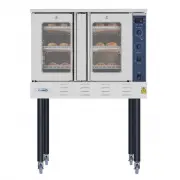
Page 2 - THIS LIMITED WARRANTY DOES NOT APPLY TO
LIMITED WARRANTY LIMITED WARRANTY KOOLMORE SUPPLY, INC . warrants to the original consumer or purchaser this KOOLMORE product is free from defects in material or workmanship for a period of One (1) year from the date of purchase. If any such defect is discovered within the warranty period, KOOLMORE ...
Page 3 - TABLE OF CONTENTS
TABLE OF CONTENTS OVEN SAFETY ............................................................................................................ 2 Warnings for Electric Installation .......................................................................................... 3 PARTS AND FEATURES ...............
Page 4 - OVEN SAFETY; Your safety and the safety of others are very important.; DANGER
OVEN SAFETY Your safety and the safety of others are very important. We have provided many important safety messages in this manual and on your appliance. Always read and obey all safety messages. DANGER WARNING CAUTION This is the safety alert symbol.This symbol alerts you to potential hazards that...
Page 5 - WARNINGS FOR ELECTRIC INSTALLATION; WARNING; Electrical Shock Hazard; IMPORTANT SAFETY; Proper Installation
WARNINGS FOR ELECTRIC INSTALLATION WARNING Electrical Shock Hazard Installation and service must be performed by a qualified installer or service agency.The models may be powered at 240V or 208V.Always disconnect the power before servicing this unit.This appliance must be properly grounded.Failure to...
Page 6 - To reduce the risk of fire in the
IMPORTANT SAFETY INSTRUCTIONS • Do not cover or block any openings on this appliance. • Use this appliance only for its intended use as described in this manual. Do not use corrosive chemicals, vapors, or nonfood products in this appliance. This type of oven is specifically designed to heat or cook....
Page 7 - Safety for the Self-cleaning; READ AND SAVE THESE
IMPORTANT SAFETY INSTRUCTIONS • During and after use, do not touch or let clothing or other flammable materials contact the heating elements or the interior surfaces of the oven until they have had sufficient time to cool. • The trim on the top and sides of the oven door may become hot enough to cau...
Page 8 - PARTS AND FEATURES
PARTS AND FEATURES h d d g a b c f e j l k m i a Oven Vent b Broil Element c Control Panel d Halogen Light e Convection Fan and Element f Bottom Element (not visible) g Model and Serial # Plate h Door Gasket i Temperature Probe j Oven Rack Back k Oven Rack Front l Broiler Pan Rack m Broiler Pan 6
Page 9 - CONTROL PANEL; c d; OVEN MODE CONTROLS; NOTE: The Warm/Proof control toggles between the two oven modes.; DISPLAY; START
CONTROL PANEL c d a b e f g h i j k Convection Conversion Cook Time Start Cancel 1 2 3 4 5 6 7 8 0 9 Timer Light Settings Bake Broil Convection Warm/ Proof Self Clean Baked Goods Meats Other Foods Start Time a Oven Mode Controls b Display c Cook Time d Start Time e Start/Control Lock (hold 3 seconds...
Page 10 - CONTROL PANEL LOCKOUT; To Lock Control Panel:; To Unlock Control Panel:; CANCEL; LIGHT; TIMER; NOTE: Do not press CANCEL because the oven will turn off.; COOK TIME
CONTROL PANEL LOCKOUT The control panel can be locked to avoid unintended use of the oven. NOTES: • The control cannot be locked if the oven is in use or if Cook Time is operating. • The current time-of-day will remain in the display when the control is locked. To Lock Control Panel: • Press and hol...
Page 11 - START TIME; Food Poisoning Hazard
NOTES: • Cook Time can be set in hours or minutes up to 11 hours and 59 minutes. • To change the cook time during cooking, press CANCEL. Enter the new cook time and press START. • At the end of the set cook time, the oven will turn off automatically, the alert tone will sound, and “Cooking Complete”...
Page 12 - SETTINGS; CLOCK; Number of Tones
SETTINGS Settings The Settings control allows you to access the menu for additional functions and features. Press SETTINGS to show Menu Options 1 - 6. Then, press START to show Options 7 - 9. CLOCK The clock can be set to display time in a 12-hour or 24-hour format. The clock is factory preset for t...
Page 13 - DEGREES FAHRENHEIT AND CELSIUS; SABBATH MODE; NOTE: The oven is factory preset with Sabbath Mode Off.
To Adjust Sound Volume:The oven sound is factory preset for High but can be changed to Low.1. Press SETTINGS. The various Options will appear in the display.2. Press “4” on the number keypad. “SOUND VOLUME” and “HIGH” will appear in the display. 3. Press “1” on the number keypad. HIGH/LOW” will appe...
Page 14 - Only the Cancel control is functional.; LANGUAGE
To Bake While the Oven is in Sabbath Mode:1. Press and hold BAKE for 3 seconds.2. Enter the desired oven temperature by pressing the numbered keypad.3. After selecting Bake and a Temperature, you have the option to set a Cook Time and Start Time before pressing START. See “Cook Time” and “Start Time...
Page 15 - OVEN USE; BEFORE USING THE OVEN; PREHEATING THE OVEN
OVEN USE BEFORE USING THE OVEN 1. Turn the Temperature Control to the highest setting. 2. Turn the Cooking Mode Selection control to a cooking mode. 3. Allow the oven to operate for 30 minutes with the door closed and no food in the cavity. NOTE: Any odor that may be detected during this initial use...
Page 16 - TEMPERATURE PROBE; Burn Hazard
TEMPERATURE PROBE WARNING Burn Hazard Use an oven mitt to remove temperature probe.Do not touch broil element.Failure to do so can result in burns. The temperature probe monitors the internal food temperature, which is frequently used as an indicator of doneness especially for meats and poultry, and...
Page 17 - To Remove Oven Racks:; COMPONENT COOLING FAN; To avoid oven door glass breakage:
UTENSILS • Glass baking dishes absorb heat. Reduce oven temperature 25°F (15°C) when baking in glass. • Use pans that produce the desired browning. The type of finish on the pan will help determine the amount of browning that will occur. - Shiny, smooth metal or light non-stick / anodized pans refle...
Page 18 - OVEN VENTS; OVEN CONDENSATION AND TEMPERATURE; OVEN TEMPERATURE CONTROL; COOKS FOOD
OVEN VENTS Blocking or covering the oven vents will cause poor air circulation, affecting cooking, cleaning and cooling results. • Both the upper and lower oven vent(s) allow fresh air to enter the cooling system. • The lower oven vent also allows hot air to be expelled from the cooling system. OVEN...
Page 19 - OVEN MODES; NOTE: The lower element is concealed under the oven floor.; BAKE; Press CANCEL when finished baking, and remove food from the oven.; BROIL
OVEN MODES The illustrations show the heating elements and fans used for each oven mode. NOTE: The lower element is concealed under the oven floor. BAKE Baking is cooking with heated air. Both upper and lower elements in the oven are used to heat the air but no fan is used to circulate the heat. Fol...
Page 20 - “BROIL” will appear in the display after Start is pressed.
To Broil:1. Place the food on the rack in the broiler pan and place pan in the oven. Close the oven door. NOTE: Preheating is not necessary. 2. Press BROIL for the desired mode. “BROIL” and “Set temp or Press START” will appear in the display, and “550ºF” (288ºC) will be displayed. 3. Press START, i...
Page 21 - “PROOF” will appear in the display, once Start is pressed.; CONVECTION; CONVECTION FAN
3. “WARM” will appear in the display, once Start is pressed. NOTE: After selecting an Oven Mode and Temperature, you have the option to set a Cook Time and Start Time before pressing START. See “Cook Time” and “Start Time.” 4. Place food in the oven and close the door.5. Press CANCEL when finished, ...
Page 22 - Advantages of Convection Cooking
Advantages of Convection Cooking • Saves time and energy. • Even baking, browning and crisping are achieved. • During roasting, juices and flavors are sealed in while the exterior is crisp. • Yeast breads are lighter, more evenly textured, more golden and crustier. • Air-leavened foods such as cream...
Page 23 - CONVECTION CONVERSION
4. Press START, if you wish to broil at 450°F (232°C). OR Enter the desired temperature by pressing the number keypad, and then press START. The temperature can be set from 170°F(77°C) to 550°F(288°C).NOTE: After selecting an Oven Mode and Temperature, you have the option to set a Cook Time and Star...
Page 24 - Press CANCEL when finished and remove food from the oven.; BAKE TIPS
4. Press the number keypad to select among the 1.MEAT, 2.BAKED GOODS and 3.OTHER FOODS options. 5. Press START to confirm the selection. “Set temp and press START” will appear in the display. 6. Enter your normal roasting temperature by pressing the number keypad. 7. Enter your normal Cook Time. See...
Page 25 - BAKE CHART; CONVECTION BAKE TIPS
BAKE CHART FOOD ITEM RACK POSITION TEMP. °F (°C) (PREHEATED OVEN) TIME (MIN) CakeCupcakesBundt CakeAngel Food 211 350 (175)350 (175)350 (175) 19-2240-4535-39 Pie2 crust, fresh, 9"2 crust, frozen fruit, 9" 22 375-400 (190-205) 375 (190) 45-5068-78 CookiesSugarChocolate ChipBrownies 222 350-37...
Page 26 - FOODS RECOMMENDED FOR CONVECTION BAKE MODE:
• Multiple rack cooking for oven meals is done on rack positions 1, 2, 3 , 4 and 5. All six racks can be used for cookies, biscuits and appetizers. - 2 Rack baking: Use positions 1 and 3. - When baking four cake layers at the same time, stagger pans so that one pan is not directly above another. For...
Page 27 - CONVECTION BAKE CHART
CONVECTION BAKE CHART Reduce standard recipe temperature by 25 ºF (15 °C) for Convection Bake. Temperatures have been reduced in this chart. FOOD ITEM RACK POSITION TEMP. °F (°C) (PREHEATED OVEN) TIME (MIN) CakeCupcakesBundt CakeAngel Food 211 325 (160)325 (160)325 (160) 20-2243-5043-47 Pie2 crust, ...
Page 28 - CONVECTION ROAST TIPS
CONVECTION ROAST TIPS • Do not preheat for Convection Roast. • Roast in a low-sided, uncovered pan. • When roasting whole chickens or turkey, tuck wings behind back and loosely tie legs with kitchen string. • Use the 2-piece broil pan for roasting uncovered. WARNING Burn Hazard Use an oven mitt to r...
Page 29 - CONVECTION ROAST CHART
CONVECTION ROAST CHART MEATS WEIGHT (lb) OVEN TEMP. °F (°C) RACK POSITION TIME (min. per lb) INTERNAL TEMP. °F (°C) BeefRib Roast 4-6 325 (160) 2 16-20 18-22 145 (63) medium rare 160 (71) medium Rib Eye Roast, (boneless) 4-6 325 (160) 2 16-20 18-22 145 (63) medium rare 160 (71) medium Rump, Eye, Tip...
Page 30 - CONVECTION BROIL TIPS; CONVECTION BROIL CHART
CONVECTION BROIL TIPS • Place rack in the required position needed before turning on the oven. • Use Convection Broil mode with the oven door closed. • Do not preheat oven. • Use the 2-piece broil pan. • Turn meats once halfway through the cooking time (see convection broil chart). CONVECTION BROIL ...
Page 31 - DEHYDRATE TIPS; DEHYDRATE CHART
DEHYDRATE TIPS The circulating heated air at a lower temperature slowly removes the moisture for food preservation. • Oven temperature for dehydrating is between 120ºF (50ºC) to 160ºF (70ºC). • Multiple racks can be used simultaneously. • Some foods require as much as 14-15 hours of time to fully de...
Page 32 - BROIL TIPS; BROIL CHART
FOOD PREPARATION APPROXIMATE DRYING TIME* (hrs) TEST FOR DONENESS Mushrooms Wash and towel dry. Cut of stem end. Cut into 1/8" slices 7-12 Tough and leathery, dry Tomatoes Wash and towel dry. Cut this slices, 1/8" thick, dry well 16-23 Dry, brick red color HerbsOregano, sage parsley and thym...
Page 33 - FOOD SERVICE TEMPERATURE GUIDELINES FROM FSIS
FOOD AND THICKNESS RACK POSITION BROIL SETTING °F (°C) INTERNAL TEMP. °F (°C) TIME SIDE 1 (MIN.)* TIME SIDE 2 (MIN.)* Sausage - fresh 5 5 160 (71) 5-7 3-5 Ham Slice (½") 5 5 160 (71) 4-6 3-5 SeafoodFish Filets, 1"Buttered 4 4 Cook until opaque & flakes easily with fork 10-14 Do not turn ...
Page 34 - OVEN CARE; GENERAL CLEANING; USING THE CLEANING CHART
OVEN CARE GENERAL CLEANING IMPORTANT: Always follow the instructions printed on the label of the cleaning products. USING THE CLEANING CHART 1. Locate the number of the part to be cleaned in the following illustration. 2. Find the part name in the chart. • Use the cleaning method in the left column ...
Page 35 - OVEN FINISHES / CLEANING METHODS
Part Cleaning Method Part Cleaning Method Stainless Steel Oven Stainless Steel Oven 1 Control Panel C-G 10 Interior Oven Door E 2 Door Cooling Vent E 11 Oven Front Frame E 3 Side Trim D 12 Oven Cavity E 4 Bottom Trim D 13 Door Gasket B 5 Door Frame E 14 Oven Cooling Vents D 6 Door Handle G 15 Oven R...
Page 36 - AUTOMATIC SELF-CLEANING
E Porcelain Immediately wipe up acidic spills like fruit juice, milk and tomatoes with a dry towel. Do not use a moistened sponge/towel on hot porcelain. When cool, clean with hot sudsy water or apply Bon- Ami ® or Soft Scrub ® to a damp sponge. Rinse and dry. For stubborn stains, gently use Brillo ...
Page 38 - Once the oven has completely cooled, remove ash with a damp cloth.; OVEN DOOR REMOVAL; Place the door in a protected location.
36 5. If you want to delay the start of the self-cleaning cycle, press DELAY START, and then set a time, by pressing the number keypad. 6. Press START. After the door is locked, “SELF CLEAN” will scroll in the selected text area until the clean cycle is finished. When the Self-clean Cycle Ends: “COM...
Page 39 - REPLACING AN OVEN LIGHT; Make sure the oven and lights are cool and power to the oven has been
To Replace the Oven Door:1. Holding the door firmly, insert the upper arms of both hinges into the slots. The recesses must hook on the lips. ab cd a Upper Arm b Recess c Slots d Lip 2. Open the oven door. NOTE: You should hear a “click” sound when the door is correctly in place. 3. Move the hinge l...
Page 40 - Remove the burned out bulb from the socket.
1. Disconnect power at the main power supply (fuse or breaker box). 2. Using a Phillips-head screwdriver, remove the screw, and then remove the cover. a a Light Cover 3. Remove the burned out bulb from the socket. a b a Light Bulb b Light Cover NOTE: To avoid damage or decreasing the life of the new...
Page 41 - TROUBLESHOOTING; BAKING AND ROASTING; BAKING PROBLEM
TROUBLESHOOTING First try the solutions suggested here to possibly avoid the cost of a service call. BAKING AND ROASTING With either Bake or Convection Bake and Convection Roast poor results can occur for many reasons other than a malfunction of the oven. Check the chart below for causes of the most...
Page 42 - OPERATION; PROBLEM
BAKING PROBLEM CAUSE Cakes high in middle with crack on top • Oven temperature too high • Baking time too long • Pans touching each other or oven walls • Incorrect rack position • Pan size too small Piecrust edges too brown • Oven temperature too high • Edges of crust too thin OPERATION PROBLEM POSS...