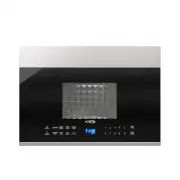
Page 2 - Specifications
PRECAUTIONS TO AVOID POSSIBLE EXPOSURE TO EXCESSIVE MICROWAVE ENERGY (a) Do not attempt to operate this oven with the door open since operation can result in harmful exposure to microwave energy. It is important not to defeat or tamper with the safety interlocks. (b) Do not place any object between ...
Page 3 - IMPORTANT SAFETY INSTRUCTIONS
IMPORTANT SAFETY INSTRUCTIONS WARNING - 1. Read all instructions before using the appliance. 2. Read and follow the specific: EXCESSIVE MICROWAVE ENERGY" found on page 2. combustible materials are placed inside the oven to facilitate cooking. only to properly grounded outlet. See f o u n d on pa...
Page 5 - RADIO INTERFERENCE
1. Operation of the microwave oven may cause interference to your radio, TV or similar 2. When there is interference, it may be reduced or eliminated by taking the following 1) Clean door and sealing surface of the oven 2) Reorient the receiving antenna of radio or television. 3) Relocate the microw...
Page 6 - UTENSILS; Materials you can use in microwave oven
Personal Injury Hazard Tightly-closed utensils could explode. Closed containers should be opened and plastic pierced before cooking. Utensil T est: 1. Fill a microwave-safe container with 1 cup of cold water (250ml) along with the 2. Cook on maximum power for 1 minute. 3. Carefully feel the utensil....
Page 8 - OPERATING INSTRUCTIONS
OPERATING INSTRUCTIONS FEATURES OF YOUR MICROWAVE d 8
Page 9 - CONTROLS; Sensor
1 3 4 8 7 10 2 6 5 14 13 12 11 9 CONTROLS 1) Sensor2) Popcorn3) Sensor Reheat 4) Power Level 6) Defrost7) Turntable ON/OFF8) Light O / 11) Number Pads12) Stop/Cancel13) Start/ 30Sec. 5) kitchen Timer 14) Dispplay Screen 9) Vent Fan H I O FF 10) Clock + O L - - OFF N 9
Page 10 - Operation
10 power levels are available. Level 10 9 8 7 6 5 4 3 2 1 Power Display PL-HI PL-90 PL-80 PL-70 PL-60 PL-50 PL-40 PL-30 PL-20 PL-10 100% 90% 80% 70% 60% 50% 40% 30% 20% 10% 1) the screen will display "12:00 PRESS CLOCK 2) Press the number keys and enter the correct time. For example, time is 10:...
Page 12 - Auto Defrost programs; Meat; Press button; Popcorn
12 1) Press " " once, the screen will display "MEAT". " repeatedly to choose the desired function. And "MEAT", "POULTRY" , "FISH" or "BREAD" will display in turn . 2) Press " 3) Press " " to confirm the function. The screen will display...
Page 13 - plate
13 Sensor Reheat programs 10. Sensor Reheat " repeatedly until the menu you wish appears in the display. " Sensor Cook Sensor Cook 11. Sensor Cook 1) Press " 2) Press " 3) Press " " to start sensor cook mode. The appliance starts sensing. The microwave is operating during sen...
Page 14 - 2 .Operating the Ventilation Fan; Menu; LO
14 Baked Potato 1 - 4 potatoes Quantity Sensor Cook programs 12 .Operating the Ventilation Fan 1) Press " " once to start ventilation fan, the screen will display "HIGH" . Vent Hi-Lo-Off The oven will return to waiting state after 2 seconds. " twice, the screen will display "...
Page 15 - The; Turntable; again to
For best cooking results, leave the turntable on. It can be turned off for To turn the turntable off, press" " once. The large dishes. 14 .Turning the turntable on / off Turntable screen will display "OFF" for 2 seconds. Press" " On/Off Turntable On/Off again to turn the turn...
Page 16 - MAINTENANCE
Troubleshooting Check your problem by using the chart below and try the solutions for each problem. If the microwave oven still does not work properly, contact the nearest authorized service center. TROUBLE Oven will not start POSSIBLE CAUSE POSSIBLE REMEDY a. Electrical cord for oven is not plugged...
Page 17 - WARRANTY; LIMITED WARRANTY
WARRANTY LIMITED WARRANTY LIMITED WARRANTY KOOLMORE SUPPLY, INC. warrants to the original consumer or purchaser this KOOLMORE product is free from defects in material or workmanship for a period of One (1) year from the date of purchase. If any such defect is discovered within the warranty period, K...