Page 2 - CONTENTS
CONTENTS IMPORTANT SAFETY INFO ...............................................................................................................................2SPECIFICATION...................................................................................................................................
Page 3 - IMPORTANT SAFETY INFORMATION; WARNING: Do not damage the refrigerant circuit.
IMPORTANT SAFETY INFORMATION When using electrical appliances basic safety precautions should be followed to reduce the risk of fire, electric shock, and injury to persons or property. Read all instructions before using any appliance. • Use this appliance only for its intended purpose as described i...
Page 4 - Green or Green with a strip yellow: Grounding
WARNING: Children should be supervised to ensure that they do not play with the appliance. WARNING: Do not store explosive substances such asaerosol cans with a flammable propellant in this appliance. DANGER: Risk of fire or explosion. Flammable refrigerant used. Do not use mechanical devices to def...
Page 5 - SPECIFICATIONS; DIMENSION/CONNECTIONS; RUNNING CONDITIONS
4 85 0 [3 3. 5] 380 [15.0] 82 0 [3 2. 3] 516 [20.3] 47 [1.9] 55 0 [2 1. 7] 426 [16.8] 15 9 [6 .3 ] SPECIFICATIONS DIMENSION/CONNECTIONS RATING NOTE: TESTED AT 70 Fahrenheit ROOM TEMPERATURE AND 50 Fahrenheit WATER TEMPERATURE MODELPOWER SUPPLY VOLTAGECLAIMATE CLASSELECTRICAL PROTECTION CLASSICE MAKI...
Page 6 - GENERAL INFORMATION; ) Main Unit Construction; and some detecting parts; E F G
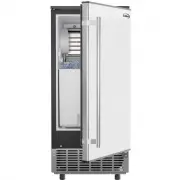
GENERAL INFORMATION 1) Main Unit Construction 1. Door 2. Ice-making & its water tank assembly: Including ice-making evaporator, water tank, water pump and some detecting parts 3. Handle 4. Ice tank 5. Operation panel 6. Air outlet: Must keep the air circulate smoothly, hot air will blow out when...
Page 7 - water tank wall When draining, this pipe should be pulled out.; I. Water level detecting switch; this button for more than 5 seconds to enter the Cleaning program.; TIMER; A B C D
A. Evaporator (ice-making module) B. Ice full detecting board: Use to detect if the inner cabinet is full of ice or not, and to check if the ice-harvest process is complete or not. C. Water tank D. Water supplying pipe E. Cover board on the right side of the evaporator F. Water level switch installi...
Page 10 - OPERATING PROCEDURE & MAINTENANCE; UNPACKING YOUR ICE MAKER; and at least 5 cm between the wall.; The appliance must be positioned so that the plug is accessible.
9 le H Hand andle Right bottom Hinge Right fix piece Left fix piece Left bottom hinge Top Hinge Top Hinge Fix plate Top cover OPERATING PROCEDURE & MAINTENANCE UNPACKING YOUR ICE MAKER 1. Remove the exterior and interior packaging. Check to ensure that all the accessories, including instruction ...
Page 11 - the Screw hole cover.; Left bottom; Top
4. Lift the door up and take off the door. 5. Set the freezer door on a non-scratch surface with the exterior up. 6. Unscrew the 2 screws on the handle, fix on the opposite side of the door. Remove the screw on the right fix piece, attach the left fix piece (from accessory bag) to the door. 7. Remov...
Page 12 - INSTALLATION LOCATION REQUIREMENT; b) This unit should not be located near any heat resource.; open the door and keep good air circulation.; e) Do not put anything on the top of the ice maker.
INSTALLATION LOCATION REQUIREMENT a) This unit is not for outdoor use. Keep the proper room temperature and inlet water temperature between 41-77 degrees Fahrenheit. Otherwise it will affect the ice making performance. b) This unit should not be located near any heat resource. c) The unit should be ...
Page 13 - ELECTRICAL REQUIREMENT & CONNECTIONS; WARNING: THIS UNIT MUST BE EARTHED; CLEANING YOUR ICE MAKER BEFORE FIRST USE
ELECTRICAL REQUIREMENT & CONNECTIONS WARNING: THIS UNIT MUST BE EARTHED Electrical Shock Hazard • Plug into a grounding wall outlet. • Never remove the ground prong. • Use separate power supply or receptacle. • Never use an adapter. • Never use an extension cord. • Failure to follow these instru...
Page 14 - WATER CONNECTION FOR YOUR ICE MAKER; Connect the water supplying hose to the unit; Install the clipper, then water hose connection is completed.; Connecting the water drainpipe
13 WATER CONNECTION FOR YOUR ICE MAKER Important: Be sure to use the new hose-sets supplied with the appliance to connect to water main. Old hose-sets should not be reused. 1. Connect the water supplying hose to the unit First remove the tape on the water inlet port for water supply (indicated in th...
Page 15 - OPERATION OF YOUR UNIT; Operation button and display area diagram
OPERATION OF YOUR UNIT Operation button and display area diagram Operation of the ice-making process 1. To start the process, plug in the power plug and the Power symbol will flash in the display window. Press the ON/OFF button on the control panel and the machine will start to make ice. When enough...
Page 17 - WIRING DIAGRAM; Normal Sounds
WIRING DIAGRAM Normal Sounds Your new ice maker may make sounds that you are not familiar with. Most of these sounds are normal. Hard surfaces like the floor, walls and cabinets can make the sounds seem louder than they are. The following describes the kinds of sounds that might be new to you and wh...
Page 18 - Put a plastic bag on the unit to avoid dust and dirt.; CLEANING & MAINTENANCE; the unit works properly.; CAUTION; leave any solution inside the ice maker after cleaning.; What shouldn't be done; abrasive cleaning agents.
7. Disconnect the water drainpipe from the main drain pipeline or floor drain. Plug the drain cap back on. 8. Drop the door open to allow for circulation and prevent mold and mildew. 9. Leave water supply hose and power cord disconnected until ready to reuse. 10. Dry the interior & wipe the outs...
Page 19 - INTERIOR CLEANING
INTERIOR CLEANING For Ice Storage Bin The ice storage bin should be sanitized occasionally. Clean the bin before the ice maker is used for the first time and reused after stopping for an extended period. It is usually convenient to sanitize the bin after the ice making system has been cleaned and th...
Page 20 - the water faucet of main water supply.; WARNING; Wear rubber gloves and safety goggles; Repeat steps 4-6 to clean the ice making assembly system again
ICE MAKING ASSEMBLY SYSTEM CLEANING BY USING NU-CALGON NICKLE SAFE Ice-machine Cleaner Minerals that are removed from water during the freezing cycle will eventually form a hard, scaly deposit in the water system. Cleaning the system regularly helps remove the mineral scale buildup. How often you ne...
Page 21 - container of the ice machine cleaner.; Following the above program to clean the ice storage bin.; according to ice making assembly system cleaning program.
WARNING The ice machine cleaner contains acids. DO NOT use or mix with any other solvent-based cleaner products. Use rubber gloves to protect hands. Carefully read the material safety instructions on the container of the ice machine cleaner. 8. Open the water faucet of the main water supply. Let the...
Page 22 - NORMAL TROUBLE SHOOTING
21 Problem Possible Cause Solution “ ” indicator is on. No water supply Check the main water supply pressure orthe water supply hose to ensure that it isnot blocked, increasing the water pressure,or cleaning the hose if necessary. Floating ball of the water leveldetecting switch is blocked,can’t be ...
Page 23 - ERROR INDICATOR; a) Ambient temp sensor breakdown Display “E1” in digital window.; enter the ice making process again.; CORRECT DISPOSAL OF THIS PRODUCT
22 ERROR INDICATOR a) Ambient temp sensor breakdown Display “E1” in digital window. b) The machine is not making ice or display window is reading as “E2.” c) Magnetic control switch cutoff----“Full” light will be on when plugging on or just turning on the unit. It will delete the breakdown display i...