Page 2 - Table of Contents
! Table of Contents Important Safety Instructions ................................................... 05 Installation Instructions.............................................................. 16 Normal Sounds / Sound Performance....................................... 22 Air Conditioner Features.......
Page 5 - Important Safety Instructions; READ THIS MANUAL; This symbol indicates the possibility of death or serious injury; CAUTION
Important Safety Instructions Important Safety Instructions Inside you will find many helpful hints on how to use and maintain your air conditioner properly. Just a little preventive care on your part can save you a great deal of time and money over the life of your air conditioner. You'll find many...
Page 6 - DANGER
Important Safety Instructions DANGER . Do not disassemble or modify unit. It may cause failure and electric shock. It may cause electric shock. Do not open the unit during operation. This could damage your health. Incorrect installation may cause fire and electric shock. Do not direct airflow at roo...
Page 8 - WARNING; replaced with a cord from the product manufacturer.; Grounding type wall receptacle; For Your Safety; the rating when checking the electrical requirements.; Do not use an extension cord or an adapter plug.; Prevent Accidents
Important Safety Instructions WARNING Do not, under any circumstances, cut, remove, or bypass the grounding prongs. NOTICE: The power supply cord with this air conditioner contains a current detection device designed to reduce the risk of fire. Please refer to the section Operation of Current Device...
Page 12 - Repairs to sealed components
WARNINGS (for using R290/R32 refrigerant only) 7) Ventilated area Ensure that the area is in the open or that it is adequately ventilated before breaking into the system or conducting any hot work. A degree of ventilation shall continue during the period that the work is carried out. The ventilation...
Page 14 - Charging procedures
WARNINGS (for using R290/R32 refrigerant only) Open the circuit by cutting or brazing. The refrigerant charge shall be recovered into the correct recovery cylinders. The system shall be flushed with OFN to render the unit safe. This process may need to be repeated several times. Compressed air or ox...
Page 15 - the equipment are closed off.
Important Safety Instructions WARNINGS (for using R290/R32 refrigerant only) j) When the cylinders have been filled correctly and the process completed, make sure that the cylinders and the equipment are removed from site promptly and all isolation valves on the equipment are closed off. k) Recovere...
Page 16 - Installation Instructions; WARNING - Before You Begin; • IMPORTANT - Observe all governing; Tools You Will Need; Installation Hardware
4 1 3/8 " Screws Theop Rail Some assembly is required. Please read these instructions carefully. 7 1 2 2 2 1 Installation Instructions Installation Instructions NOTE: SAVE CARTON and these INSTALLATION INSTRUCTIONS for future reference. The carton is the best to store unit during winter, or when not...
Page 17 - Before installing, the top rail must be assembled on the unit.; Install Side Filler Panels
Before installing, the top rail must be assembled on the unit. A. Remove the air conditioner from the carton and place on a flat surface. B. Remove top rail from the rear of the packaging material as shown in Fig.A C. Align the hole in the top rail with those on the top of the unit as shown in Fig. ...
Page 19 - Place the unit into the window; Install the frame lock
Installation Instructions Fig. 5 Board thickness as required, for proper pitch to rear, along entire sill. Fasten with nails or screws. Storm window frame or other obstruction. SASH 1-1/2” min (38 mm) Wooden Windows INSIDE OUTSIDE Fig. 6A OUTSIDE INSIDE Fig. 6B Vinyl-Clad Windows Fig. 7B 2. Storm Wi...
Page 20 - B: Cut foam window seal and insert it into the space; Drive locking screws; A: To secure lower sash in place, attach right angle
Installation Instructions Fig. 8A : s w o d n i w n e d o o w Fig. 8B : s w o d n i w d a l C -l y n i V Fig. 11 FOAM SEAL Fig. 10 B: Cut foam window seal and insert it into the space between the upper and lower sashes (Fig. 11). Fig. 9A 6. Drive locking screws 7. secure lower sash A: For wooden win...
Page 21 - Check Installation; Removing the air conditioner From Window
Installation Instructions Check that air conditioner is tilted back about 1/4” to 1/2”( tilted about 2° to 4° downward to the outside, see Fig.12A&Fig.12B). After proper installation, condensate,should not drain from the overflow drain hole during normal use, correct the slope otherwise. Fig. 12...
Page 22 - Normal Sounds; Sound of Rushing Air; NOTICE; The unit you purchased may look like one of the followings:
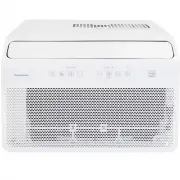
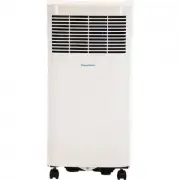
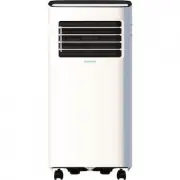
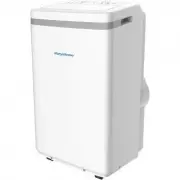
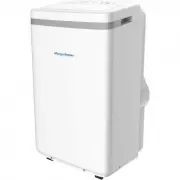
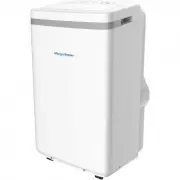
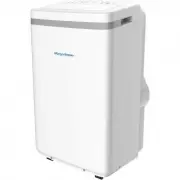
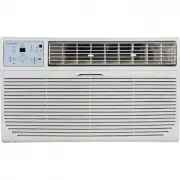
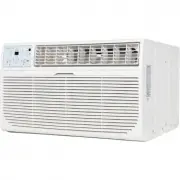
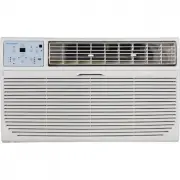
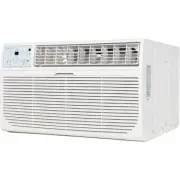
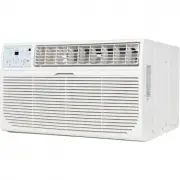
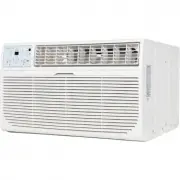
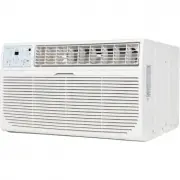
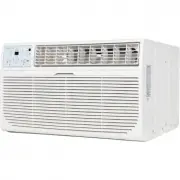
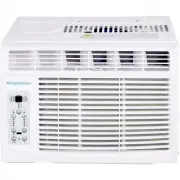
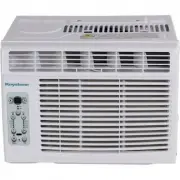
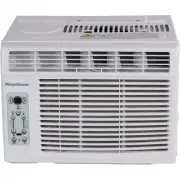
Normal Sounds Normal Sounds/ Sound Performance Sound of Rushing Air High Pitched Chatter Vibration Trickling Sound Gurgle/Hiss NOTICE All the illustrations in this manual are for explanation purpose only. The actual installation may vary. NOTICE: The unit you purchased may look like one of the follo...
Page 23 - Air Conditioner Features
Air Conditioner Features Air Condi ti oner Features NOTICE Always wait 3 minutes when turning the unit off and then on again, or when changing from cool to fan and back to cool. This prevents damage from occurring to the compressor. WARNING To reduce the risk of fire, electrical shock, or injury to ...
Page 24 - ELECTRONIC CONTROL OPERATING INSTRUCTIONS; control panel of the unit you purchased.; The unit can be controlled by the unit control or with the remote.; POWER; • When you set the air conditioner to Auto
Air Condi ti oner Features ELECTRONIC CONTROL OPERATING INSTRUCTIONS NOTICE: Different models have different control buttons and indicator lights. Not all the control buttons and indicator lights describing below are available for the unit you purchased. Please check the control panel of the unit yo...
Page 25 - TIMER; the TIMER indicator; SWING
TIMER button • Press Timer button, the TIMER indicator light illuminates. lt indicates the Auto Start or Auto Stop program is initiated. For some units, continuing to press the Timer button will cancel the timer settings. • Press or hold the UP or DOWN button to change the Auto time by 0.5 hour incr...
Page 26 - If the unit turns off unexpectedly due to; DISPLAYS
Air Condi ti oner Features NOTICE: If the unit turns off unexpectedly due to the power being cut, it will automatically restart with the previous function setting when the power resumes. DISPLAYS LED DISPLAYS: Shows the set temperature in " ℃ " or " ℉ " and the Auto-timer settings. W...
Page 27 - Care and Cleaning; Air Filter Cleaning; Cabinet Cleaning
Care and Cleaning Care and Cleaning Air Filter Cleaning NOTICE: Never use hot water over 104°F (40°C) to clean the air filter. Never attempt to operate the unit without the air filter. CAUTION Clean your air conditioner occasionally to keep it looking new. Be sure to unplug the unit before cleaning ...
Page 28 - TROUBLESHOOTING TIPS; Problem
TROUBLESHOOTING TIPS Troubleshooting Ti ps Before calling for service, review this list. It may save you time and money. This list includes common occurrences that are not the result of defective workman-ship or materials in this appliance. Air conditionerdoes not start Wall plug disconnected. Push ...