Page 2 - Electrical Safety; DANGER
2 GENERAL OPERATING INSTRUCTION Read these instructions before use and save them for future reference. Let the unit rest and remain unplugged for 24 hours before use.• Remove all external and internal packaging materials. Be sure that all parts have been included before discarding any packaging mate...
Page 3 - Disposing
DANGER To reduce the risk of injury when cleaning your appliance follow these basic precautions. CAUTION When disposing of refrigerated appliances, special handling is often required. It is the consumer’s responsibility to comply with federal and local regulations when disposing of this product. Dis...
Page 4 - FEATURES & SPECIFICATIONS; Overview
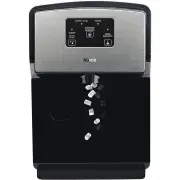
4 FEATURES & SPECIFICATIONS Overview This compact automatic ice dispenser allows you to enjoy nugget ice with the touch of a button. Water fill through push-to-open or removable door makes it portable and easy to use. Features and Parts 1 8 2 3 6 5 7 4 • This compact automatic ice dispenser allo...
Page 5 - Specifications
Product Portable Nugget Ice Dispenser Model No FDFM1JA01 Ice Type Chewable Nugget Ice Ice Production Capacity (75°F Air) 26 lb / 24 h Ice Storage Capacity 2 lb Water Reservoir Capacity 100 fl oz Ice Dispensing Actuation Touch Button Drip Tray Magnetically Detachable Drain Plumbing Not Required Water...
Page 6 - CLEANING NOTE; NOTE; USE OF DISPENSER; Display
WATER LEVEL CLEAN POWER DISPENSE NUGGETS MAKE NUGGETS CLEANING Hold for 3 sec MAKING ICE 6 CLEANING NOTE Clean the unit once a week to prevent high water TDS and hardness.Descale the unit with citric acid once a month to prevent sediment building up.Sanitize the unit with chlorine bleach once a mont...
Page 8 - FIRST TIME USE
1. Filling the water reservoir for the first time use • Remove the reservoir cover by simultaneously pulling from the left and right side towards you (See illustration 1). • Add water to MAX WATER FILL and then replace cover. 2. Flushing the unit for the first time • Plug the unit into power.• Press...
Page 9 - Cleaning the pump protector; Dispensing Ice
9 Water Port Reservoir Cover Pump Protector Dispense Nuggets buttonThe unit will stop dispensing automatically after 60 seconds elapse. • Place a cup under the ice dispense point.• Press and hold to dispense ice, release to stop. Combination Buttons can be used when the unit can’t dispense ice becau...
Page 10 - CAUTION; DISPENSER CARE
3. If the Water Level red LED flashes and the unit stops making ice • Fill the water reservoir with clean potable water. 4. If the Water Level red LED illuminates but the water reservoir is full • Unplug the unit and plug the unit into power again. 5. If the Cleaning LED flashes and the unit stops m...
Page 14 - Clearance; INSTALLATION; Location
14 CAUTION This unit is designed for countertop installation only. DANGER It is required that you connect this unit only to a GFCI protected receptacle. It is strongly recommended that you do not use an adapter or an extension cord to connect this unit because of potential safety hazards. Clearance ...
Page 15 - TROUBLESHOOTING
DANGER POSSIBLE CAUSES RESPONSE Unit does not work and the Power LED is not lit a. The outlet is not receiving any power. b. Power cord is unplugged.c. Power cord is broken.d. Control PCB is defective or with wiring problems. e. Display PCB is defective or with wiring problems a. Check for outlet an...
Page 16 - SERVICE & IMPORTANT NOTICE
SERVICE & IMPORTANT NOTICE The manufacturer has a policy of continuous improvement on its products and reserves the right to change materials and specifications without notice. All products, features, and services are subject to change without notice. We cannot guarantee the accuracy of the cont...