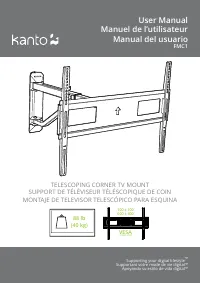
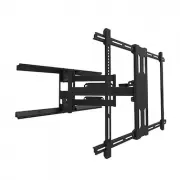
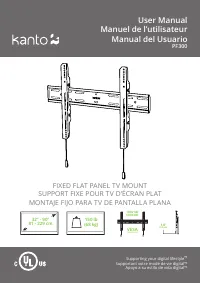
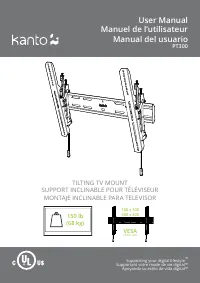
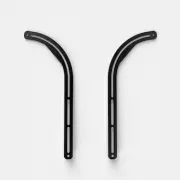
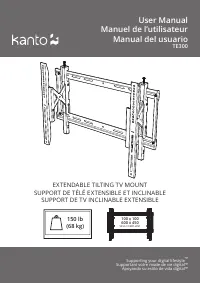
Page 2 - Thank you for choosing Kanto; CAUTION; Merci d’avoir choisi Kanto; ATTENTION; Gracias por elegir Kanto; PRECAUCIÓN
2 Thank you for choosing Kanto Read these instructions fully before assembly and installation. If you do not understand these directions, or have any doubts about the safety of the installation, please consult a qualified installation contractor. Make sure there are no defective or missing parts. Do...
Page 3 - Supplied Parts and Hardware
3 G: M8 x 35 mm x4 F: M8 x 20 mm x4 E: M6 x 35 mm x4 C: M5 x 30 mm x4 x2 D: M6 x 16 mm x4 B: M5 x 16 mm x4 L: M4 x4 M: M5 / M6 x4 I : 5 mm x4 J: 10 mm x4 K: 14 mm x4 H: M8 x 50 mm x4 SNAPTOGGLE® Hardware x4 N: 10 mm / 13 mm O: 5 mm x4 x4 A: M4 x 16 mm x4 x4 x4 Alternador SNAPTOGGLE® Matériel SNAPTOG...
Page 4 - Project Overview
4 If you have any problems or difficulties while following these instructions, please contact Kanto directly: Email: [email protected] Toll Free: US & Canada: 1-888-848-2643 Si vous avez des problè mes ou des questions en suivant ces instructions, veuillez contacter Kanto directement à : Email: [e...
Page 5 - Select TV Screws and Spacers
5 1.1 A–H Select Screws 1.1 A–H Choisissez les vis 1.1 A–H Seleccione tornillos 1.2 I–K Select Spacers 1.2 I–K Choisissez les entretoises 1.2 I–K Seleccione espaciadores The back of your TV has 4 screw holes in a square or rectangular pattern. This is where the mount will attach to your TV . Kanto p...
Page 6 - Remove H-Frame from Wall Plate Assembly; Select Spacers for Irregular TVs
6 Spacers can be used to provide clearance around protrusions on the back of your TV, or to accommodate a curved TV. You may need to use longer screws.Les entretoises peuvent être utilisées pour créer l'espace autour des saillies à l'arrière de votre téléviseur ou pour accueillir un téléviseur incur...
Page 7 - Attach TV Brackets
7 WARNING / AVERTISSEMENT / PRECAUCIÓN Do not lay the TV face down on its front. Use a wall or TV stand. Ne posez pas la téléviseur sur son front. Utilisez un mur ou un support de téléviseur. No deje el televisor posado sobre la pantalla. Utilice una pared o un soporte de televisor. * Optional Optio...
Page 8 - Monte el ensamblaje de la placa de pared (viga de acero
8 1/2” (12.5 mm) Hold metal anchor alongside plastic straps and slide anchor through hole. Hold ends of straps between thumb and forefinger and pull towards you until the anchor rests flush. Pull back and slide plastic cap along straps with other hand until the cap is flush with the wall. Snap straps o...
Page 10 - Hang and Secure TV
10 5 mm 13 mm 6.1 6.2 6.4 6.3 6. Hang and Secure TV Attachez et sécurisez le téléviseur Cuelgue y asegure el televisor N
Page 11 - Nivellez le téléviseur
11 13 mm 7.1 7.2 7.3 7. Level TV Nivellez le téléviseur Nivelar el televisor
Page 12 - Ajuste la tensión de los brazos (Opcional)
12 8.2 8.1 8. Finalize Adjustments Finalisez les ajustements Finalice los ajustes * Adjust Arm Tension (Optional) Réglez la tension des bras (Optionnel) Ajuste la tensión de los brazos (Opcional) N O*
Page 15 - Kanto Audio; HH
15 YU4 YU6 TUK SX26 SP32PL SP26PL SP26PL SP26PL / SP32PL SX22 YU Passive 5.25” YU YU Passive 4” Kanto Audio kantoaudio @kantoaudio Kanto Solutions Kanto Living kantoaudio.com SE6 / SE4 / SE2 S6 / S4 / S2 SP9 / SP6HD H2 H1 HH
Page 16 - Limited Warranty to Original Purchaser; Garantie limitée à l’acheteur initial
www.kantomounts.com [email protected] Toll Free: 1-888-848-2643 Limited Warranty to Original Purchaser Kanto Living Inc. (Kanto) warrants the equipment it manufactures to be free from defects in material for the limited warranty period of 5 years. If equipment fails because of such defects and Kanto...