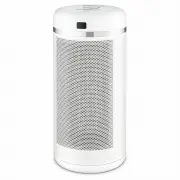
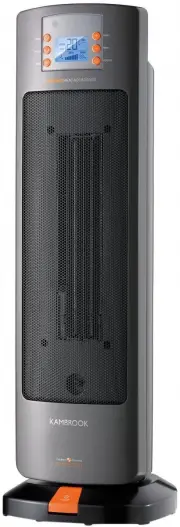
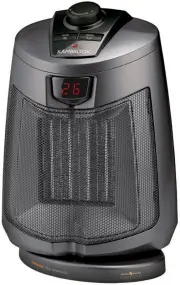
Page 3 - Contents; Kambrook Recommends
Contents Kambrook Recommends p4 Safety First Your Kambrook Ceramic Heater p7 Quick Start Guide p8 Using your Kambrook Ceramic Heater p10 Care and Cleaning p13 Tips for Heating Your Home p14 KCE460_IB_B17.indd 3 31/7/17 11:48 am
Page 4 - Kambrook Recommends Safety First; IMPORTANT: Please retain your; Important Safeguards For Your Kambrook
4 Kambrook Recommends Safety First IMPORTANT: Please retain your instruction book for future use. At Kambrook, we believe that safe performance is the first priority in any consumer product, so that you, our valued customer, can confidently use and trust our products. We ask that any electrical appl...
Page 6 - Important Safeguards For All Electrical Appliances
6 Important Safeguards For All Electrical Appliances • Fully unwind the power cord before use.• Connect only to a 230V or 240V power outlet.• Do not let the power cord hang over the edge of a bench or table, touch hot surfaces or become knotted. • To protect against electric shock, do not immerse th...
Page 7 - Your Kambrook Ceramic Heater
7 Your Kambrook Ceramic Heater 1. LCD screen – displays the current room temperature and illuminates when adjusting the settings 2. Power / Mode button 3. Timer button 4. Increase button 5. Decrease button 6. Oscillation button – On / Off 7. Remote control 8. Receiver sensor 9. Front grille 10. Heat...
Page 8 - Quick Start Guide; Turning the heater on
8 Quick Start Guide Turning the heater on 1. Plug the power cord into a 230V or 240V power point and switch on. 2. Switch the heater on using the main power switch located on the back of the heater, below the back fan grille. 3. The heater will go into STANDBY mode. Setting the mode Oscillation 1. P...
Page 9 - Setting the auto-off timer
9 Setting the auto-off timer 1. Once the MODE has been selected, press the TIMER button. The screen will flash the timer setting. 2. Using the ( ) buttons, select the desired time, ranging from 0.5 hours to 8 hours. Wait for the screen to stop flashing, indicating the timer has been set. 3. When the...
Page 10 - Before First Use; Using Your Kambrook Ceramic Heater; Using the Remote Control
10 Before First Use Remove all packaging and protective coverings from the heater and ensure that all parts are accounted for before disposing of the packaging material. Place the heater on a flat, level surface in an upright position. Check the front and back air grilles to ensure there is nothing ...
Page 12 - Safety tip-over switch
12 Turning the heater off To turn the heater OFF, press the MODE button until the STANDBY setting is selected. The fan will continue to operate for several seconds after selection to allow the heating element to properly cool. Once the fan has stopped operating, turn the heater OFF at the main power...
Page 13 - Care and Cleaning; Cleaning the heater
13 Care and Cleaning Cleaning the heater • Before cleaning, ensure that the heater has been turned off and unplugged from power outlet. • Use a clean, dry cloth to wipe the heater housing and grilles. • If the heater has collected excess dust that does not easily wipe clean, have the unit cleaned by...
Page 14 - Tips For Heating Your House
14 Tips For Heating Your House • Don’t overheat your home. The temperature of a heated room should be 18-21 degrees. • Your heater will work more efficiently if you follow the recommended clearance spaces. • Choose the right size heater for the room type you want to heat. • Zone off unoccupied rooms...
Page 15 - Notes