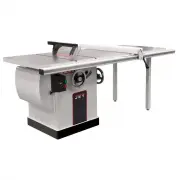
Page 2 - Warranty and Service
2 1.0 Warranty and Service JET warrants every product it sells against manufacturers’ defects. If one of our tools needs service or repair, please contact Technical Service by calling 1-800-274-6846, 8AM to 5PM CST, Monday through Friday. Warranty Period The general warranty lasts for the time perio...
Page 3 - Table of contents; Section
3 2.0 Table of contents Section Page 1.0 Warranty and Service ..................................................................................................................................... 2 2.0 Table of contents ...................................................................................
Page 4 - Safety warnings
4 3.0 Safety warnings 1. Read and understand the entire owner's manual before attempting assembly or operation. 2. Read and understand the warnings posted on the machine and in this manual. Failure to comply with all of these warnings may cause serious injury. 3. Replace the warning labels if they b...
Page 5 - About this manual
5 27. Use recommended accessories; improper accessories may be hazardous. 28. Maintain tools with care. Keep saw blades sharp and clean for the best and safest performance. Follow instructions for lubricating and changing accessories. 29. Turn off the machine before cleaning. Use a brush or compress...
Page 6 - Glossary
6 5.0 Glossary Arbor: Metal shaft that connects the drive mechanism to the blade. Bevel Edge Cut: Tilt of the saw arbor and blade between 0° and 45° to perform an angled cutting operation. Blade Guard: Mechanism mounted over the saw blade to prevent accidental contact with the cutting edge. Crosscut...
Page 7 - Specifications
7 6.0 Specifications Model number .............................................................................................................................................. JTAS-12-DX Stock number ......................................................................................................
Page 9 - Setup and assembly; Tools required for assembly
9 7.0 Setup and assembly 7.1 Tools required for assembly Metric wrench set, or 6”-8” adjustable wrench Metric hex key set Straight edge 7.2 Shipping contents Carton contents (see Figure 1) 1 Table saw (not shown) 1 Blade guard – A 1 Anti-kickback pawl assembly – B 1 Lock knob – C 1 Handwheel with sw...
Page 11 - Installing motor cover; Installing handwheel; Installing storage hooks
11 Figure 5 7.6 Installing motor cover 1. Install motor cover by aligning pins on cover with barrels on cabinet (A, Figure 6). 2. Fasten door by pulling out latch (B, Figure 6), closing door, and releasing latch. Figure 6 7.7 Installing handwheel • Hardware: Handle and handwheel, lock knob • Tool: 3...
Page 12 - Installing riving knife; Table insert adjustment
12 7.10 Installing riving knife • Hardware: riving knife • Tool: straight edge 1. Loosen handle (E, Figure 9). 2. Push tabs of riving knife into block as far down as it will go and tighten handle. Figure 9 3. Install blade (not provided). 4. Lay a straight edge against side of riving knife and blade...
Page 14 - Electrical connections; Extension cords; Adjustments; Blade raising and tilting; Blade alignment
14 8.0 Electrical connections Electrical connections must be made by a qualified electrician in compliance with all relevant codes. This machine must be properly grounded to prevent serious or fatal injury. The JTAS-12-DX is rated for single phase, 230 volt power only. A plug is not provided. Confir...
Page 16 - Belt tension and replacement; Maintenance
16 9.4 Belt tension and replacement 1. Disconnect machine from power source. 2. Lower blade to its lowest point. 3. Loosen bolt (A, Figure 22). 4. Take tension off belt (B) by lifting up on motor. 5. Remove belt from arbor and motor pulleys. 6. Install new belt. The weight of the motor should apply ...
Page 17 - Troubleshooting the JTAS-12-DX Table Saw; Mechanical Problems
17 11.0 Troubleshooting the JTAS-12-DX Table Saw 11.1 Mechanical Problems Symptom Possible Cause Correction Motor will not start. Saw disconnected from power source. Check plug or hard-wired connections. Fuse blown or circuit breaker tripped. Replace fuse or reset circuit breaker. Cord damaged. Repl...
Page 18 - Operational Problems; Replacement Parts
18 11.2 Operational Problems Symptom Possible Cause Correction Machine slows when operating. Applying too much pressure to workpiece. Feed workpiece more slowly. Belt loose. Tension belt. Blade not square with miter slot, or fence not square to blade. Blade is warped. Replace saw blade. Fence not pa...
Page 27 - Electrical Connections