Page 2 - TABLE OF CONTENTS
2 JBL CINEMA SB250 TABLE OF CONTENTS INTRODUCTION 3 ITEMS INCLUDED 3 JBL CINEMA SB250 TOP PANEL CONTROLS 4 JBL CINEMA SB250 SOUNDBAR REAR PANEL CONTROLS AND CONNECTIONS 4 JBL CINEMA SB250 SUBWOOFER CONTROLS AND CONNECTIONS 5 REMOTE CONTROL FUNCTIONS 5 PLACING THE JBL CINEMA SB250 6 OPERATION 7 TURNI...
Page 3 - Introduction
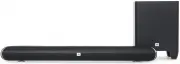
3 JBL CINEMA SB250 ENGLISH Introduction Thank you for choosing this JBL product. The JBL CINEMA SB250 powered soundbar speaker system is a complete, integrated sound system that will create an extraordinarily realistic cinema experience in your own living room. The powered soundbar unit can mount on...
Page 4 - Surround Mode Button:; JBL CINEMA SB250 SOUNDBAR; Pairing Button and LED:; Pairing
4 JBL CINEMA SB250 JBL CINEMA SB250 TOP PANEL CONTROLS 1 2 4 5 3 Optical audio in Aux-in Analog LED Color Power Button: The Power button toggles the JBL CINEMA SB250 between ON and Standby. When the JBL CINEMA SB250 is in Standby mode (the button LED indicator is amber), press this button to turn th...
Page 5 - JBL CINEMA SB250 SUBWOOFER; Wireless Pairing button and LED indicator:; REMOTE CONTROL FUNCTIONS; JBL CINEMA SB250’s Bluetooth device name is
5 JBL CINEMA SB250 ENGLISH JBL CINEMA SB250 SUBWOOFER CONTROLS AND CONNECTIONS 12 4 3 Power Indicator: When the subwoofer is in standby mode the LED indicator is amber. When the system is turned ON the LED indicator becomes white. Phase Switch: This switch determines whether the subwoofer driver’s p...
Page 6 - Harman Display Surround:; PLACING THE JBL CINEMA SB250; Placing the soundbar on a table
6 JBL CINEMA SB250 Harman Display Surround: This button turns the JBL CINEMA SB250’s Harman Display Surround processing ON/OFF. The Surround button indicator on the JBL CINEMA SB250 turns amber when Surround is active, and turns white when Stereo mode is active. The HARMAN Display Surround setting w...
Page 7 - OPERATION; Turning the JBL CINEMA SB250 ON and; First, make certain that the rear panel power switch is turned; Turning the subwoofer ON and OFF; Operating through Bluetooth; the JBL CINEMA SB250’s Bluetooth button.
7 JBL CINEMA SB250 ENGLISH IMPORTANT: Make sure that the subwoofer’s rear panel is at least 150 mm or 6 ” away from the wall to allow for proper operation. You may place wireless subwoofer in the positions as represented in the above figure. • Placing it in a corner that is position (1) will maximiz...
Page 8 - TV remote; Aim the TV remote at the front of the soundbar and slowly press the
8 JBL CINEMA SB250 • While pairing the Bluetooth device for the first time, it may reset the volume level to maximum. Adjusting the System Volume For the best sound, we recommend turning your TV’s built-in speakers off. Consult your TV’s owner’s manual to find out how to do this. If there is no way ...
Page 9 - TROUBLESHOOTING; Problems
9 JBL CINEMA SB250 ENGLISH TROUBLESHOOTING If your JBL CINEMA SB250 system does not perform the way you think it should, check whether the problem is covered in this section before contacting your dealer or a JBL representative. Problems Solutions If the soundbar does not turn ON • Check if the soun...
Page 10 - SPECIFICATIONS
10 JBL CINEMA SB250 HARMAN International Industries, Incorporated 8500 Balboa Boulevard, Northridge, CA 91329 USAwww.jbl.com TR02952_A © 2016 HARMAN International Industries, Incorporated. All rights reserved. JBL is a trademark of HARMAN International Industries, Incorporated, registered in the Uni...