Page 2 - Safety Information; Important Safety Information; READ ALL INSTRUCTIONS
EN This is the safety alert symbol. It is used to alert you to potential physical injury hazards. Obey all safety messages that follow this symbol to avoid possible injury or death. WARNING: When using an electrical appliance, basic precautions should always be followed, including the following: WAR...
Page 3 - CAUTION; NOTICE; WARNING
EN CAUTION • Be aware that the robot moves on its own. Take care when walking in the area that the robot is operating in to avoid stepping on it. • Do not operate the robot in areas with exposed electrical outlets in the floor. • Do not use this device to pick up sharp objects, glass, or anything th...
Page 5 - About your Roomba
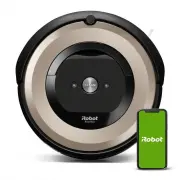
1 For more information, visit global.irobot.com EN Bottom View Top View Light Touch Sensor Faceplate Dust Bin and Filter Handle Charging Contacts RCON Sensor IR Sensor Window RCON Sensor Charging Contacts Caster Wheel Cliff Sensor Cliff Sensor Cliff Sensor Edge-Sweeping Brush Multi-Surface Brushes C...
Page 6 - Using Your Roomba
Roomba ® e6 Owner’s Guide 2 EN Using Your Roomba ® Robot Vacuum Note: Your robot comes with a partial charge, but we recommend that you charge the robot on the Home Base for 3 hours prior to starting the first complete cleaning cycle. Note: Remove excess clutter from floors before cleaning (e.g. clo...
Page 7 - Accessories
3 For more information, visit global.irobot.com EN Dual Mode Virtual Wall ® Barrier (compatible with all models) Use the Dual Mode Virtual Wall ® barrier to keep the robot in the places you want cleaned — and out of the ones you don’t. It creates an invisible barrier that only the robot can see. You...
Page 8 - Care and Maintenance
Roomba ® e6 Owner’s Guide 4 EN Part Care Replace* Details Bin Empty after each use Page 3 Filter Clean every week (twice a week if you have a pet) Every 2 months Page 3 Front Caster Wheel Clean every 2 weeks Every 12 months Page 4 Edge- Sweeping Brush and Multi-Surface Brushes Clean every month (twi...
Page 11 - Troubleshooting
7 For more information, visit global.irobot.com EN Troubleshooting Your Roomba ® robot vacuum will tell you something is wrong with a two- tone alert, a spoken message and a blinking troubleshooting indicator ( ). Follow the audible instructions. More detailed support and videos, are available in th...
Page 12 - iRobot Customer Care
Roomba ® e6 Owner’s Guide 8 EN USA & Canada If you have questions or comments about your Roomba ® robot vacuum, please contact iRobot before contacting a retailer. You can start by visiting global.irobot.com for support tips, frequently asked questions and information about accessories. This inf...
Page 13 - Regulator y Information
©2018 iRobot Corporation, 8 Crosby Drive, Bedford, MA 01730 USA. All rights reserved. iRobot, Roomba, iAdapt, Home Base and Virtual Wall are registered trademarks of iRobot Corporation. Dirt Detect is a trademark of iRobot Corporation. App Store is a trademark of Apple, Inc., registered in the U.S. ...