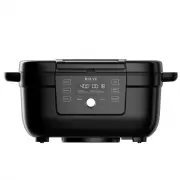
Page 2 - Get started with your new Indoor Grill!; Welcome
to your new Instant Grill! This Instant ® Indoor Grill combines the best features of a countertop grill with an air fryer, so you can cook with less oil and less hassle. We hope you fall in love with Instant grilling and enjoy delicious meals for years to come! Get started with your new Indoor Grill...
Page 3 - CONTENTS
CONTENTS Important Safeguards 2 What’s in the box 6 Initial set up 7 Using your Grill 8 Grill 11 Air Fry 14 Roast 17 Bake 19 Dehydrate 22 Cleaning 24 Error Codes 24 Learn more 25 Warranty 26
Page 4 - Placement; IMPORTANT SAFEGUARDS
2 User Manual Read all instructions before using and only use this indoor grill as described in this manual. When using electrical appliances, basic safety precautions should always be followed to reduce the risk of fire, electric shock, and injury to persons. Placement • DO place the appliance on a...
Page 5 - Air frying cautions
3 User Manual • DO NOT use the appliance for anything other than household use. It is not intended for commercial use. • DO NOT leave the appliance unattended while in use. • DO NOT use the appliance for more than 60 minutes in a 2-hour period. Air frying cautions When the appliance is in operation,...
Page 6 - Care and Storage
4 User Manual Should the unit emit black smoke during use, press Cancel and unplug the appliance immediately. Wait for smoking to stop before opening the door/basket, then clean thoroughly. For further information refer to ‘Troubleshooting’ in the User Manual.• DO use extreme caution when moving the...
Page 7 - Electrical Cautions; SAVE THESE INSTRUCTIONS
5 User Manual Electrical Cautions The appliance contains electrical components that are an electrical shock hazard. Failure to follow these instructions may result in electric shock and/or death. To avoid electrical shock: To disconnect, select Cancel , then remove plug from power source. Always unp...
Page 8 - WHAT’S IN THE BOX; Indoor Grill
6 User Manual WHAT’S IN THE BOX Indoor Grill Parts and accessories Illustrations are for reference only and may differ from the actual product. Remember to recycle! We designed this packaging with sustainability in mind. Please recycle everything that can be recycled where you live. Air vents (rear)...
Page 9 - INITIAL SET UP; Unpack; Clean before use
7 User Manual INITIAL SET UP Unpack 1. Remove your new Grill from the box. 2. Remove all the packaging material from in and around the grill. 3. Make sure to remove all the accessories from inside the grill chamber. 4. Don’t remove the safety warning stickers or the rating label from the grill. Clea...
Page 10 - USING YOUR GRILL; Control panel
8 User Manual USING YOUR GRILL Control panel We’ve designed the control panel to be simple to use and easy to read. 1. Smart Program buttons • Air Fry• Roast• Bake• Grill• Dehydrate• Reheat 2. Time/Temperature • Cooking time• Cooking temperature• Fahrenheit/Celcius indicator 3. Status Bar 4. Cooking...
Page 11 - Choosing temperature unit; Reset individual Smart Programs; Cancel active cooking program
9 User Manual Turning sound On/Off • While the display shows OFF , press and hold Time and Temp for 5 seconds. Audible safety alerts (beeps) cannot be turned off. Choosing temperature unit Choose which cooking temperature unit you would like to use, Fahrenheit or Celsius. • While the display shows O...
Page 12 - Change the OdorErase; Empty the oil collector
10 User Manual Change the OdorErase ™ filter When the display shows Change Filter , it’s time to replace the filter. Visit instanthome.com to purchase compatible filters, designed to work with your unit 1. Make sure the unit is not in use and turned off. 2. Open the filter panel door and carefully r...
Page 13 - GRILL; Cooking Timetable
11 User Manual GRILL You can grill meats and veggies for delicious results with less smoke and mess. The Grill Smart Program is set to the following default cooking settings. You can change the cooking time and temperature according to your recipe if you want. Setting Default Minimum Maximum Tempera...
Page 15 - To grill; Prep; Finish
13 User Manual To grill Prep • Cut, chop, season or marinate the ingredients according to your recipe. Cook 1. Insert the cooking basket and grill plate into the cooking chamber and close the lid. 2. Select Grill by pressing its button. The Grill button flashes and the display shows the default time...
Page 16 - AIR FRY
14 User Manual AIR FRY You can air fry foods like fries, cauliflower bites, wings, nuggets and more. The Air Fry Smart Program is set to the following default cooking settings. You can change the cooking time and temperature according to your recipe if you want. Setting Default Minimum Maximum Tempe...
Page 17 - To air fry
15 User Manual Frozen/ Fresh Food Item Amount Temperature Time Internal Temp Frozen Seafood Fish sticks 1 lb 400° F 10–12 min 165° F Frozen Snack Pizza pockets 4 pcs 400° F 23–25 min n/a Frozen Snack Mini pizza 4 pcs 400° F 12 min n/a To air fry Prep • Cut, chop, season, marinate or batter the ingre...
Page 18 - Turn
16 User Manual Turn 1. Part way through the cooking cycle the display shows Turn Food . 2. Open the lid and carefully turn, flip, or rotate your food. If you do not remove the lid after Turn Food displays, cooking will proceed after 10 seconds. 3. Close the lid. Cooking continues. Finish • When the ...
Page 19 - ROAST
17 User Manual ROAST You can roast foods like beef, lamb, pork, poultry, vegetables and scalloped potatoes, for a deliciously tender inside and browned outside. The Roast Smart Program is set to the following default cooking settings. You can change the cooking time and temperature according to your...
Page 20 - To roast
18 User Manual To roast Prep • Cut, chop, season or marinate the ingredients according to your recipe. Cook 1. Insert the cooking basket with the air frying tray into the cooking chamber and close the lid. 2. Select Roast by pressing its button. The Roast button flashes and the display shows the def...
Page 21 - BAKE
19 User Manual BAKE You can bake foods like breads, cakes, pastries and buns, with the Grill as your own “mini oven”. The Bake Smart Program is set to the following default cooking settings. You can change the cooking time and temperature according to your recipe if you want. Setting Default Minimum...
Page 22 - To bake
20 User Manual What to bake in You can bake many foods right in the cooking basket. For foods that require a pan, you can use an aluminum foil pan that fits inside the cooking chamber. To bake Prep 1. Prepare the ingredients according to your recipe. 2. Place your food into the cooking basket or an ...
Page 23 - REHEAT; Cook
21 User Manual REHEAT Bring the crisp and crunch back to leftover fries and pizza in just a few minutes. The Reheat Smart Program is set to the following default cooking settings. You can change the cooking time and temperature according to your recipe if you want. Setting Default Minimum Maximum Te...
Page 24 - DEHYDRATE
22 User Manual DEHYDRATE Prepare jerky, dried fuit and fruit chips or even veggie sticks. The Dehydrate Smart Program is set to the following default cooking settings. You can change the cooking time and temperature according to your recipe if you want. Setting Default Minimum Maximum Temperature 12...
Page 25 - To dehydrate
23 User Manual To dehydrate Cook 1. Place the food in the cooking basket with air frying tray, insert it into the cooking chamber, and close the lid. 2. Select Dehydrate by pressing its button. The display shows the default time and temperature settings. 3. If you want to change the cooking settings...
Page 26 - CLEANING; ERROR CODES
24 User Manual CLEANING Clean your Instant Grill after each use. Always unplug the unit and let all parts cool to room temperature before cleaning. Before using or storing, make sure all surfaces are dry. DO NOT immerse power cord, plug or the appliance in water or other liquid, which may result in ...
Page 27 - LEARN MORE
25 User Manual LEARN MORE There’s a whole world of Instant Grill information and help just waiting for you. Here are some of the most helpful resources. Register your product Instanthome.com/register Contact Consumer Care Instanthome.com/customer-care-center[email protected] Instant Brands ® Connect...
Page 28 - WARRANTY; What is not covered by this warranty?
26 User Manual WARRANTY One (1) Year Limited Warranty This One (1) Year Limited Warranty applies to purchases made from authorized retailers of Instant Brands LLC (“Instant Brands”) by the original appliance owner and is not transferable. Proof of original purchase date and, if requested by Instant ...
Page 29 - Product Registration; Warranty Service
27 User Manual Some states or provinces do not allow for: (1) the exclusion of implied warranties of merchantability or fitness; (2) limitations on how long an implied warranty lasts; and/or (3) the exclusion or limitation of incidental or consequential damages; so these limitations may not apply to...
Page 30 - NOTES