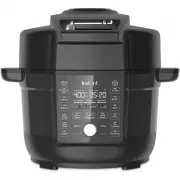
Page 2 - Duo Crisp with Ultimate Lid is designed to pressure cook; Learn all about your Duo Crisp!; Welcome
Before using your new Duo Crisp, read all instructions, including the Safety and Warranty document. Failure to follow the safeguards and instructions may result in personal injury and/or property damage. to your new Duo Crisp with Ultimate Lid!This Instant ® Duo Crisp with Ultimate Lid is designed t...
Page 3 - CONTENTS
CONTENTS What’s in the box 10 Using your Duo Crisp 11 Changing Duo Crisp settings 12 Using the Ultimate Lid 14 Initial set up 18 Pressure Cook + Steam 20 Sauté 23 Slow Cook 25 Sous Vide 27 Yogurt 29 Air Fry 31 Bake + Roast 33 Broil 35 Dehydrate + Proofing 36 Keep Warm 38 Cleaning 39 Trouble shooting...
Page 4 - INSTANT POT; DUO; Safety Instructions
2 User Manual 3 User Manual INSTANT POT ® DUO ™ CRISP WITH ULTIMATE LID Safety Instructions At Instant, we want you to feel comfortable using our products. This Instant Pot Duo Crisp was designed with you and your safety in mind. Read all instructions before using and only use this appliance as dire...
Page 5 - IMPORTANT; READ ALL INSTRUCTIONS; Placement
3 User Manual IMPORTANT SAFEGUARDS READ ALL INSTRUCTIONS Placement DO place the appliance on a countertop only. Always operate the appliance on a stable, non-combustible, level surface. DO make sure all parts are dry and free of food debris before placing the cooking pot on the cooker base. DO NOT p...
Page 6 - Pressure Cooking; For
4 User Manual 5 User Manual DO use only the Instant Pot lid that came with this cooker base. Using any other pressure cooker or air fryer lids may cause personal injury and/or property damage. DO NOT use the appliance without the removable inner cooking pot installed. DO NOT touch the metal portion ...
Page 7 - For instructions on; Overfill During Pressure Cooking
5 User Manual DO turn the appliance off if steam escapes from the steam release valve and/or float valve in a steady stream for longer than 3 minutes. If steam escapes from the sides of the lid, turn the appliance off. Once steam stops, pressure is released, and the cooker has cooled carefully make ...
Page 8 - Air Frying; For instructions on how to use the lid,
6 User Manual 7 User Manual DO be aware that certain foods, such as applesauce, cranberries, pearl barley, oatmeal or other cereals, split peas, noodles, macaroni, rhubarb, or spaghetti can foam, froth, sputter, and clog the pressure release device (steam vent). DO NOT fill the cooking pot higher th...
Page 9 - Overfill During Air Frying
7 User Manual DO NOT place the lid directly on countertop; use the protective pad provided. Should the unit emit black smoke when air frying, press Cancel and unplug the appliance immediately. Wait for smoking to stop before removing the lid, then clean thoroughly. Overfill During Air Frying DO NOT ...
Page 10 - Power Cord; DO NOT; Electrical Warning
8 User Manual Power Cord A short power-supply cord is used to reduce the risk resulting from it being grabbed by children, becoming entangled in, or tripping over a longer cord. WARNING: Spilled food can cause serious burns. Keep appliance and cord away from children. Never drape cord over edge of c...
Page 11 - SAVE THESE INSTRUCTIONS
DO NOT attempt to repair, replace or modify components of the appliance, as this may cause electric shock, fire or fire, personal injury and/or property damage, and will void the warranty. DO NOT tamper with any of the safety mechanisms, as this may result in personal injury or property damage. DO N...
Page 12 - WHAT’S IN THE BOX; Duo Crisp
10 User Manual 11 User Manual WHAT’S IN THE BOX Duo Crisp Remember to recycle! We designed this packaging with sustainability in mind. Please recycle everything that can be recycled where you live. Be sure to keep this Guide, along with the Safety and Warranty insert for reference. Illustrations are...
Page 13 - USING YOUR DUO CRISP; Control panel; We’ve designed the control panel to be simple to use and easy to read.; Cooking Progress Bar
11 User Manual USING YOUR DUO CRISP Control panel We’ve designed the control panel to be simple to use and easy to read. Cooking Progress Bar 1. Preheating: cooker is heating to the set temperature. Display shows cooking time. 2. Cooking: cooker has started the smart program. Display counts down coo...
Page 14 - CHANGING DUO CRISP SETTINGS; Choosing temperature scale
12 User Manual 13 User Manual CHANGING DUO CRISP SETTINGS Turning sound On/Off You can choose to have audible cooking alerts on or off. • When in Ready mode, press and hold the Time and Temperature buttons for 5 seconds until the display shows Sound On or Sound Off . Audible safety alerts (beeps) ca...
Page 15 - Set a timer
13 User Manual Set a timer You can set a cooking timer for a minimum of 1 minute or a maximum of 1 hour. 1. When in Ready mode, press Delay Start . 2. When the time flashes, use the Control Dial to adjust the delay time. 3. Press Start and the timer counts down. 4. When the timer ends, the display s...
Page 16 - USING THE ULTIMATE LID; Open the Lid; Turn the Lid Lock Switch to the; Close and lock the Lid; For pressure cooking turn the Lid Lock Switch to the
14 User Manual 15 User Manual USING THE ULTIMATE LID You’ll use the Ultimate Lid for both pressure cooking and air frying, as well as other types of cooking. Always use the lid that came with this Instant Pot Duo Crisp cooker base. Open the Lid 1. After pressure cooking, be sure to release the steam...
Page 17 - How to use the Pressure Cover; Install the Pressure Cooking Cover
15 User Manual How to use the Pressure Cover For pressure cooking and other smart programs that use the pressure cooking functions of the Ultimate Lid, you’ll need to install the Pressure Cooking Inner Cover. Install the Pressure Cooking Cover 1. Insert the Pressure Cooking Cover into the slot on th...
Page 18 - Remove the Pressure Cooking Cover; Open the Ultimate Lid, and then grasp the Inner Cover holder loop.
16 User Manual 17 User Manual Remove the Pressure Cooking Cover 1. Open the Ultimate Lid, and then grasp the Inner Cover holder loop. 2. Be sure to hold the Pressure Cooking Cover holder loop with a kitchen cloth or protective gear since it may still be hot. 3. Press the red button on top of the lid...
Page 19 - How to release steam; When all steam is released the display shows
17 User Manual How to release steam Your Duo Crisp can release steam in 3 different ways. Use the one that best fits the type of food you’re cooking. Choose Natural Release Pulse Release Quick Release How? Releases steam gradually over time (up to 40 minutes or more) after cooking stops Releases tim...
Page 20 - INITIAL SET UP; Clean before use; Remove the condensation collector; Using the Air Fry/Cooking Rack; Short handle side up: broiling and dehydrating
18 User Manual 19 User Manual INITIAL SET UP Clean before use 1. Wash the Inner Cooking Pot with hot water and soap. Rinse and use a soft cloth to dry the outside. Or you can wash the Inner Cooking Pot in the dishwasher 2. Wipe the heating element inside the cooker base and the inside of the Ultimat...
Page 21 - Test run; To perform a test run:; Pressure Cook
19 User Manual Test run Before using your new Duo Crisp for the first time, you must perform a pressure cooking test run to ensure everything is working correctly. To perform a test run: 1. Follow the instructions for pressure cooking on page 20. 2. Fill the cooking pot with water to the first fill ...
Page 22 - PRESSURE COOK + STEAM; Using liquid for pressure cooking; MUST USE INNER POT
20 User Manual 21 User Manual PRESSURE COOK + STEAM Both programs use pressurized steam to quickly and evenly cook foods. Use Pressure Cook for most pressure cooking recipes and use Steam as you would a regular stovetop steamer, boiling liquid to cook food with hot steam. Using liquid for pressure c...
Page 23 - Program settings; Prep
21 User Manual Pressure cooking liquids should be water-based, such as broth, stock, soup or juice. If using canned, condensed, or cream-based soup, add water as directed above. Program settings Choose from these settings for each smart program: Smart Program Temperature Default Cook Time Min. Cook ...
Page 24 - Cook
22 User Manual 23 User Manual 7. For the Pressure Cook smart program, Keep Warm is On by default. If you want to turn it off, press Keep Warm . 8. The default or last-used steam release type is displayed. To change it, press the Steam Release button as needed to toggle through the options. See ‘How ...
Page 25 - SAUTÉ; How to sauté
23 User Manual SAUTÉ Use Sauté in place of a frying or saucepan. Sautéing can deepen the flavors of your food, or can simmer, thicken or reduce sauces. Choose from these settings to sauté: Default Temp. Min. Temp. Max. Temp. Default Cook Time Min. Cook Time Max. Cook Time Level 1 Level 1 Level 6 30 ...
Page 26 - You can deglaze the Inner Cooking Pot now before switching to
24 User Manual 25 User Manual Cook 1. When display shows Add Food , add ingredients. 2. The unit displays Cooking . 3. When timer ends, display shows End . 4. Press Cancel if you want to finish cooking before the timer stops. Deglazing Deglazing is the process of adding a liquid to a hot pan, releas...
Page 27 - SLOW COOK; How to slow cook
25 User Manual SLOW COOK Slow Cook lets you make your favorite simmering and stewing recipes. This program does not use pressure to cook food. Choose from these settings for slow cooking: Default Temp. Min. Temp. Max. Temp. Default Cook Time Min. Cook Time Max. Cook Time High Low High 4 hours (04:00...
Page 28 - Keep warm
26 User Manual 27 User Manual 9. Press Start . The Progress Bar shows Preheating and the Duo Crisp starts heating. The display shows Preheating . 10. When the pressure is ready, the Duo Crisp starts slow cooking. The unit displays Cooking and the cooking timer starts counting down. 11. When the time...
Page 29 - SOUS VIDE; What you need to sous vide; Sous Vide
27 User Manual SOUS VIDE Sous Vide cooks food underwater in an air-tight, food-safe bag, for a long period of time. Food cooks in its own juices and comes out delicious and very tender. This program does not use pressure to cook food. Choose from these settings to sous vide: Default Temp. Min. Temp....
Page 31 - YOGURT; How to make yogurt
29 User Manual YOGURT You can use your Duo Crisp to easily make delicious, fermented dairy and non-dairy yogurt.Choose from these settings for making yogurt: Pasteurizing Temperature Fermenting Temperature Pasteurizing Time Default Fermenting Time Min Fermenting Time Max Fermenting Time Automaticall...
Page 32 - Ferment; yogurt starter and close lid.; Press Cancel if you want to finish cooking before the timer stops.; Cool; Allow yogurt to cool.
30 User Manual 31 User Manual Ferment 1. When the Duo Crisp reaches the correct temperature for fermentation, the display shows Add Yogurt Starter . Add the yogurt starter and close lid. 2. You have 30 minutes to add the yogurt starter. If you do nothing, the Yogurt program will automatically stop. ...
Page 33 - AIR FRY; How to air fry; See ‘How to lock the lid’ for full details.
31 User Manual AIR FRY You can air fry all sorts of foods, fresh or frozen, for a crisp finish without all the oil.Choose from these settings for air frying: Default Temp Min. Temp Max. Temp Default Cook Time Min. Cook Time Max. Cook Time 204 ° C 400 ° F 82 ° C 180 ° F 204 ° C 400 ° F 18 minutes (00...
Page 34 - The Duo Crisp starts air frying, and the unit displays
32 User Manual 33 User Manual 9. The Duo Crisp starts air frying, and the unit displays Cooking . 10. When the unit displays Turn Food , open the lid, turn the food, and close the lid. 11. When the timer reaches 00:00, cooking stops. 12. Press Cancel if you want to finish cooking before the timer st...
Page 35 - How to bake or roast; Bake
33 User Manual BAKE + ROAST You can bake foods like breads, cakes and pastries, or roast meats and vegetables.Choose from these settings for each smart program: Smart Program Default Temp. Min. Temp. Max. Temp. Default Cook Time Min. Cook Time Max. Cook Time Bake 193 ° C 365 ° F 82 ° C 180°F 204 ° C...
Page 37 - BROIL; How to broil
35 User Manual BROIL You can broil foods like meats, seafood and vegetables.Choose from these settings for broiling: Default Temp. Min. Temp. Max. Temp. Default Cook Time Min. Cook Time Max. Cook Time 204°C 400°F Not adjustable Not adjustable 6 minutes (00:06) 1 min (00:01) 40 mins (00:40) How to br...
Page 38 - How to dehydrate or proof
36 User Manual 37 User Manual DEHYDRATE + PROOFING You can dehydrate foods like fruit and vegetables or proof dough before baking.Choose from these settings for each smart program: Smart Program Default Temp. Min. Temp. Max. Temp. Default Cook Time Min. Cook Time Max. Cook Time Dehy- drate 51 ° C 12...
Page 39 - Press
37 User Manual 8. Press Start . The Duo Crisp starts dehydrating/proofing, and the unit displays Cooking and the cooking timer starts counting down. 9. When the timer reaches 00:00, cooking stops. 10. Press Cancel if you want to finish cooking before the timer stops.
Page 40 - KEEP WARM; How to reheat
38 User Manual 39 User Manual KEEP WARM You can choose to turn Keep Warm on automatically after cooking on many smart programs. You can also use Keep Warm to reheat food.Choose from these settings in the Keep Warm smart program: Default Temp Min. Temp Max. Temp Default Cook Time Min. Cook Time Max. ...
Page 41 - CLEANING
39 User Manual CLEANING Clean your Instant Duo Crisp after each use. Always unplug the unit and let all parts cool to room temperature before cleaning. Before use or storing, make sure all surfaces are dry. DO NOT immerse power cord, plug or the appliance in water or other liquid, which may result i...
Page 42 - TROUBLE SHOOTING
40 User Manual 41 User Manual TROUBLE SHOOTING Problem Cause Solution Display remains blank after connecting the power cord Bad power connection or no power Inspect power cord for damage. If damage is noticed, contact Consumer Care. Check outlet to ensure it is powered. Cooker’s electrical fuse has ...
Page 44 - ERROR CODES
42 User Manual 43 User Manual ERROR CODES If the control panel displays an error code from this list, there is an issue with the Duo Crisp with Ultimate Lid. Here are the actions you should take to fix the problem. Code Cause Solution C1, C3 Faulty sensor Contact Consumer Care. C4 Faulty control pan...
Page 45 - LEARN MORE
43 User Manual Product specifications Model Volume Wattage Power Weight Dimensions SLCO65000 6.5 Quarts / 6.2 Litres 1500 watts 120V ~ 60Hz 10.6 kg / 23.32 lbs in: 15.5 x 15.4 x 13.4cm: 39.4 x 39.2 x 34 LEARN MORE There’s a whole world of Instant Duo Crips with Ultimate Lid information and help just...
Page 46 - WARRANTY; What is not covered by this warranty?
44 User Manual 45 User Manual WARRANTY One (1) Year Limited Warranty This One (1) Year Limited Warranty applies to purchases made from authorized retailers of Instant Brands LLC (“Instant Brands”) by the original appliance owner and is not transferable. Proof of original purchase date and, if reques...
Page 47 - Product Registration; Warranty Service
45 User Manual Some states or provinces do not allow for: (1) the exclusion of implied warranties of merchantability or fitness; (2) limitations on how long an implied warranty lasts; and/or (3) the exclusion or limitation of incidental or consequential damages; so these limitations may not apply to...