Page 2 - Installation; Where to install the tumble dryer; Ventilation
2 EN Installation 10 m m 15 mm 15 mm 15 mm 15 mm B A Where to install the tumble dryer • Install the dryer far from gas ranges, stoves, radiators or hobs, as flames may damage it.If the dryer is installed below a worktop, ensure there are 10 mm between the upper panel of the dryer and any objects ab...
Page 3 - Electrical connections; Levelling the tumble dryer
EN 3 Electrical connections Before plugging the appliance into the socket, check the following: • Make sure your hands are dry.• The socket must have an earth connection.• The socket must be able to withstand the machine’s maximum power output as indicated on the data plate (see Description of the t...
Page 4 - Control panel
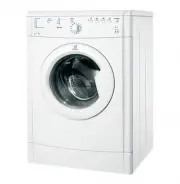
4 EN On/Off button Start/Pause button and indicator light Programme selection knob Description of the tumble dryer Control panel Options buttons and indicator lights Drying phase or delayed start indicator lights Clean filter indicator light Filter Control panel Serial number and model number Front ...
Page 5 - Indicator lights
EN 5 ON/OFF/Reset button Pressing the button normally will cause the machine to switch on or off. If the button is pressed for 3 seconds while the dryer is in function, the machine will switch off and the running cycle will reset. Programme selection knob Allows for setting the programme: turn until...
Page 6 - Starting and selecting a programme; How to carry out
6 EN Starting and selecting a programme 1. Plug the dryer into the power supply socket. 2. Select the programme according to the type of laundry (see Laundry). 3. Open the door, ensure that the filter is clean and securely placed . 4. Load the machine, making sure that no piece of laundry gets betwe...
Page 7 - Programme chart; Programmes and options
EN 7 Programme chart Special/Sport/Partial Programmes Eco Time Programme This programme is for drying small cotton loads in a short time, thereby optimising energy consumption. Suitable for loads of up to 2 kg. We recommend checking whether garments are labelled with the symbol and to turn them insi...
Page 9 - Options; Opening the door
EN 9 Options The options allow for customising the selected programme according to one’s own needs. Delay start The start of some programmes (see Programmes and options) may be delayed up to 9 hours. Press the button repeatedly to enter the desired delay time. Before setting a delayed start, make su...
Page 10 - Sorting laundry; Care labels; Laundry
10 EN Sorting laundry • Check the symbols on the care labels of the various gar- ments to verify whether the garments can be safely tumble dried. • Sort laundry according to the type of fabric.• Empty all pockets and check for loose buttons.• Close zips and hooks and fasten belts and strings without...
Page 11 - Special items; Drying times
EN 11 Special items Blankets and bedcovers: acrylic items (Acilian, Courtelle, Orion, Dralon) must be dried with great care at low heat. Avoid drying for long periods. Creased or pleated garments: read the drying instructions supplied by the manufacturer. Starched garments: do not dry together with ...
Page 13 - Care and maintenance; Disconnecting the power supply; Checking the drum after each cycle; Cleaning the tumble dryer
EN 13 Care and maintenance Disconnecting the power supply ! Disconnect the dryer when not in use or during cleaning and maintenance operations. Cleaning the filter after each cycle The filter is a fundamental component of the dryer: its fun-ction is to collect lint and fluff that form during drying....
Page 14 - Troubleshooting
14 EN Troubleshooting Possible causes / Solutions: • The plug has not been inserted far enough into the socket to make contact. • There has been a power cut. • The the fuse has blown. Try connecting another appliance to the same socket. • If an extension cord is used, try connecting the dryer plug d...
Page 15 - Assistance; Comparative Programmes; Programme to select
EN 15 Assistance Before calling the Service Centre: • Use the troubleshooting guide to see if you can solve the problem yourself (see Troubleshooting). • If not, turn off the dryer and call the Service Centre closest to you. What to tell the Service Centre: • Name, address, and post code; • telephon...