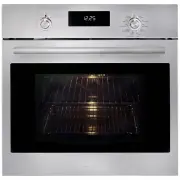
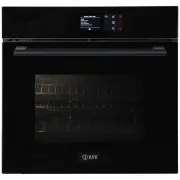
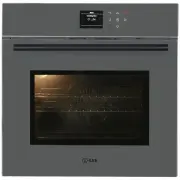
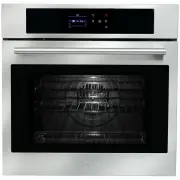
Page 4 - - Care And Maintenance; IMPORTANT
EN 3 1 - Care And Maintenance • Although the cooking chamber is made of high-quality steel, incorrect maintenance can cause corrosion; • The oven must be cleaned periodically and all food residues must be removed; • Do not clean the oven immediately after the dish has been removed because the residu...
Page 6 - - Respect for the Environment
EN 5 3 - Respect for the Environment The documentation for this appliance is printed on paper bleached without chlorine or recycled paper to contribute to protecting the environment. The packaging was designed to prevent damage to the environment; they are ecological products that can be recovered o...
Page 7 - - The Control Panel; Keypad
EN 6 4 - The Control Panel Keypad To operate the key, press gently. The keypad will not work if more than one key is pressed at the same time. Movement arrows Return to previous display page. Keep pressed to return to Home page Switches the oven on and off. Confirms the settings and starts cooking o...
Page 8 - - General Oven Information; WARNING
EN 7 5 - General Oven Information Error codes This code appears in the event of the electronic control indicating a fault. When the error appears, the current function is blocked. If the type of error is related to a safety function, the oven becomes unusable and every time a start attempt is made, ...
Page 9 - - General Oven Tips; Preheating the Oven
EN 8 6 - General Oven Tips Preheating the Oven • Selecting a higher temperature does not shorten the preheat time. • Preheating is necessary for good results when baking cakes, cookies, pastry and breads. • Preheating will help to sear roasts and seal in meat juices.• Place oven racks in their prope...
Page 10 - Instructions for initial switch-on
EN 9 7 - Getting Started Instructions for initial switch-on Once the oven has been connected to the power supply for the first time, the control automatically prepares for setting a number of user settings, which remain stored in case of any subsequent switch-on. NOTE: Both at the first and subseque...
Page 11 - Language; Time
EN 10 8 - User Settings With the oven on, select the icon and confirm with the key to enter the SETTINGS menu. This menu permits personalizing the settings of your oven. To make access, no active cooking or any set time functions must be in progress. NOTE: The Setting menù can never be set if any ti...
Page 14 - 0 - Starting Your Oven; Switching the oven on and off; Traditional Cooking
EN 13 10 - Starting Your Oven Switching the oven on and off IMPORTANT • The key does not stop the function.• After switching off the oven, the cooling fan could continue to operate until the inner parts of the oven have cooled down. Press to switch the oven on and press again to switch it off. The o...
Page 15 - Cooking Mode Tables
EN 14 Cooking Mode Tables COOKING MODE ICON TEMPERATURE Min. Preset Max. TRUE CONVECTION 50° C 165° C 230° C RING & GRILL 50° C 210° C 230° C CONVECTION BROIL 50° C 165° C 230° C GRILL 50° C 230° C 230° C STEAM 100 40° C 100° C 100° C STEAM 130 130 70° C 130° C 130° C STEAM & RING 50° C 165°...
Page 16 - 1 - Traditional Cooking; Changing the cooking mode
EN 15 11 - Traditional Cooking Changing the cooking mode 1. During untimed cooking, a cooking pause can be set by pressing the key. All the settings of the suspended cooking operation remain stored and can be reactivated by pressing the same key again. 2. To change the cooking mode while the oven is...
Page 17 - Steam operation; Useful tips; ATTENTION
EN 16 12 - Steam Cooking NOTE: it is essential to carefully read the instructions and warnings to ensure correct use. Steam operation Steam cooking is used most for oriental cuisine but it is certainly very useful for our own. It is fat free and has the advantage of preserving the original flavour o...
Page 19 - 3 - Using Oven Lights
EN 18 13 - Using Oven Lights A single light key activates the lights. Touch to turn lights on or off . Oven lights turn on automatically when the door is opened. When an oven is in use, oven lights turn on automatically when a mode is started. Oven lights will turn off automatically when the oven mo...
Page 20 - 4 - Time Oven Mode Operation; CAUTION; To Set a Timed Mode; Stop Time; To Delay the Start of a Timed Mode
EN 19 14 - Time Oven Mode Operation Be sure that the time-of-day clock is displaying the correct time. The timed mode turns off the oven at the end of the cook time. CAUTION Never leave food in the oven for more than one hour before and after cooking. This could deteriorate the properties of the foo...
Page 21 - Food
EN 20 15 - Setting the Meat Probe (if present) When roasts, steaks or poultry are being cooked, this is the best way to tell when the food is correctly cooked. This oven is optionally provided with the meat probe feature to sense the temperature inside meat and stop cooking as soon as the set value ...
Page 25 - 7 - Oven Care and Cleaning; Oven Clean; Circuit discharge
EN 24 17 - Oven Care and Cleaning Oven Clean This function performs a cleaning cycle by injecting steam into the cavity for 15 minutes. At the end of the cycle, any crusting that may have formed due to high-temperature cooking inside the oven cavity, will be softened and become much easier to remove...
Page 26 - 8 - Replacing the oven Lamp
EN 25 18 - Replacing the oven Lamp IMPORTANT The oven lamp must have precise characteristics:a) Structure suitable for high temperatures (up to 300 °C);b) Power supply: see the V/Hz value on the serial number plate; c) power 25 W;d) Type G9 connector. Attention: make sure the appliance is off before...
Page 27 - 9 - For the Installer; Installing the oven in a cabinet
EN 26 19 - For the Installer CUTOUT & DIMENSIONS 560 min 460 50 510 560 50 510 595 528 26 144 140 596 554 545 560 min 450 50 510 533 455 594 540 432 min 458 min 3 560 min 3 533 455 594 540 432 Installing the oven in a cabinet The oven must be installed under a cook top, in a column, or combined ...
Page 29 - 0 - Solving Traditional Baking Problems
EN 28 20 - Solving Traditional Baking Problems With either Bake or Convection Bake, poor results can occur for many reasons other than a malfunction of the oven. Check the chart below for causes of the most common problems. Since the size, shape and material of baking utensils directly affect the ba...
Page 30 - 1 - Solving Operational Problems
EN 29 21 - Solving Operational Problems Before contacting service, check the following to avoid unnecessary service charges. Oven Problem Problem Solving Steps Other F__ Error appears in the display window. Remove power and turn it back on again after a few seconds. If condition persists, note the c...
Page 31 - 2 - Assistance or Service; Ser vice Data Record
EN 30 22 - Assistance or Service Before contacting service, please check “Troubleshooting.” It may save you the cost of a service call. If you still need help, follow the instructions below. When calling, please know the purchase date and the complete model and serial number of your appliance. This ...