Page 2 - ILVE ACCESSORIES ONLINE SHOP; For a wide range of coffee machines, pods, and other ILVE
OPEN 24 / 7 ILVE ACCESSORIES ONLINE SHOP For a wide range of coffee machines, pods, and other ILVE accessories at the click of a button shop.ilve.com.au
Page 3 - TABLE OF CONTENTS
SAFETY INSTRUCTIONS 2 PRODUCT FEATURES 3 About Your Oven 3 Cooling Fan 3 Rack Positions 3 Baking Elements 4 Grilling Element 4 Convection Element 4 About Convection Ovens 4 INSTALLATION OF THE OVEN 5 Electricals 5 Respect for the environment 6 ELECTRICAL SUPPLY 8 Wiring Requirements 8 Connecting The...
Page 5 - SAFETY INSTRUCTIONS; Keep children under age 8 away, unless constantly supervised.
GB 2 SAFETY INSTRUCTIONS - Do not disassemble any parts prior to having disconnected the oven from the mains. - Do not use the appliance if any part is broken (for example a glass). Disconnect it from the mains and call service. - Before using the oven, it is recommended to make it operate at noload...
Page 6 - PRODUCT FEATURES; About Your Oven
GB 3 PRODUCT FEATURES Convection Fan andElement (not visible) Model and Serial # Plate Bottom Element(not visible) HalogenLight Broil Element Control panel Halogen Light Level rack of cavity Embossed 4 6 5 32 1 Cooling Vents Meat probe (if present) Door gasket About Your Oven Above you will find an ...
Page 8 - INSTALLATION OF THE OVEN; WARNING; Electricals; Maximum absorbed power:
GB 5 INSTALLATION OF THE OVEN To install the oven into the kitchen a cutout should be made in accordance with the dimensions shown in the Cutout & Dimensions figure.The apparatus is to be fastened to the top by means of the two screws provided in the kit through the holes made on the oven uprigh...
Page 9 - Respect for the environment
GB 6 Respect for the environment The documentation for this appliance is printed on paper bleached without chlorine or recycled paper to contribute to protecting the environment. The packaging was designed to prevent damage to the environment; they are ecological products that can be recovered or re...
Page 10 - Appliances
GB 7 Cutout & Dimensions H I Dimensions are in centimeters Appliances A B C D E F G H I Single oven 72,2 59,0 69,2 70,7 Min 1,3 75,4 69,2 86,5 Min 1,9
Page 11 - ELECTRICAL SUPPLY; ELECTRICAL SHOCK HAZARD; Wiring Requirements
GB 8 ELECTRICAL SUPPLY The manufacturer can not be held responsible for any damages to persons or objectscaused by failure to observe these instructions.Before installing the oven have a qualified electrician verify that your home is provided with adequate electrical service and that the addition of...
Page 12 - Connecting The Oven To The Mains
GB 9 Connecting The Oven To The Mains For connecting use a flexible rubber cable of the H05SS-F type (3x2 5 mm 2 min) remembering to make it long enough to allow the oven to be removed from its housing unit when maintenance work is required To connect the cable to the oven proceed as follows (see fi...
Page 13 - INSTRUCTIONS FOR USE; The first time you use the oven; Oven Racks; CAUTTON
GB 10 INSTRUCTIONS FOR USE The first time you use the oven Clean the oven thoroughly with soapy water and rinse well.Operate the oven for about 30 minutes at maximum temperature to burn off all traces ofgrease which might otherwise create unpleasant smells when cooking. WARNING Never use aluminum fo...
Page 14 - To replace an oven rack:; Oven Extendable Racks; CAUTION; To remove extendable rack from the oven:
GB 11 To replace an oven rack: 1. Place rear of rack between rack level guides 2. While lifting front of rack, slide rack in all the way while towering the front Oven Extendable Racks • The extendable rack allows for easier access to cooking foods. It extends beyond the standard flat rack bringing h...
Page 15 - To replace an extendable rack:
GB 12 To replace an extendable rack: 1. Grasp rack firmly on both sides. Place rack (including frame) above desired rack guide 2. Push all the way in until the back of the rack drops into place 3. Pull both sections forward until slops activales. Rack should be straight and flat, not crooked
Page 16 - CONTROL PANEL; Keypad
GB 13 CONTROL PANEL Your appliance could vary slightly compared to the illustrations below. A - KeypadB - Display screen PM FRIDAY 11/20/2015 04:26 B A Keypad To operate the key, press gently. The keypad will not work if more than one key is pressed at the same time. - Movement arrows - To set the t...
Page 17 - GENERAL OVEN INFORMATION
GB 14 GENERAL OVEN INFORMATION Before using your oven for the first time remove all packing and foreign materials from the oven(s). Any material of this sort left inside may melt or burn when the appliance is used. Error codes This code appears in the event of the electronic control indicating a fau...
Page 19 - GENERAL OVEN TIPS; Preheating the Oven
GB 16 GENERAL OVEN TIPS Preheating the Oven - Preheat the oven when using the Bake, Convection Bake and Convection Roast modes. - Use Fast Preheat mode when a shorter time is desired to preheat the oven. - Selecting a higher temperature does not shorten the preheat time. - Preheating is necessary fo...
Page 21 - GETTING STARTED; Instructions for initial switch-on; NOTE
GB 18 GETTING STARTED Instructions for initial switch-on Once the oven has been connected to the power supply for the first time, the control automatically prepares for setting a number of user settings, which remain stored in case of any subsequent switch-on. NOTE Both at the first and subsequent c...
Page 22 - USER SETTINGS; yk
GB 19 USER SETTINGS With the oven on, select the icon and confirm with the key to enter the SETTINGS menu. This menu permits personalizing the settings of your oven. To make access, no active cooking or any set time functions must be in progress. NOTE The Setting menù can never be set if any time fu...
Page 23 - Language
GB 20 Language Press the arrow key to select a language from among those available, and confirm with the key. Temperature & Weight Press the arrow key or to select one of the two temperature options “°C/°F” or weight options Kg/ib and confirm with the key. °F °C lb Kg
Page 24 - Time; Date
GB 21 Time Press the arrow key to select the time format between the options “12h AM/PM or 24h” and confirm with the key. Subsequently, set the time using the arrows and confirm with the key. Date Press the arrow key to select the date format from among the options “D.M.Y. – Y.M.D. – M.D.Y.” and con...
Page 26 - SYSTEM SETTING
GB 23 SYSTEM SETTING With the oven on, select the icon and confirm with the key to enter the SETTINGS menu. This menu permits setting a number of parameters or special functions. It also permits accessing the error events list. 1. Press the keys to select the sub menu and confirm with the key. 2. Us...
Page 28 - STARTING YOUR OVEN; Switching the oven on and off; Selecting the cooking mode; IMPORTANT
GB 25 STARTING YOUR OVEN Switching the oven on and off IMPORTANT - The key does not stop the function. - After switching off the oven, the cooling fan could continue to operate until the inner parts of the oven have cooled down. Press to switch the oven on and press again to switch it off. The oven ...
Page 31 - To select FAST PREHEAT:
GB 28 Pre-heating phase While the oven is in pre-heating phase, the instantaneous temperature is displayed underneath the cooking mode icon. Just as soon as the set temperature is reached, an acoustic signal is heard and the instantaneous temperature indication disappears. Eco This mode is intended ...
Page 32 - Using Oven Lights
GB 29 Select the icon by means of the arrows and confirm with the key . The symbol appears in the lower part of the screen. 325°F 11:00 am TRUE CONVECTION + + - - 3. Press the key again to run the function. The display page shows the icon of the active functions until the set temperature has been re...
Page 33 - TIME OVEN MODE OPERATION; Cook Time; To Set a Timed Mode
GB 30 TIME OVEN MODE OPERATION - Be sure that the time-of-day clock is displaying the correct time. - The timed mode turns off the oven at the end of the cook time. CAUTION Never leave food in the oven for more than one hour before and after cooking. This could deteriorate the properties of the food...
Page 34 - Stop Time; To Delay the Start of a Timed Mode
GB 31 To change the cooking time when the oven is already operating, simply press the e key and enter the new cooking time before pressing the key again. Stop Time Use the “Stop Time” function to delay the start of timed cooking. Enter the cooking stop time and the oven will automatically calculate ...
Page 38 - UNDERSTANDING THE VARIOUS OVEN MODES; Roast Tips and Techniques; General Guidelines; True Convection Tips and Techniques
GB 35 UNDERSTANDING THE VARIOUS OVEN MODES Roast Tips and Techniques Roasting is cooking with heated air. Both upper and lower elements in the oven are used to heat the air but no fan is used to circulate the heat.Follow the recipe or convenience food directions for baking temperature, time and rack...
Page 39 - Foods recommended for Convection Bake mode:
GB 36 and back of lower rack (See graphic at right). Allow 1” - 1 ½ ” (2,5 - 3cm).air space around pans. - Converting your own recipe can be easy. Choose a recipe that will work well in convection. - Reduce the temperature and cooking time if necessary. It may take some trial and error to achieve a ...
Page 41 - Broil Tips and Techniques; Dehydrate Tips and Techniques
GB 38 Broiling and convection broiling times are approximate and may vary slightly.Cooking times are indicative and also depend on the thickness and the starting temperature of the meat before cooking. Broil Tips and Techniques - Place rack in the required position needed before turning on the oven....
Page 43 - RECIPES
GB 40 RECIPES The Recipe function of your oven gives you the chance to cook food without having to set the oven manually every time. By selecting a “SET” recipe, the cooking mode, the temperature and the time are automatically set according to the recipe selected from the menu. Recipe List Type of F...
Page 44 - Saving a personalized recipe:
GB 41 6. When the recipe is selected, the following display page appears on the screen: 7. To start the recipe, confirm with the key. During a recipe, a number of acoustic and visual messages will ask you to perform the following operations. Simply follow the instructions on the screen.8. Upon termi...
Page 45 - Cancelling a Personalized recipe:
GB 42 4. At this point, the recipe can be saved in the list of “PERSONAL” recipes by selecting “SAVE” and confirming by means of the key. NOTE If the time and weight values are changed and not saved straight away, at the end of the recipe, a message appears which asks whether you want to save it. 5....
Page 48 - Tips For A Good Pizza:; PIZZA GRILL
GB 45 Tips For A Good Pizza: - Given the high temperatures and short baking time, we recommend that you insert and remove the pizzas quickly so that the door is open for as short a time as possible and the temperature doesn’t drop. - Once the beep and display indicate that baking is finished, immedi...
Page 49 - SABBATH MODE INSTRUCTIONS (On Some Models)
GB 46 SABBATH MODE INSTRUCTIONS (On Some Models) The Sabbath Mode function of your oven complied with Jewish laws. This function allows the oven to perform only the static function.When the Sabbath function is selected, the following functions are disabled: - Oven lights - All the keys except ON/OFF...
Page 50 - OVEN CARE AND CLEANING; Self-Cleaning the Oven; Preparing the Oven for Self-Clean
GB 47 OVEN CARE AND CLEANING Abrasive detergents and steam cleaning equipment should not be used for cleaning. WARNING Do not use harsh abrasive cleaners or sharp metal scrapers to clean the oven door glass since they can scratch the surface, which may result in shattering of the glass. WARNING Ensu...
Page 51 - SETTING THE SELF CLEANING MODE; To Set the Self-Clean Mode
GB 48 front frame and up to 1- ½ “ (2-3 cm) inside the frame with detergent and hot water. Do not rub the gasket on oven. Clean by hand the oven door window. Rinse all areas thoroughly then dry. 5. Be sure oven interior lights are turned off and the light bulbs and lens covers are in place. Hand cle...
Page 54 - DOOR LOCKING SYSTEM; Automatic door locking during pyrolytic cycle; OFF; FLASHING
GB 51 DOOR LOCKING SYSTEM (only available in some models) Automatic door locking during pyrolytic cycle For safety reasons, the door is locked automatically as soon as self-clean mode is selected (both standard, both eco clean). The door is also unlocked automatically when the clean time has expired...
Page 55 - Do-it-Yourself Maintenance Oven Door Removal; To Remove Door
GB 52 Do-it-Yourself Maintenance Oven Door Removal WARNING • Make sure oven is cool and power to the oven has been turned off before removing the door. Faiture to do so could result in electrical shock or burns. • The oven door is heavy and fragile. Use both hands to remove the oven door. The door f...
Page 56 - Replacing an Oven Light; To Replace a Light Bulb
GB 53 Replacing an Oven Light • Each oven is equipped with halogen lights located in the lateral walls of the oven. • The lights are switched on when the door is opened or when the oven is in a cooking cycle. • The oven lights are not illuminated during SELF- CLEAN. • Each light assembly consists of...
Page 57 - SOLVING BAKING PROBLEMS; BAKING PROBLEM
GB 54 SOLVING BAKING PROBLEMS With either Bake or Convection Bake, poor results can occur for many reasons other than a malfunction of the oven. Check the chart below for causes of the most common problems. Since the size, shape and material of baking utensils directly affect the baking results, the...
Page 58 - SOLVING OPERATIONAL PROBLEMS; OVEN PROBLEM
GB 55 SOLVING OPERATIONAL PROBLEMS Before contacting service, check the following to avoid unnecessary service charges. OVEN PROBLEM PROBLEM SOLVING STEPS Error F1030* or F2030* appears in the display window. A problem with latch mechanism occurred. Remove power and turn it back on again after a few...
Page 60 - ASSISTANCE OR SERVICE; Service Data Record
GB 57 ASSISTANCE OR SERVICE Before contacting service, please check “Troubleshooting.” It may save you the cost of a service call.If you still need help, follow the instructions below. When calling, please know the purchase date and the complete model and serial number of your appliance. This inform...
Page 62 - Warranty Card; WARRANTY REGISTRATION
Warranty Card Eurolinx Pty Limited A.B.N. 50 001 473 347 trading as ILVE (“ILVE”) Office: 48-50 Moore Street, Leichhardt N.S.W 2040 Post: Locked Bag 3000, Annandale, N.S.W 2038 P: 1300 856 411 WARRANTY REGISTRATION Your ongoing satisfaction with your ILVE product is important to us. We ask that you ...
Page 63 - or; continued; Please complete and send to ILVE at: REPLY PAID 83617; MODEL NUMBER; Warranty Card tear off
3. Domestic UseEach ILVE product is made for domestic use. This Warranty may not extend to ILVE products used for commercial purposes; under those circumstances the warranty period is limited to 3 month.4. Time for Claim under the WarrantyYou must make any claim under this Warranty within twenty eig...


 ILVE 200SPYKMPI
User Manual
ILVE 200SPYKMPI
User Manual
 ILVE 201WMPSS
User Manual
ILVE 201WMPSS
User Manual
 ILVE 600LVGLPG
User Manual
ILVE 600LVGLPG
User Manual
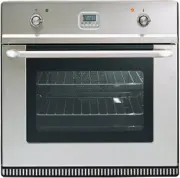 ILVE 600LVGNG
User Manual
ILVE 600LVGNG
User Manual
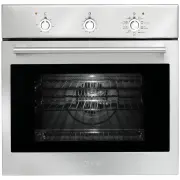 ILVE 600SKMI
User Manual
ILVE 600SKMI
User Manual
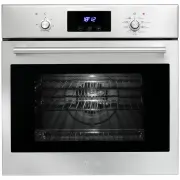 ILVE 600SKMPI
User Manual
ILVE 600SKMPI
User Manual
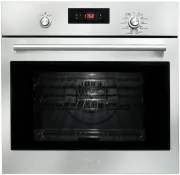 ILVE 600SPYKTI
User Manual
ILVE 600SPYKTI
User Manual
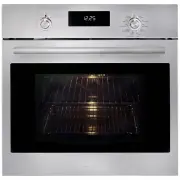 ILVE 600SPYKTI2
User Manual
ILVE 600SPYKTI2
User Manual
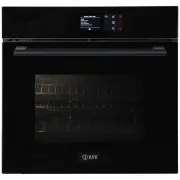 ILVE 600SPYTCBV
User Manual
ILVE 600SPYTCBV
User Manual
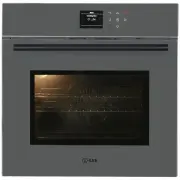 ILVE 600SPYTCGV
User Manual
ILVE 600SPYTCGV
User Manual
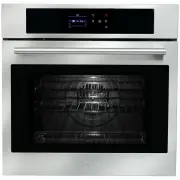 ILVE 600SPYTCI
User Manual
ILVE 600SPYTCI
User Manual
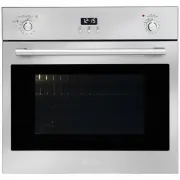 ILVE 600SVGI
User Manual
ILVE 600SVGI
User Manual
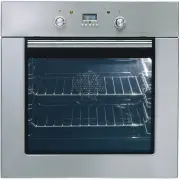 ILVE 600SXMPSS
User Manual
ILVE 600SXMPSS
User Manual
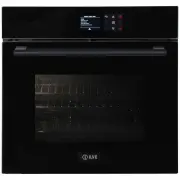 ILVE 600TCBV
User Manual
ILVE 600TCBV
User Manual
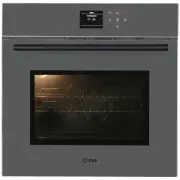 ILVE 600TCGV
User Manual
ILVE 600TCGV
User Manual
 ILVE 600TCI
User Manual
ILVE 600TCI
User Manual
 ILVE 645LTKST
User Manual
ILVE 645LTKST
User Manual
 ILVE 700WMPSS
User Manual
ILVE 700WMPSS
User Manual
 ILVE 750SKMPI
User Manual
ILVE 750SKMPI
User Manual
 ILVE 750SPYKTI
User Manual
ILVE 750SPYKTI
User Manual