Page 2 - Utilization of the product
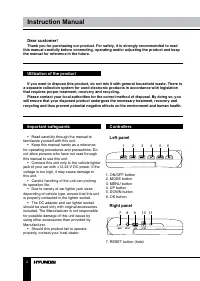
2 3 Instruction Manual Instruction Manual Dear customer! Thank you for purchasing our product. For safety, it is strongly recommended to read this manual carefully before connecting, operating and/or adjusting the product and keep the manual for reference in the future. If you want to dispose this p...
Page 3 - Operations
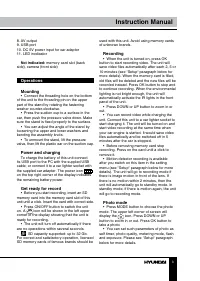
2 3 Instruction Manual Instruction Manual 8. AV output9. USB port10. DC 5V power input for car adaptor11. LED incdicator Not indicated: memory card slot (back side), camera (front side) Operations Mounting • Connect the threading hole on the bottom of the unit to the threading pin on the upper part ...
Page 4 - Instruction Manual; Audio recording
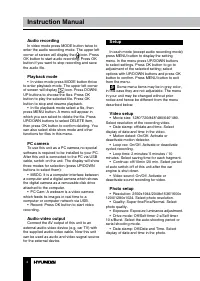
4 Instruction Manual Audio recording In video mode press MODE button twice to enter the audio recording mode. The upper left corner of screen will display the icon. Press OK button to start audio recording. Press OK button if you want to stop recording and save the audio file. Playback mode • In vid...
Page 5 - Playback setup
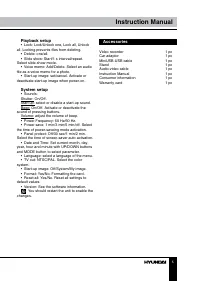
5 Instruction Manual Playback setup • Lock: Lock/Unlock one, Lock all, Unlock all. Locking prevents files from deleting. • Delete: one/all.• Slide show: Start/1 s interval/repeat. Select slide-show mode. • Voice memo: Add/Delete. Select an audio file as a voice memo for a photo. • Start-up image: se...
Page 6 - Specifications
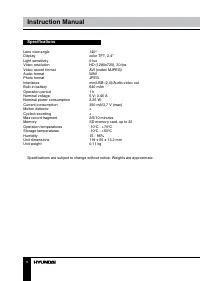
6 Instruction Manual Specifications Lens view angle 140 0 Display color TFT, 2.4” Light sensitivity 0 lux Video resolution HD (1280x720), 30 fps Video record format AVI (codec MJPEG) Audio format WAV Photo format JPEG Interfaces miniUSB (2.0)/Audio-video out Built-in battery 640 mAh Operation period...
Page 7 - Руководство по эксплуатации; Уважаемый покупатель!
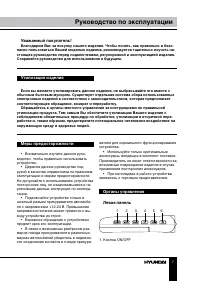
7 Руководство по эксплуатации Уважаемый покупатель! Благодарим Вас за покупку нашего изделия. Чтобы понять, как правильно и безо- пасно пользоваться Вашей моделью изделия, рекомендуется тщательно изучить на-стоящее руководство перед подключением, регулировкой и эксплуатацией изделия. Сохраняйте руко...
Page 8 - Правая панель; Не показано на рисунке:; Операции с устройством
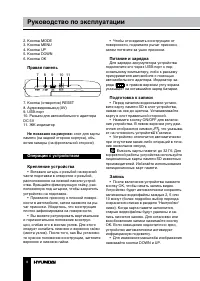
8 9 Руководство по эксплуатации Руководство по эксплуатации 2. Кнопка MODE3. Кнопка MENU4. Кнопка UP5. Кнопка DOWN6. Кнопка OK Правая панель 7 8 9 10 11 7. Кнопка (отверстие) RESET8. Аудиовидеовыход (AV)9. USB-порт10. Разъем для автомобильного адаптера DC 5V11. ЖК-индикатор Не показано на рисунке: с...
Page 9 - Режим фото
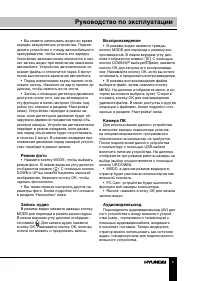
8 9 Руководство по эксплуатации Руководство по эксплуатации • Вы можете записывать видео во время зарядки аккумулятора устройства. Подсое-дините устройство к гнезду автомобильного прикуривателя, чтобы начать его зарядку. Устройство автоматически включится и нач-нет запись видео при включении зажиган...
Page 10 - Настройки
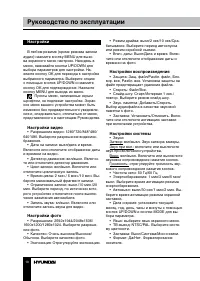
10 Руководство по эксплуатации Настройки В любом режиме (кроме режима записи аудио) нажмите кнопку MENU для вызо-ва экранного меню настроек. Находясь в меню, нажимайте кнопки UP/DOWN для выбора параметров для настройки. На-жмите кнопку OK для перехода к настройке выбранного параметра. Выберите опцию...
Page 11 - Комплект поставки
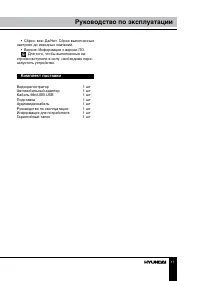
11 Руководство по эксплуатации • Сброс. все: Да/Нет. Сброс выполненных настроек до исходных значений. • Версия: Информация о версии ПО. Для того, чтобы выполненные на- стройки вступили в силу, необходимо пере-запустить устройство. Комплект поставки Видеорегистратор 1 шт Автомобильный адаптер 1 шт Ка...
Page 12 - Технические характеристики
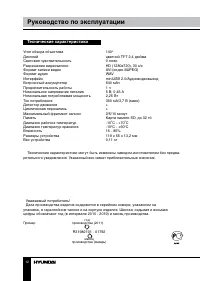
12 Руководство по эксплуатации Уважаемый потребитель!Дата производства изделия содержится в серийном номере, указанном на упаковке, в гарантийном талоне и на корпусе изделия. Шестая, седьмая и восьмая цифры обозначают год (в интервале 2010 - 2019) и месяц производства. Пример: R31982101 - 01792 год ...