Page 3 - Table of Contents
Table of Contents HOW THE SYSTEM WORKS .......................................AIR PURIFIER SAFETY ...............................................SAFETY INSTRUCTIONS ............................................INSTALLATION REQUIREMENTS ................................OPERATING YOUR AIR PURIFIER ........
Page 4 - How the System Works
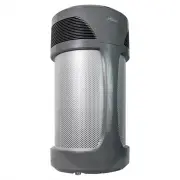
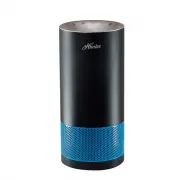
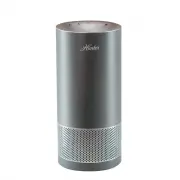
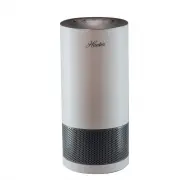
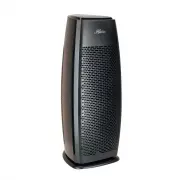
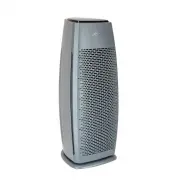
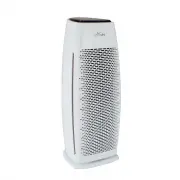
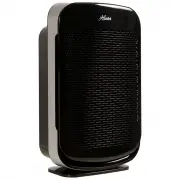
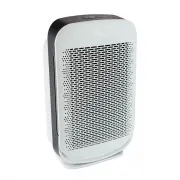
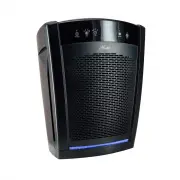
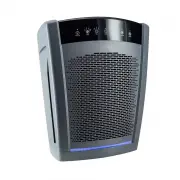
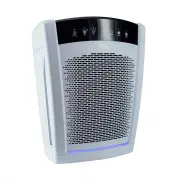
1 How the System Works Thank you for choosing the Hunter ® Airmax Air Purifier! Since 1886, Hunter ® has innovated new and smarter ways to clean, circulate and condition the air in your home. Your air purifier uses an internal fan to pull air from 360-degrees into the air purifier before the air ent...
Page 5 - Air Purifier Safety; Your safety and the safety of others are very important.; DANGER; IMPORTANT SAFETY INSTRUCTIONS
Air Purifier Safety Your safety and the safety of others are very important. We have provided many important safety messages in this manual and on your appliance. Always read and obey all safety messages. This is the safety alert symbol.This symbol alerts you to potential hazards that can kill or hu...
Page 6 - Safety Instructions
3 Safety Instructions IMPORTANT! READ ALL INSTRUCTIONS BEFORE USING THIS AIR PURIFIER This product should be used only in accordance with the specifications outlined in this manual. Usage other than what has been specified here may result in serious injury. When using electrical appliances, basic pr...
Page 8 - Operating Your Air Purifier
This manual covers several different models. The air purifier you have purchased may have some or all of the features listed. Press the On/Off button to turn your air purifier on or off. Press the Speed button to select Low, Medium, High, or Turbo fan speed. Selected speed will display above the Spe...
Page 10 - Cleaning and Maintenance; WARNING
Press the On/Off button to turn your air purifier on or off. Press the Speed button to select Low, Medium, High, or Turbo fan speed. Selected speed will display above the Speed button. (1) Low provides the best product sound, (2) Medium offers moderate cleaning, (3) High provides strong cleaning pow...
Page 11 - Filter Maintenance
Press the On/Off button to turn your air purifier on or off. Press the Speed button to select Low, Medium, High, or Turbo fan speed. Selected speed will display above the Speed button. (1) Low provides the best product sound, (2) Medium offers moderate cleaning, (3) High provides strong cleaning pow...
Page 12 - Filter Ordering; Troubleshooting Tips
Press the On/Off button to turn your air purifier on or off. Press the Speed button to select Low, Medium, High, or Turbo fan speed. Selected speed will display above the Speed button. (1) Low provides the best product sound, (2) Medium offers moderate cleaning, (3) High provides strong cleaning pow...
Page 13 - Technical Support
Technical Support 10 If you have additional questions or problems with your Hunter ® Air Purifier, please contact Hunter ® Customer Support. Chat with a representative at hunterpureair.com , email [email protected], or call toll-free (USA & Canada): (855) 887-1440. HOURS OF OPERATION ARE MONDAY-...
Page 14 - Warranty
Warranty Hunter ® Air Purifier 5 Year Limited Warranty Hunter ® makes the following limited warranty to the original residential user or consumer purchaser of the Air Purifier: for five (5) years from date of purchase, if the air purifier motor fails when operated and maintained according to instruc...