Page 2 - After Sales Support; Contents; General Safety Instructions
After Sales Support (AU) 1300 886 649 (NZ) 0800 836 761 | tempo.org/support 2 Contents 03 General Safety Instructions 07 Product Overview 08 Getting Started 10 Instructions15 FAQs and Troubleshooting Guide 18 Other Useful Information
Page 3 - DANGER; CAUTION; Refrigerant matters; Do not damage the refrigerant circuit! Never use an appliance with; READ CAREFULLY AND KEEP FOR FUTURE REFERENCE; Responsible disposal; Risk of child entrapment:
After Sales Support (AU) 1300 886 649 (NZ) 0800 836 761 | tempo.org/support 3 General Safety Instructions Pay particular attention to messages that follow this safety alert symbol or the words DANGER , WARNING or CAUTION . These words are used to alert you to a potential hazard that can seriously in...
Page 4 - Electrical safety; • Power connection:; Usage conditions and restrictions; • Indoor domestic use only:
After Sales Support (AU) 1300 886 649 (NZ) 0800 836 761 | tempo.org/support 4 To reduce the risk of fire, electric shock or injury, always follow basic safety precautions and accident prevention measures when using this appliance, including the following: Electrical safety • Voltage: Plug the applia...
Page 5 - Cleaning and maintenance
After Sales Support (AU) 1300 886 649 (NZ) 0800 836 761 | tempo.org/support 5 General Safety Instructions (Cont.) • Usage restrictions: This appliance is not intended for use by persons (including children) with reduced physical, sensory or mental capabilities, or lack of experience and knowledge, u...
Page 6 - • Ambient temperature:
After Sales Support (AU) 1300 886 649 (NZ) 0800 836 761 | tempo.org/support 6 • Level: Install the appliance level in order to ensure proper operation (see page 9). • Location: Install the appliance in an area that meets the following requirements: • Ambient temperature: The ambient temperatures mus...
Page 7 - Product Overview; Top mount refrigerator; Scope of delivery
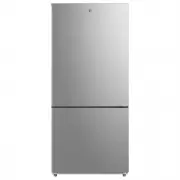
After Sales Support (AU) 1300 886 649 (NZ) 0800 836 761 | tempo.org/support 7 Product Overview Top mount refrigerator 1 LED lighting and temperature control panel 2 Glass Fridge shelves (x2) 3 Humidity Control 4 Fruit and Vegetable Crisper Drawers 5 Steel wire freezer shelf 6 Steel wire freezer draw...
Page 8 - Getting Started; Unpacking; • Packaging materials:; Installation; Space requirements
After Sales Support (AU) 1300 886 649 (NZ) 0800 836 761 | tempo.org/support 8 Getting Started Unpacking • Packaging materials: This product has been packaged to protect it against transportation damage. Remove all packaging materials from around and inside the appliance and keep the original packagi...
Page 9 - Levelling the appliance; • Overhanging wall units:; Setting up; • Cleaning the interior:
After Sales Support (AU) 1300 886 649 (NZ) 0800 836 761 | tempo.org/support 9 Getting Started (Cont.) Levelling the appliance The appliance must be installed level so that it can work properly and the magnetic doors seals are properly aligned. To level the unit, tilt it slightly backward, then adjus...
Page 10 - Instructions; Temperature regulation; First Use; The middle setting should be appropriate for normal usage.
After Sales Support (AU) 1300 886 649 (NZ) 0800 836 761 | tempo.org/support 10 Instructions Temperature regulation This refrigerator has a temperature control panel (Fig. 5) at the top of the fridge compartment. The fridge and freezer compartments have independent controls so you can adjust the temp...
Page 11 - Fresh food storage; temperature
After Sales Support (AU) 1300 886 649 (NZ) 0800 836 761 | tempo.org/support 11 Fresh food storage The fridge compartment is suitable for short-term storage of all your fresh food. • The temperature inside the fridge compartment varies depending on the amount of food stored and the frequency of door ...
Page 12 - Fresh food storage tips
After Sales Support (AU) 1300 886 649 (NZ) 0800 836 761 | tempo.org/support 12 Instructions (Cont.) • To use the drawer in quick freezing mode, slide the humidity regulator to the left (Fig. 7). Do not store fresh fruit, vegetables, carbonated drinks, or other items that you do not wish to freeze in...
Page 13 - The freezer compartment; Storing frozen food
After Sales Support (AU) 1300 886 649 (NZ) 0800 836 761 | tempo.org/support 13 Instructions (Cont.) The freezer compartment The freezer compartment, located at the top of the appliance, is equipped with a glass shelf and door balcony for convenient access and organised storage. It is suitable for fr...
Page 14 - Energy saving tips; • Short vacation; Moving the appliance
After Sales Support (AU) 1300 886 649 (NZ) 0800 836 761 | tempo.org/support 14 Instructions (Cont.) Energy saving tips • Locate the appliance in the coolest area of the room, away from heat-producing appliances and out of direct sunlight. • Let hot foods cool to room temperature before placing them ...
Page 15 - FAQs and Troubleshooting Guide; Problem
After Sales Support (AU) 1300 886 649 (NZ) 0800 836 761 | tempo.org/support 15 FAQs and Troubleshooting Guide Problem Possible cause The appliance does not operate. • It is not plugged in. Ensure it is properly plugged in and there is power at the socket (plug another appliance into the outlet to ch...
Page 17 - Error Code
After Sales Support (AU) 1300 886 649 (NZ) 0800 836 761 | tempo.org/support 17 FAQs and Troubleshooting Guide (Cont.) Error Code Description E1(LEDs i and j will flash - see Fig. 5, page 10) Refrigerator temperature sensor fault. E2(LEDs e and j will flash - see Fig. 5, page 10) Freezer temperature ...
Page 18 - Other Useful Information; Cleaning the appliance
After Sales Support (AU) 1300 886 649 (NZ) 0800 836 761 | tempo.org/support 18 Other Useful Information Cleaning the appliance For hygienic reasons the appliance interior, including the interior accessories, should be cleaned regularly. • Set both temperature controls to the minimum positions and un...
Page 19 - Door reversal
After Sales Support (AU) 1300 886 649 (NZ) 0800 836 761 | tempo.org/support 19 Other Useful Information (Cont.) Door reversal This appliance has the capability of opening the door from either the left or right side. If your set-up requires changing the opening direction, proceed as follow: IMPORTANT...
Page 22 - Defrosting the appliance
After Sales Support (AU) 1300 886 649 (NZ) 0800 836 761 | tempo.org/support 22 Defrosting the appliance Manually defrosting the freezer compartment is not necessary as this is a frost-free appliance which will be defrosted automatically. Storage If the appliance is not going to be used for an extend...
Page 23 - Technical specifications; government requirements for the safety of electrical devices.; Compliance; under ambient temperatures of 18 °C to 43 °C.
After Sales Support (AU) 1300 886 649 (NZ) 0800 836 761 | tempo.org/support 23 Other Useful Information (Cont.) Technical specifications Model HV-RBM529 Rated voltage 220 – 240 V~ Rated frequency 50 Hz Rated current 1.5 A Climate category T Electrical protection class I Defrost power 200 W Refrigera...
Page 25 - This page has been left blank intentionally.
After Sales Support (AU) 1300 886 649 (NZ) 0800 836 761 | tempo.org/support 25 This page has been left blank intentionally.
Page 28 - Warranty returns; Should you for any reason need to return this product for; Product does not work?; If you encounter problems with this product, or if it fails to
After Sales Support (AU) 1300 886 649 (NZ) 0800 836 761 | tempo.org/support 28 Distributed by Tempo (Aust) Pty Ltd ABN 70 106 100 252 PO BOX 132 Frenchs Forest, Australia NSW 1640 Customer Helpline: (AU) 1300 886 649 (NZ) 0800 836 761 Web Support: tempo.org/support IM-V1.2 Issue: June 2022 Warranty ...