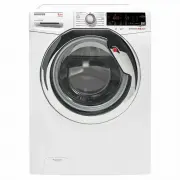
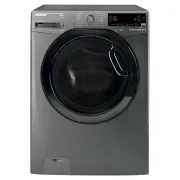
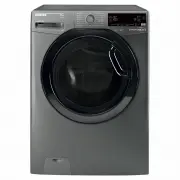
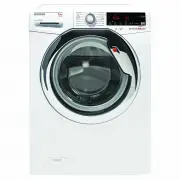
Page 3 - Hoover; GENERAL SAFETY RULES; Contents
EN 3 Thank-you for choosing a Hoover washing machine. We are proud to always offer new, innovative and technologically advanced products, with a complete range of home appliances to ensure true assistance in your daily routine. Carefully read this manual for correct and safe appliance use and for ...
Page 4 - RULES
4 1. GENERAL SAFETY RULES l This appliances is intended to be used in household and similar applications such as: - Staff kitchen areas in shops, offices and other working environments; - Farm houses; - By clients in hotels, motels and other residential type environments; - Bed and breakfast type...
Page 7 - Water connections
EN 7 l Connect the water hose to the water supply faucet (fig. 3) only using the hose supplied with the appliance (do not reuse old hose-sets). l Some models may include one or more of the following features: l HOT&COLD (fig. 4): water mains connection settings with hot and cold water for h...
Page 10 - CLEANING; ONLY AVAILABLE ON CERTAIN MODELS
10 4. MAINTENANCE AND CLEANING To clean the washing machine exterior, use a damp cloth, avoiding abrasives, alcohol and/or solvents. The washing machine does not require any special care for ordinary cleaning: clean drawer compartments and the filter; some tips on how to move the machine or on lon...
Page 11 - QUICK USER GUIDE; Press the; PROGRAMS
EN 11 5. QUICK USER GUIDE This washing machine automatically adjusts the level of the water to the type and quantity of washing. This system gives a reduction in energy consumption and a saving in washing times. l Turn on the washing machine and select the required program. l Adjust the washing ...
Page 12 - DELAY START button
12 l Press the START/PAUSE button to start the selected cycle. l Once a programme is selected the programme selector remains stationary on the selected programme until the cycle ends. l "End" will appear in the display at the end of the program and the DOOR LOCKED light will go off, it ...
Page 13 - OPTIONS button
EN 13 l To delay the start use the following procedure: - Select the required programme. - Press the delay start button once to activate it ( h00 appears on the display) and then press it again to set a 1 hour delay ( h01 appears on the display). The pre-set delay increases by 1 hour each time th...
Page 14 - Pressing simultaneously the buttons; TEMPERATURE SELECTION; and; SPIN; for about; seconds; SPIN SPEED button
14 - STAIN / SOIL LEVEL button l Once the programme has been selected the wash time set for that programme will be automatically shown. l This option allows you to choose between 3 levels of wash intensity modifying the length of the programme, depending on how much the fabrics are soiled (can o...
Page 15 - ) DOOR LOCKED INDICATOR LIGHT; When; ) STAIN / SOIL LEVEL INDICATORS LIGHTS; Digital Display
EN 15 The display’s indicator system allows you to be constantly informed about the status of the machine. 1 9 3 2 10 4 7 8 5 6 1) DOOR LOCKED INDICATOR LIGHT l The indicator light is illuminated when the door is fully closed. l When START/PAUSE is pressed on the machine with the door closed, th...
Page 16 - ) ACTIVE STEAM INDICATOR LIGHT; (function active only on
16 l For all the information about the functionality and the instructions for an easy configuration of the Wi-Fi, please refer to the "Download" section on http://wizardservice.candy-hoover.com . 9) ACTIVE STEAM INDICATOR LIGHT The indicator light shows the selection of the relevant optio...
Page 20 - Programmes selection
20 To clean different types of fabrics and various levels of soil, the washing machine has specific programs to meet every need of washing (see table of programmes). ALL IN ONE technology This washing machine is equipped with an innovative system with an high pressure jet that sprays a mixture of ...
Page 21 - button on the
EN 21 Delicates This program has reduced periods of drum rotation during the cycle and is particularly suitable or washing delicate fabrics. The wash cycle and rinses are carried out with a high level of water to ensure the best performance. Mixed The washing and rinsing optimise the speed and rhy...
Page 22 - THROUBLESHOOTING AND WARRANTY; ERROR CODE FORMAT; Models with a display:; the error is shown by a number preceded by the letter “E”; Models without display:; an error is shown by a sequence of flashes of every LED.
22 7. THROUBLESHOOTING AND WARRANTY If you believe the washing machine is not working correctly, consult the quick guide provided below which includes some practical tips on how to fix the most common problems. ERROR CODE FORMAT Error shown Possible causes and practical solutions E2 (with display)...
Page 25 - Wireless Standard; WIRELESS PARAMETERS; Candy Hoover Group Srl
EN 25 WIRELESS PARAMETERS (for model with Wi-Fi function) Parameter Specifications Wireless Standard 802.11 b/g/n Frequency range 2.412 GHz. - 2.484 GHz. Max Trasmit Power 802.11b (11Mbps) +18,5 ± 2 dBm 802.11g (54Mbps) +16 ± 2 dBm 802.11n (HT20, MCS7) +14 ± 2 dBm Minimum Receiving Sensitivity 802...
Page 26 - fk hldsk