Page 3 - state speed control device.
2 DO NOT let children play with this appliance, packaging or included plastic bag.If the unit is damaged or it malfunctions, do not continue to operate it. Unplug the product from the electrical outlet. Refer to the troubleshooting section and contact the customer support center.Always place the deh...
Page 5 - The dehumidifier must be positioned on a level floor.
4 Place the dehumidifier in an area where the temperature will not drop below 41°F (5°C) Place the dehumidifier at least 17.7 inches (45 cm) away from other objects (e.g. curtains or furniture) that may restrict airflow from the back or through the air vents of the unit. The dehumidifier must be pos...
Page 6 - UNPACKAGING THE DEHUMIDIFIER; DO NOT REMOVE THIS FOAM FLOAT.; Gently pull the water tank from out of the dehumidifier
5 EN UNPACKAGING THE DEHUMIDIFIER There is a Foam Float inside the water tank that senses the waterlevel to automatically stop dehumidification when the watertank is full. Make sure the Foam Float is positioned correctlyinside the water tank by ensuring it lies level with the top edge of the water t...
Page 7 - PARTS DESCRIPTION; Direct Drain Outlet; * THIS IS ONLY FOR MODEL TP70P WITH BUILT-IN DRAIN PUMP
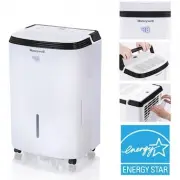
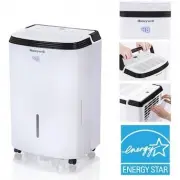
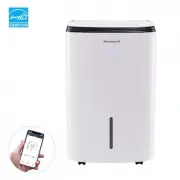
6 PARTS DESCRIPTION 11 10 7 8 1 2 3 9 6 16 15 12 13 17 18 19 20 5 4 1) Control Panel 10) Dehumidified Air Exhaust Vent 2) Handle 11) Washable Dust Filter 3) LED Display 12) Direct Drain Outlet 4) Splash Guard 13) Direct Drain Cap 5) Water Tank Handle 14) Mounting Holes for Cord Winders 6) Foam Float...
Page 8 - INSTALL THE CORD WINDER; Step 1: Line up the cord winder pieces to the mounting holes.
7 Once you have removed the cord winder accessories from the water tank - follow the steps below. EN INSTALL THE CORD WINDER EN Step 2: Rotate 45-degrees clock-wise. Step 1: Line up the cord winder pieces to the mounting holes. Step 3: Once you hear “click”, then you know the cord winder is ready fo...
Page 9 - *THIS IS ONLY FOR MODEL TP70P WITH BUILT-IN DRAIN PUMP
8 EN USE & OPERATION 1) Display Screen 6) Filter Alert 2) Power Control 7) Sleep Mode 3) Humidity / Timer Set Controls 8) Water Full Indicator Light 4) Fan Speed Control 9) Continuous Operation Light 5) Timer Control 11) Auto Drain Pump Mode 10) PTC Mode *THIS IS ONLY FOR MODEL TP70P WITH BUILT-...
Page 10 - It is recommended to leave the unit running at 30% humidit y at; CONTINUOUS MODE; To activate the Continuous Mode, press the; FUNCTION BUTTONS; cause the tank to spillover.; POWER CONTROL; Press; CO
9 HUMIDITY CONTROL SETTING When the unit is switched ON, the Display Screen shows the current humidity percentage. Press or to select your preferred humidity level. The humidity is adjusted in increments of 5%by pressing or . The adjustable Rel ative Humidit y (RH) range is bet ween 30% RH to90% RH....
Page 11 - TIMER CONTROL; the unit is operating on Low speed.; FILTER ALERT
10 Auto-On Timer: When unit is in Standby Mode, press , the timer indicator light will flash, press or tos e l e c t t h e n u m b e r o f h o u r s ( 0 . 5 - 2 4 h o u r s ) u n t i l y o u wa n t t h e u n i t t o a u t o m a t i c a l l y st a r trunning. In 5 seconds without the operation, the T...
Page 13 - DRAINING THE WATER; Always drain and discard water collected from dehumidification.
12 The condensed water can be collected directly into the water tank. When the water tank is full, the dehumidifier will automatically shut OFF and the indicator will illuminate on the control panel followed by a beeping sound. IMPORTANT: Do not move the dehumidifier when the Water Tank is full as i...
Page 14 - Continuous Water Drainage – Using a Continuous Water Drain Tube
13 DRAINING THE WATER (CONTINUED) USE & OPERATION (CONTINUED) EN Locate the drain outlet at the back of the unit. Unscrew and remove the Direct Drain Cap.Insert and screw the Continuous Water Drain Tube into the Direct Drain Outlet. 2.1 A continuous water drainage tube is included with this unit...
Page 16 - Continuous Water Drainage – Using the Auto Drain Pump option; The Auto Drain Pump Tube and Auto Drain Pump Cap come pre-installed.
15 DRAINING THE WATER (CONTINUED) USE & OPERATION (CONTINUED) EN The Auto Drain Pump is available if you want to use the continuous drain function, but the drain is further away, or located above the dehumidifier. The Auto Drain Pump Tube can be attached to the Direct Drain Outlet located on the...
Page 17 - vertically or horizontally.
16 EN DRAINING THE WATER (CONTINUED) USE & OPERATION (CONTINUED) If there are leaks, the Auto Drain Pump Tube and Auto Drain Pump Cap may have loosened and may not be connected properly. Disconnect, replace and tighten again. Place the other end of the tube into the sink or drain. The water can ...
Page 19 - TROUBLESHOOTING GUIDE; PROBLEM
18 EN TROUBLESHOOTING GUIDE The following troubleshooting guide addresses the most common problems. If problems persist, call customer service. PROBLEM POSSIBLE CAUSE SOLUTION Dehumidifier does not start No electricity. Check for power. The power cord is not properly plugged in. Remove and reconnect...
Page 22 - ERROR CODE GUIDE; CODE
21 ERROR CODE GUIDE EN CODE POSSIBLE CAUSE NOTE P1 Water tank pull out This only appears for model TP70P with Built-in Drain Pump. Position the water tank correctly into the unit. Unitwill not operate until the water tank is secure in place. EH Humidity sensor failure Please contact the service cent...