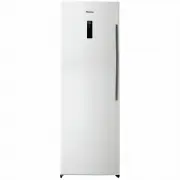
Page 2 - CE notice; Hisense Refrigerator
Contents Brief introduction CE notice This product has been determined to be in compliance with the Low VoltageDirective(2006/95/EC),the Electromagnetic Compatibility Directive(2004/108/EC)andthe Eco-Design Directive(2009/125/EC) implemented by Regulation(EC) No643/2009 of the European Union capabil...
Page 3 - Important safety instructions; General safety and daily use
Safety for children and infirm persons Safety about electricity ● recommend that you pay attention tothe instructions about electricity below. We recommend after you unpack the appliance and check through theappliance. Should any damage beevident, don't plug in the appliance butcontact the shop imme...
Page 4 - Refrigerant; Service Note
Refrigerant The refrigerant isobutene (R600a) iscontained within the refrigerant circuitof the appliance, a natural gas with ah i g h l e v e l o f e n v i r o n m e n t a l compatibility, which is neverthelessflammable. During transportation andinstallation of the appliance, ensurethat none of the ...
Page 5 - Ventilation of appliance; N to T; Leveling of appliance
Stand your appliance in a dry place to avoid high moisture. Keep the appliance out of direct sunlight rain or frost. Stand the appliance away from heat sourcessuch as stoves, fires or heaters. , ● ● It may not work properly if being left ata temperature above or below theindicated range for a long p...
Page 6 - Description of the appliance; Lower freezer drawer
Hisense Refrigerator 6 Description of the appliance View of the appliance(HR6VFF280SD,HR6VFF280D) Upper cover of doorCorner cover 3 6. 10. Block coverUpper cover 19. Cabinet 1.2. . Flap cover 4. Twist ice maker5. Handle(back) 7. Upper freezer drawer8. Middle freezer drawer(huge box)9. Freezer door L...
Page 7 - Display controls; Controlling the temperature
Hisense Refrigerator 7 Display controls We recommend that when you startyour refrigerator for the first time, thetemperature for the refrigerator is set to-18°C. If you want to change the Controlling the temperature faster. This feature also helps to keepthe vitamins and nutrition of fresh foodfor l...
Page 8 - hild Lock
Hisense Refrigerator 8 5. Power If you want to clean the appliance orstop using it, you can turn the applianceoff by pressing “Power” button. When the refrigerator is working, you c a n s w i t c h t h e a p p l i a n c e o ff b ypressing “Power” button for 5 seconds,meanwhile the display panel will...
Page 9 - Using; You can turn the flap cover upwards; Flap cover; I t i s u s e d t o s t o r e f o o d w h i c h; Twistable ice tray; If the ice tray is used for the first
Hisense Refrigerator 9 Using your appliance T h i s s e c t i o n e x p l a i n s t h a t h o w t ou s e t h e r e f r i g e r a t o r f e a t u r e s . Wer e c o m m e n d t h a t y o u r e a d t h r o u g hc a r e f u l l y b e f o r e u s i n g t h e a p p l i a n c e . You can turn the flap cove...
Page 10 - Switching off your appliance
Hisense Refrigerator 1 0 Switching off your appliance If the appliance needs to be switchedoff for an extended period, the followingsteps should be taken prevent mouldon the appliance.1. Remove all food.2. Remove the power plug from themains socket.3. Clean and dry the interior thoroughly.4. Ensure ...
Page 11 - Door seal cleaning; Troubleshooting; Interior cleaning
Hisense Refrigerator 1 1 Take care to keep door seals clean.Sticky food and drinks can cause sealsto stick to the cabinet and tear whenyou open the door. Wash seal with amild detergent and warm water. Rinseand dry it thoroughly after cleaning. Only after the door seals are completely dry should the ...
Page 13 - Disposal of the appliance; Packaging materials
Hisense Refrigerator 1 3 I n c r e a s e t h e t e m p e r a t u r e b y f o l l o w i n g t h e “ D i s p l a yc o n t r o l s ” c h a p t e r. C h e c k w h e t h e r t h e t o p o f t h e r e f r i g e r a t o r i s t i l t e d b a c kb y 1 0 - 1 5 m m t o a l l o w t h e d o o r s t o s e l f c ...