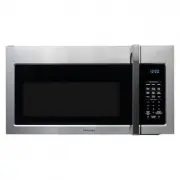
Page 2 - PRECAUTIONS TO AVOID POSSIBLE EXPOSURE TO EXCESSIVE; Table of Contents
PRECAUTIONS TO AVOID POSSIBLE EXPOSURE TO EXCESSIVE MICROWAVE ENERGY..................................................................................................... SPECIF ICATIONS ............................................................................................................. IMPO...
Page 3 - PRECAUTIONS TO AVOID POSSIBLE EXPOSURE
operation can result in harmful exposure to microwave energ y. It is important not to defeat or tamper with the safety interlocks. (b) Do not place any object between the oven front face and the door or allows soil or cleaner residue to accumulate on sealing surfaces. the oven door close properly an...
Page 4 - to excessive microwave energy:; IMPORTANT SAFETY INSTRUCTIONS; WARNING
1. Read all instructions before using the appliance.2. Read and follow the specific: " PRECAUTIONS TO AVOID POSSIBLE EXPOSURE TO EXCESSIVE MICROWAVE ENERGY" found on page 2. 3. This appliance must be grounded. Connect only to properly grounded outlet. See " GROUNDING INSTRUCTIONS" f ...
Page 5 - SAVE THESE INSTRUCTIONS
17. Liquids, such as water, coffee, or tea are able to be overheated beyond the boiling point without appearing to be boiling. Visible bubbling or boiling when the container is removed from the microwave oven is not always present. THIS COULD RESULT IN VERY HOT LIQUID SUDDENLY BOILING OVER WHEN THE ...
Page 6 - GROUNDING INSTRUCTIONS
This appliance must be grounded. In the event of an electrical short circuit, groundingreduces the risk of electric shock by providing an escape wire for the electric current. This appliance is equipped with a cord having a grounding wire with a grounding plug. The plug must be plugged into an outle...
Page 7 - Personal Injury Hazard; This device complies with part 18 of the FCC Rules.; RADIO INTERFERENCE
6 1. Operation of the microwave oven may cause interference to your radio, TV or similar equipment.2. When there is interference, it may be reduced or eliminated by taking the following measures: 1) Clean door and sealing surface of the oven 2) Reorient the receiving antenna of radio or television. ...
Page 9 - FRONT VIEW
1 Microwave oven door with see-through window 2 Door hinges 3 Waveguide cover: DO NOT REMOVE. 4 Turntable motor shaft 5 Microwave oven light It will light when microwave oven is operating or door is open. 6 Safety door latches The microwave oven will not operate unless the door is securely closed. 7...
Page 10 - CONTROL PANEL
when choosing the combination cooking. POTATO PIZZA SENSOR COOK SENSOR REHEAT AUTO COOK SNACK MENU MELT/SOFTEN AUTO DEFROST TIMER POWER LEVEL CLOCK START ENTER/+30SEC.Vent STOP/CLEAR/ECO 9 POPCORN On 2 58 11 69 12 1517 14 16 18 17 3 4 7 1013 1618 CONTROL PANEL
Page 11 - NOTE; MANUAL COOKING; Setting the Clock
Your microwave oven can be used as a kitchen timer. You can set up to 99 minutes, 99 seconds. 1. 2. 3. 0 3 0 The kitchen timer can be used while the microwave oven is running. • Suppose you want to set for three minutes. : s w o h S y a l p s i D : h c u o T Timer Timer START +30Sec or Enter/ START ...
Page 12 - Popcorn
START +30Sec Enter/ START +30Sec Enter/ START +30Sec Enter/ START +30Sec Enter/ START +30Sec Enter/ START +30Sec Enter/ 1. 2. : h c u o T Display Shows: Potato 1. 2. 4. : h c u o T Display Shows: Sensor Cook 1. 2. : h c u o T Display Shows: Sensor CookX3 SEE MENU LABEL SEE MENU LABEL SEE MENU LABEL ...
Page 13 - Sensor Reheat
START +30Sec Enter/ START +30Sec Enter/ START +30Sec Enter/ START +30Sec Enter/ The oven uses low power to melt and soften items. 1. See the following table. 2. 3. 4. 2 Time counting down • Suppose you want to melt 2 sticks of Butter. : h c u o T Display Shows: Melt/ SoftenX2 1. 2. : h c u o T Displ...
Page 14 - Auto cook
1 • Suppose you want to reheat frozen vegetables. Snack Menu is for cooking/heating foods that take a short amount of time! : h c u o T Display Shows: SnackX3 2 1. 2. 4. 3. SEE MENU LABEL SEE MENU LABEL 13 Time counting down Scrambled Eggs,Hot Cereal, There are 5 options ( Frozen Pizza,Fudge Brownie...
Page 15 - NOTES; ONE TOUCH COOK; AUTO DEFROST; Using Auto Defrost
The auto defrost feature provides you with the best defrosting method for frozen foods. The cooking guide will show you which defrost sequence is recommended for the food you are defrosting. For best results, remove fish, shell fish, meat and poultry from its original closed paper or plastic package...
Page 16 - Auto Defrost Table
15 NOTE: Meat of irregular shape and large, fatty cuts of meat should have the narrow or fatty areas shielded with foil at the beginning of the defrost sequence. M AT BEEP SPECIAL INSTRUCTIONS BEEF Ground Beef, Bulk Ground Beef, PattiesRound Steak Tenderloin Steak Stew Beef Pot Roast, Chuck Roast Ri...
Page 18 - Speed Cooking
1. 2. The pad controls the 2-speed vent fan. If the vent fan is OFF rst t ouch of the Vent pad will turn the fan on HIGH, second t ouch LOW and t hird t ouch OFF. • Suppose you want to set the vent fan sp eed to LOW from the OFF position. : s w o h S y a l p s i D : h c u o T , the fi START +30Sec E...
Page 19 - MAINTENANCE; Troubleshooting
Check your problem by using the chart below and try the solutions for each problem. If the microwave oven still does not work properly, contact the nearest authorized service center. TROUBLE Oven will not start POSSIBLE CAUSE POSSIBLE REMEDY a. Electrical cord for oven is not plugged in. b. Door is ...