Page 2 - SAFETY INSTRUCTIONS
Thank you for choosing Harper products. Before starting use, read the operating instructions and save them in case of questions about the maintenance of the device. SAFETY INSTRUCTIONS 1.Do not disassemble device by yourselves. It may lead to malfunction of device. 2.In case of any malfunction pleas...
Page 3 - BLUETOOTH 5.0 MORE COMPATIBLE; Music Mode
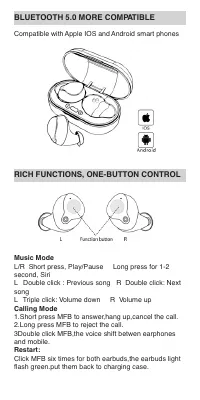
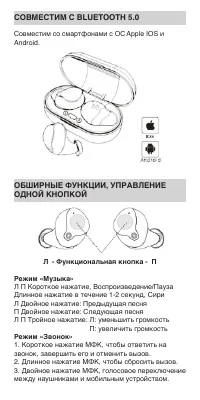
BLUETOOTH 5.0 MORE COMPATIBLE Compatible with Apple IOS and Android smart phones RICH FUNCTIONS, ONE-BUTTON CONTROL Music Mode L/R Short press, Play/Pause Long press for 1-2 second, Siri L Double click : Previous song R Double click: Next song L Triple click: Volume down R Volume up Calling Mode 1.S...
Page 4 - EASY PAIRING CONNECTION
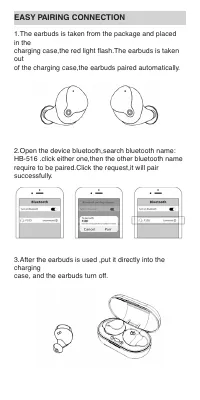
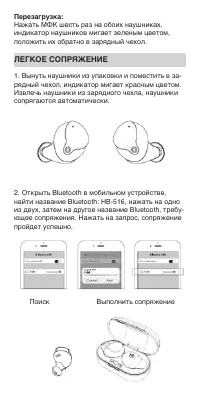
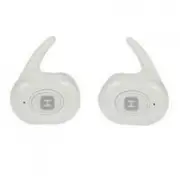
EASY PAIRING CONNECTION 1.The earbuds is taken from the package and placed in the charging case,the red light flash.The earbuds is taken out of the charging case,the earbuds paired automatically. 2.Open the device bluetooth,search bluetooth name: HB-516 .click either one,then the other bluetooth nam...
Page 5 - CHARGING SCHEMATIC; Up to; Wear Schematic
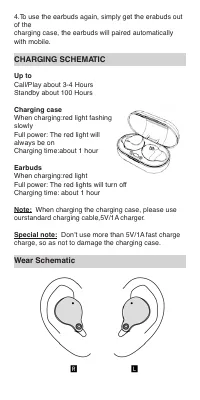
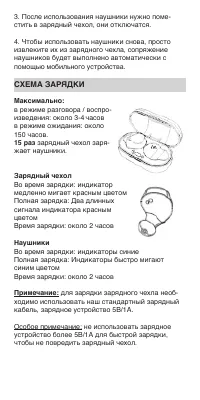
4.To use the earbuds again, simply get the erabuds out of the charging case, the earbuds will paired automatically with mobile. CHARGING SCHEMATIC Up to Call/Play about 3-4 Hours Standby about 100 Hours Charging case When charging:red light fashing slowly Full power: The red light will always be on ...
Page 6 - PRODUCT SCHEMATIC DIAGRAM; Packing list; PRODUCT SPECIFICATIONS:
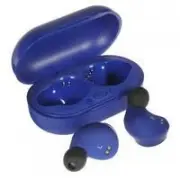
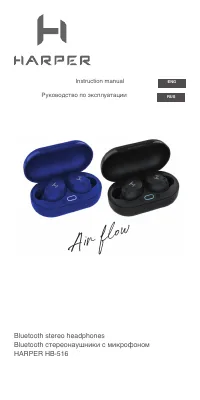
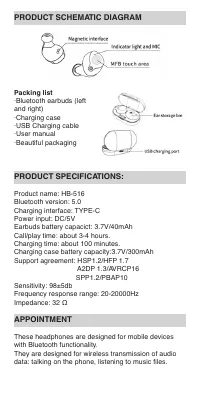
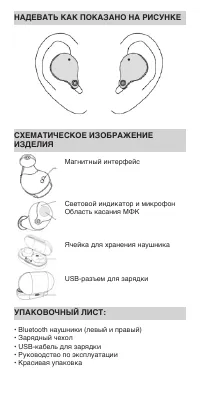
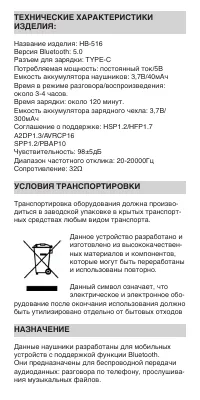
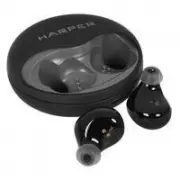
PRODUCT SCHEMATIC DIAGRAM Packing list ·Bluetooth earbuds (left and right) ·Charging case ·USB Charging cable ·User manual ·Beautiful packaging PRODUCT SPECIFICATIONS: Product name: HB-516 Bluetooth version: 5.0 Charging interface: TYPE-C Power input: DC/5V Earbuds battery capacict: 3.7V/40mAh Call/...
Page 7 - REQUIREMETS TO TRANSPORTATION
REQUIREMETS TO TRANSPORTATION Transportation of equipment should be carried out in the original packaging in covered vehicles by any means of transport. This device is designed and made of high quality materials and components, which can be recycled and reused. The symbol means that electrical and e...
Page 9 - Режим «Музыка»
СОВМЕСТИМ С BLUETOOTH 5.0 Совместим со смартфонами с ОС Apple IOS и Android. ОБШИРНЫЕ ФУНКЦИИ, УПРАВЛЕНИЕ ОДНОЙ КНОПКОЙ Л - Функциональная кнопка - П Режим «Музыка» Л П Короткое нажатие, Воспроизведение/Пауза Длинное нажатие в течение 1-2 секунд, Сири Л Двойное нажатие: Предыдущая песня П Двойное на...
Page 10 - ЛЕГКОЕ СОПРЯЖЕНИЕ
Перезагрузка: Нажать МФК шесть раз на обоих наушниках, индикатор наушников мигает зеленым цветом, положить их обратно в зарядный чехол. ЛЕГКОЕ СОПРЯЖЕНИЕ 1. Вынуть наушники из упаковки и поместить в за- рядный чехол, индикатор мигает красным цветом. Извлечь наушники из зарядного чехла, наушники сопр...
Page 11 - СХЕМА ЗАРЯДКИ; Зарядный чехол
3. После использования наушники нужно поме- стить в зарядный чехол, они отключатся. 4. Чтобы использовать наушники снова, просто извлеките их из зарядного чехла, сопряжение наушников будет выполнено автоматически с помощью мобильного устройства. СХЕМА ЗАРЯДКИ Максимально: в режиме разговора / воспро...