Page 3 - CONTENTS; Safety and Warnings
CONTENTS Safety and Warnings 4 Installation Instructions 10 Product Overview 16 User Guide 18 Timer 23 Care and Cleaning 27 Troubleshooting 31 Manufacturer’s Warranty 34 Customer care 36
Page 4 - SAFETY AND WARNINGS; Electrical Shock Hazard; Failure to use caution could result in injury or cuts; Take care during installation of the oven - some edges are sharp.
SAFETY AND WARNINGS 4 Your oven has been carefully designed to operate safely during normal cooking procedures. Please keep the following safety instructions in mind when you are using it. ⚠ WARNING! Electrical Shock Hazard Failure to follow this advice may result in electrical shock or death • Turn...
Page 5 - Hot Surface Hazard; Failure to follow this advice could result in burns and scalds; Accessible parts may become hot when in use.
SAFETY AND WARNINGS 5 ⚠ WARNING! Hot Surface Hazard Failure to follow this advice could result in burns and scalds • Accessible parts may become hot when in use. • To avoid burns and scalds, be careful not to touch any hot part and keep children away. • Use oven mitts or other protection when handli...
Page 6 - IMPORTANT SAFETY INSTRUCTIONS; All other servicing should be referred to a qualified technician.; Food Safety
SAFETY AND WARNINGS 6 IMPORTANT SAFETY INSTRUCTIONS WARNING! To reduce the risk of fire, electrical shock, injury to persons or damage when using the oven, follow the important safety instructions listed below. Use the oven only for its intended purpose as described in these instructions. Read all t...
Page 7 - General use; Do not place heavy objects on the oven door.
SAFETY AND WARNINGS 7 General use • Caution : Hot air can blow from the vent at the top of the oven as part of the oven's cooling system. • Household appliances are not intended to be played with by children. • Children should not be left alone or unattended in the area where the appliance is in use...
Page 8 - Cleaning; Clean only the parts listed in this manual.
SAFETY AND WARNINGS 8 Cleaning • Warning : Never remove the oven door seal. • Do not clean the oven seal or use any oven-cleaning products on it. It is essential for a good seal, which ensures that the oven operates efficiently. Care should be taken not to rub, damage or move it. • Do not use oven c...
Page 10 - INSTALLATION INSTRUCTIONS; Product Dimensions; Figure 1; abinetry Dimensions; Figure 2
INSTALLATION INSTRUCTIONS 10 Product Dimensions Figure 1 C abinetry Dimensions – Elevated Cabinet Installation (Wall) Figure 2
Page 11 - Cabinetry Dimensions; Figure 3; Mounting and Securing the Oven; Figure 4
INSTALLATION INSTRUCTIONS 11 Cabinetry Dimensions – Under Counter Installation Figure 3 Mounting and Securing the Oven Figure 4 5mm clearance must be maintained
Page 12 - General Instructions; Product must not be installed in places which are und; WARNING; : Do not use the oven door and/or handle to carry or move the product.; Important for Cooling; all automatically
INSTALLATION INSTRUCTIONS 12 General Instructions • A suitable location for the product must be identified before starting installation. • Product must not be installed in places which are und er the effect of strong air flow • Carry the product with minimum two people. Do not drag the pro duct so th...
Page 13 - Specifications
INSTALLATION INSTRUCTIONS 13 Technical Specifications Specifications 90 cm Built-in Oven Lamp power 15-25 W Thermostat 50-250 / Max °C Lower element 2000 W Upper element 1500 W Fan element 1 x 2200 W / 2 x 1250 W Grill element 3250 W Supply voltage 220-240V AC 50/60 Hz Electrical Connection IMPORTANT...
Page 14 - Brown cable to Phase (to live terminal)
INSTALLATION INSTRUCTIONS 14 WARNING • This oven must be installed and connected correctly according to manufacturer instructions and by an authorized service technician. • Appliance must be installed in an oven enclosure providing suitable ventilation. • Electrical connections of the appliance must...
Page 15 - shown in figure 4 by passing them through; Under Counter Installation; HANDLING NOTES; while
INSTALLATION INSTRUCTIONS 15 MOUNTING AND SECURING THE OVEN • Place the oven into the cabin with two or more people. • Ensure that oven frame and front edge of the furniture match uniformly. • Supply cord must not be under the oven or squeezed in between oven and furniture or bend. • Fix the oven to...
Page 16 - PRODUCT OVERVIEW; Control Panel
PRODUCT OVERVIEW 16 1. Control Panel 5. Roasting Dish 9. Lamp 2. Wire Shelf x 2 6. Oven Door 10. Catalytic Side & Rear Panels 3. Rotisserie 7. Handle 4. Wire Insert 8. Telescopic Guides 10 8 2 3 4 5 7
Page 17 - ACCESSORIES INCLUDED; Wire shelf; Roasting dish
PRODUCT OVERVIEW 17 ACCESSORIES INCLUDED Wire shelf Used for placing foods to be baked or roasted on desired rack. Roasting dish Used for cakes, pastry, frozen foods, roasts and foods with high liquid content. Wire insert To be placed into roasting dish when direct contact with tray is not desired o...
Page 18 - USER GUIDE; your electrician
USER GUIDE 18 USING THE OVEN IMPORTANT: Here are the things you must do before using your oven • Remove labels or accessories attached inside the oven. The cavity should be empty. Remove protective film on front side of the appliance if any is present. • Remove dust and package residues by wiping in...
Page 19 - OVEN CONTROLS; FUNCTIONS; Defrost; TEMPERATURE; Temperature is in degrees Celsius; TIMER; The ditigal timer function can be used to set a cooking duration.; NOTE
USER GUIDE 19 OVEN CONTROLS FUNCTIONS TIMER TEMPERATURE 10 - FUNCTIONS 1 Defrost 6 Fan Grill 2 Bake 7 Grill 3 Fan Bake 8 Rapid Heat 4 Fan Forced 9 Rotisserie with Fan Grill (see note) 5 Steam Cleaning 10 Rotisserie with Grill (see note) TEMPERATURE • Temperature is in degrees Celsius • The oven shou...
Page 20 - USING THE ROTISSERIE; Place the rotisserie shaft assembly on the frame; USING OTHER OVEN FUNCTIONS
USER GUIDE 20 USING THE ROTISSERIE Rotisserie shaft must be inserted into hole at rear of the oven to engage with rotating motor • Place the rotisserie shaft assembly on the frame • Slide the frame into the oven on rack position 2, ensure the drive shaft of the rotisserie is aligned and inserted int...
Page 21 - see page 28 (Care and Cleaning Section)
USER GUIDE 21 FAN FORCED Uses fan plus rear element Ideal for: multi-shelf cooking, eg biscuits, cookies, scones, muffins and cupcakes. Hot air is blown into the cavity, providing a consistent temperature at all levels. Always leave a gap between shelves to allow air to move freely. This ensures foo...
Page 22 - COOKING RECOMMENDATIONS; we tested and
USER GUIDE 22 COOKING RECOMMENDATIONS You can find in the following table the information of food types which we tested and identified their cooking values in our labs. Cooking timescan vary depending the network voltage, quality of material to becooked, quantity and temperature. Dishes to cook by usi...
Page 23 - HOW TO USE THE TIMER
USER GUIDE - TIMER 23 HOW TO USE THE TIMER Minus button Plus button SCREEN SYMBOLS Time of day adjustment button Oven status indication • On: Cooking or ready for cooking. • Off: No cooking. Minute minder status indication • On: Minute minder alarm active. • Flashing: Minute minder adjustment mode, ...
Page 24 - POWER ON; symbols are flashing. The indicated; TIME OF DAY ADJUSTMENT; start flashing on the screen.; CANCELLING THE ALARM BUZZER SOUND
USER GUIDE - TIMER 24 POWER ON At power on, oven is inactive, time of day and symbols are flashing. The indicated time of day is not correct and has to be adjusted. Press to activate the oven and proceed adjusting the time of day as below. TIME OF DAY ADJUSTMENT Time of Day adjustment is only possibl...
Page 25 - SEMI AUTOMATIC COOKING; start cooking immediately for a specified duration.; FULL AUTOMATIC COOKING; When the cooking is finished automatically, the; POWER INTERRUPTS
USER GUIDE - TIMER 25 SEMI AUTOMATIC COOKING This cooking program is intended to start cooking immediately for a specified duration. After the oven is set to the desired function and temperature via the oven knobs: 1. Press the button twice, symbol will fl ash on the screen. and duration of cooking wi...
Page 26 - CHILD LOCK; modification; PROGRAMMABLE OPTIONS Alarm tone:
USER GUIDE - TIMER 26 Product is not affected by short power failures (up to 50 seconds approximately), and the timer and the clock shall resume working at this period. Your oven shall be deactivated on other failures than short term power failures (that are more than 50 seconds) due to safety reaso...
Page 27 - CARE AND CLEANING; IMPORTANT
CARE AND CLEANING 27 IMPORTANT • Turn the oven off from the main power supply, electrical socket or electrical isolating before carrying out any maintenance, care or cleaning. • Never store flammable substances in the oven. • Use warm water and mild detergent for cleaning dirt and stains. • Never us...
Page 28 - To reinstall the oven door:; perform the above steps in the reverse order
CARE AND CLEANING 28 Removing the Oven Door Open the door fully by pulling the oven door toward you. Then perform unlock operation by pulling the hinge lock upwards with the aid of screwdriver as indicated above . Set the hinge lock to the widest angle as shown Adjust both hinges connecting oven doo...
Page 29 - profile; Catalytic Panel
CARE AND CLEANING 29 Cleaning Oven Glass • Lift by pressing on plastic latches on left and right side as shown in Step 1 and pulling the profile toward you as shown in Step 2 • Glass is released after profile is removed as shown in fi gure 12. • Remove the released glass by pulling toward yourself car...
Page 30 - To install wire racks reverse the steps above; Replacing Oven Bulb; is turned off from the isolating switch at the wall.; Remove the lamp glass cover by turning it counter clockwise as; Type G9 Lamp
CARE AND CLEANING 30 Rack Positions: • It is important to place the wire grill into the oven properly. • Do not allow wire rack to touch rear wall of the oven. • You may place a deep tray or a standard tray in the lower and upper wire racks. Installing and removing wire racks • To remove wire racks,...
Page 31 - TROUBLESHOOTING; Check Points; In case you experience a problem about the oven,
TROUBLESHOOTING 31 You may solve s o m e o f the problems you may encounter with your product by checking the following points before calling customer care or a service agent. Check Points In case you experience a problem about the oven, fi rst check the table below and try out the suggestions. Probl...
Page 32 - Problem; Oven does not cook well.
TROUBLESHOOTING 32 Problem Possible Cause What to Do Water dripping. Water or steam may generate under certain conditions depending on the food being cooked. This is not a fault of the appliance. Let the oven cool down and than wipe dry with a cloth. Steam coming out from a crack on oven door. Water...
Page 33 - OTHER CONSIDERATIONS; RECOMMENDATIONS FOR ENERGY SAVING; Do not open the oven door frequently while cooking.
OTHER CONSIDERATIONS 33 RECOMMENDATIONS FOR ENERGY SAVING Following details will help you use your product ecologically and economically. • Use dark coloured and enamel containers that conduct the heat better in the oven. • As you cook your food, if the recipe or the user manual indicates that pre-h...
Page 34 - Manufacturer's Warranty; The Manufacturer undertakes to:
34 Manufacturer's Warranty Please read this warranty card carefully. Attach your purchase receipt to this warranty card and keep in a safe place. You must produce both warranty card and proof of purchase in the event of a warranty repair being required. When you purchase any new Haier Product you au...
Page 35 - For Australian customers:
35 G Pick up and delivery. H Transportation or travelling costs involved in the repair when the product is installed outside the AUTHORISED CUSTOMER SERVICE CENTRE'S normal service area. This product has been designed for use in a normal domestic environment. It is not intended for commercial use. D...
Page 36 - Customer Care; Product Detials
36 Customer Care Check the things you can do yourself. Refer to your User Guide and check: 1. Your appliance is correctly installed. 2. You are familiar with its normal operation. 3. You have read the problem solving section in your User Guide. If after checking these points you still need assistanc...


 Haier HOR54B7MSW1
User Manual
Haier HOR54B7MSW1
User Manual
 Haier HOR54S5CW1
User Manual
Haier HOR54S5CW1
User Manual
 Haier HOR90S9MSX1
User Manual
Haier HOR90S9MSX1
User Manual
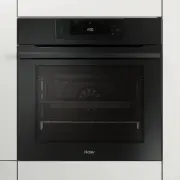 Haier HWO60S14EPB4
User Manual
Haier HWO60S14EPB4
User Manual
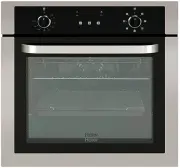 Haier HWO60S7EX1
User Manual
Haier HWO60S7EX1
User Manual
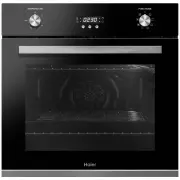 Haier HWO60S7EX2
User Manual
Haier HWO60S7EX2
User Manual
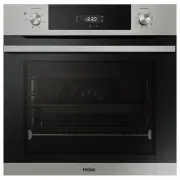 Haier HWO60S7EX4
User Manual
Haier HWO60S7EX4
User Manual
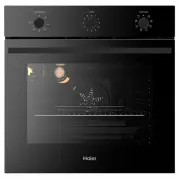 Haier HWO60S7MB3
User Manual
Haier HWO60S7MB3
User Manual
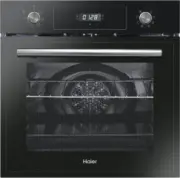 Haier HOD-PF08TGB
Manual
Haier HOD-PF08TGB
Manual
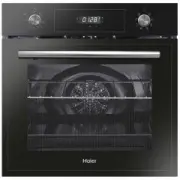 Haier HOD-PM08TGB
Manual
Haier HOD-PM08TGB
Manual
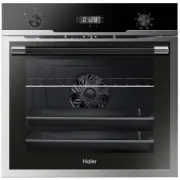 Haier HOD-PM08VGBX
Manual
Haier HOD-PM08VGBX
Manual
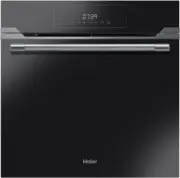 Haier HOD-TM09PGB
Manual
Haier HOD-TM09PGB
Manual