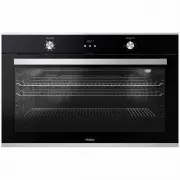
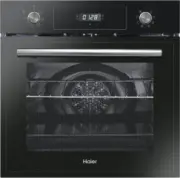
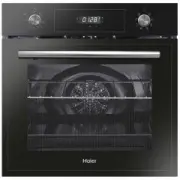
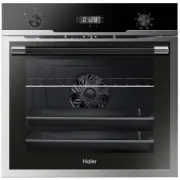
Page 2 - Summary; Installa
General i nstruct ons Product descr pt on Control panel Oven clean ng and ma ntenance Pyrolysis Troubleshooting 3 10 12 14 21 23 24 Summary Safety and warn i ngs EN 02 Installa t on 27
Page 3 - SAFETY AND WARNINGS; nstruct ons n m nd when you are us ng t:; Electr cal Shock Hazard; or before carrying out any work or maintenance on it; F re Hazard; or; Cut Hazard
SAFETY AND WARNINGS Your oven has been carefully des gned to operate safely dur ng normal cook ng procedures. Please keep the follow ng safety nstruct ons n m nd when you are us ng t: Electr cal Shock Hazard Turn the oven off at the wall before replac ng the oven lamp or before carrying out any work...
Page 4 - Hot Surface Hazard; be careful not to touch any hot part and
Hot Surface Hazard Access ble parts may become hot when n use. To avo d burns and scalds, be careful not to touch any hot part and keep ch ldren away.Use oven m tts or other protect on when handl ng hot surfaces such as oven shelves or d shes.Use care when open ng the oven door. Let hot a r or steam...
Page 7 - lf the power cable is damaged, it should be substituted with a
part of the oven’s cooling system. • Placement of oven shelves: always position shelves in the desired location while the oven is cool (before preheating). If a shelf must be removed while the oven is hot, do not let the oven mitts or potholder contact hot heating elements in the oven or the base of...
Page 9 - EN
birds are extremely sensitive to the fumes given off during a self-clean cycle and may die if left in the same room as the oven during such a cycle • During a self-clean cycle, the oven reaches higher temperatures than it does for cooking. Under such conditions, the surfaces may get hotter than usua...
Page 10 - General Instruct ons; Safety Ind cat ons; Electr cal Safety; CONNECTION; WARNING
General Instruct ons We thank you for choos ng one of our products. For the best results w th your oven, you should read th s manual carefully and reta n t for future reference. Before nstall ng the oven, take note of the ser al number so that you can g ve t to customer serv ce staff f any repa rs a...
Page 11 - F rst Use
Recommendat ons After each use of the oven, a m n mum of clean ng w ll help keep the oven perfectly clean.Do not l ne the oven walls w th alum n um fo l or s ngle-use protect on ava lable from stores. Alum n um fo l or any other protect on, n d rect contact w th the hot enamel, r sks melt ng and det...
Page 12 - Product Descr pt on; Overv ew; Roasting dish; Accessories; Lateral wire grids; Wire Shelves; Air Fry Tray
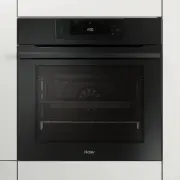
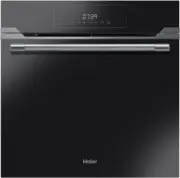
Product Descr pt on Overv ew Roasting dish Accessories Lateral wire grids Holds baking trays and plates. Wire Shelves Located on both sides of the oven cavity, holds wire shelves and dish. 1. Control Panel 2 Side racks 3. Wire Shelves (x2) 4. Roasting Dish 5. Air Fry Tray 6. Oven Door 7. Serial Numb...
Page 14 - Control panel; Start
Control panel Start Pause Functions Time Temperature On/off 1 6 2 3 4 Navigation buttons 5 Please refer to next pages for detailed information on the display areas Symbol Function Description On/off Functions Time Temperature . NavigationButtons StartPause 1 2 3 4 5 6 Turning the oven on and off. Th...
Page 15 - Door Lock; Time value; Time indicator; FUNCTIONS AREA; Temperature value; Display
a. Manual functions c. Cleaning functions d1. Pyrolysis Eco d2. Pyrolysis + g. Set time of day Door Lock d. Duration Time value j. Preheat and cool down feedback e. Kitchen timer b3. Baking Time indicator Temperature indicator f. Delay start b4. Vegetables I. Fast preheating h. Key Lock b. Food cook...
Page 16 - MAIN MENU – TIME AREA; The menus in overview; MAIN MENU – FUNCTIONS AREA
MAIN MENU – TIME AREA 3 Symbol Function Description d Duration Press to set the cooking duration, use the keys to regulate the time. e Kitchen timer Press twice to set the kitchen timer, use the keys to regulate the time. Delay f start Press three times to set the delay start, use the keys to regula...
Page 17 - MAIN MENU – TEMPERATURE AREA
MAIN MENU – TEMPERATURE AREA 4 Symbol Function Description ı Preheating Press to set the preheating temperature, use the keys to regulate the value. I Fast preheating Press twice to set the fast temperature. ** Ideal temperature for suggested foods. Symbol Description Suggestions Bake150-200°C ** 2 ...
Page 19 - FOOD COOKING CATEGORIES
SPECIAL FUNCTIONS Symbol Description Suggestions a2 Master bake180-200°C ** 2° level a3 Low Temperature FOOD COOKING CATEGORIES Symbol Description Pre-heat Cooking position Heat Feel tempera- tures (°C) Description b1 Meat Y 2-3 58-62-65°C for beef For roasts and cuts of beef, veal and pork. b2 Seaf...
Page 21 - Oven clean ng and ma ntenance; General notes on clean ng; Ma ntenance; INSTRUCTION FOR REMOVAL AND CLEANING OF THE SIDE RACKS
Oven clean ng and ma ntenance General notes on clean ng The l fecycle of the appl ance can be extended through regular clean ng. Wa t for the oven to cool before carry ng out manual clean ng operat ons. Never use abras ve detergents, steel wool or sharp objects for clean ng, so as to not rreparably ...
Page 23 - Pyrolysis; Hydro Easy Clean
Pyrolysis The oven is equipped with a pyrolyser cleaning system, which destroys food residues at high temperature. The operation is carried out automatically by means of the programmer. The resulting fumes are rendered "clean" by passing over a Pyrolyser wich starts as soon as cooking begins...
Page 24 - Waste management and environmental protection; Troubleshooting
Waste management and environmental protection Troubleshooting Problem Possible cause Solution The oven does not heat up The clock is not set Set the clock The oven does not heat up A cooking function and temperature has not been set Ensure that the necessar y settings are correct No reaction of the ...
Page 27 - * mandatory for all types of installations
Installa t on Mounting Under Cooktop The cabinetry should follow the dimensions shown. This allows for sufficient airflow behind the oven and between the oven and cooktop for cooling. If the cabinetry base is fully sealed, an opening(s) should be provided to allow cool air to enter. 560 mm 5 7 0 mm ...
Page 28 - Model; Electrical Connections
Standalone Installation If the oven is mounted without cooktop, the cabinet depth and height can be reduced. An opening should be provided at the top of the cabinetry to allow hot air to exit. If the bottom of the cabinetry is sealed, opening(s) should be provided to allow cool air to enter. 560 mm ...
Page 29 - ● Rev
EN The manufacturer will not be responsible for any inaccuracy resulting from printing or transcript errors contained in this brochure. We reser ve the right to carr y out modifications to products as required, includ -ing the interests of consumption, without prejudice to the characteristics relati...