Page 2 - Thank You; Thank you for purchasing a Haier Product.; The symbol indicates there is a risk of fire
Thank You EN 2 Thank you for purchasing a Haier Product. Please read these instructions carefully before using this appliance. The instructions con- tain important information which will help you get the best out of the appliance and ensure safe and proper installation, use and maintenance.Keep this...
Page 3 - Content
EN Content 3 1 - Safety .................................................................................................................................................4 2 - Intended Use ...................................................................................................................
Page 4 - Before first use; Do not cover air vent openings.; Installation; Never place the appliance in a damp area or location where it mi-; WARNING
1 - Safety EN Ensure that the power cable is not trapped by the freezer. Do not step on the power cable. ▶ 4 Before switching on the appliance for the first time, read the following safety hints! WARNING! Before first use ▶ Make sure there is no transport damage. ▶ Remove all packaging and keep out ...
Page 5 - appliance or in the vicinity.; Daily use; nce, turn off the valve of the leaking gas, open the doors and windows
EN 1 - Safety 5 Do not store or use infammable, explosive or corrosive materials in the appliance or in the vicinity. WARNING! Daily use ▶ This appliance can be used by children aged from 8 years and above and persons with reduced physical, sensory or mental capabilities or lack of experience and kn...
Page 6 - :If you are unsure of the refrigerant type check the rating; Queensland
1 - Safety EN 6 WARNING! ▶ Do not pull on the door shelves. The door may be pulled slant, the bot- tle rack, may be pulled away, or the appliance may topple. ▶ Open and close the door only with the handles. The gap between the door and the cabinet is very narrow. Do not put your hands in these areas...
Page 7 - Maintenance / cleaning
EN 1 - Safety WARNING! Maintenance / cleaning ▶ Make sure children are supervised if they carry out cleaning and maintenance. ▶ Disconnect the appliance from the electrical supply before un - dertaking any routine maintenance. Allow at least 7 minutes be - fore restarting the appliance, as frequent ...
Page 8 - Refrigerant gas information; (R600a). Make sure the refrigerant circuit is not damaged during
Refrigerant gas information WARNING! ▶ ▶ WARNING: When positioning the appliance, ensure the supply cord is not trapped or damaged. ▶ WARNING: Do not locate multiple portable socket-outlets or portable power supplies at the rear of the appliance. ▶ Do not store explosive substances such as aerosol c...
Page 12 - -Product description
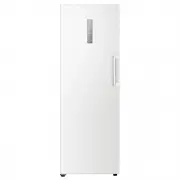
Picture of appliance (Fig. 3) 1 Control panel2 LED light3 4 Glass shelves 5 Drawers6 Adjustable feet7 Removable door racks8 Door handle 3 7 2 34 5 6 1 8 3-Product description EN 12
Page 13 - Control panel; Key description
Control panel (Fig. 4) A Fridge temperature adjustment key: press to select between 2, 4 and 6 Freezer and fridge convertible function: Press the ‘Freezer and fridge convertible’ key(B) for 3 seconds to achieve freezer and fridge convertible function Freezer temperature adjustment key: press to sel-...
Page 14 - Notice: Presettings; Manual lock
▶ Remove all packaging materials, keep them out of children reach and dispose them in an environmentally friendly manner. ▶ Clean the inside and outside of the appliance with water and a mild detergent before putting any food in it. ▶ After the appliance has been levelled and cleaned, wait for at le...
Page 15 - Temperature setting; Pressing the ‘Fridge Temp’ key(A) then the user can select diffe; Super freeze mode; en effect i
Notice: Display lock When display is locked, functions such as temperature setting or super freeze are di - sabled. When above operation is attempted, The lock indicator will blink for 3 times, to remind that the display is locked. 5.6 Temperature setting Fridge temperature adjustment (A) When the d...
Page 16 - High temperature alarm; manually cancelled come back, please contact aftersales service.; Error indication; mal control of the freezer.
5.9 Eco mode (-16°C) (C) When display is unlocked, by touching (‘Freezer Temp’ key) (C) the appliance is set into Eco mode. In this mode the energy consumption is lower, while appropriate freezing performance is still guaranteed. To exit the Eco mode select other temperature. 5.10 Power-of memory - ...
Page 17 - Energy saving tips; Open the appliance door as little and as briefly as possible.; Removable door racks; To take out a shelf, remove it first by uplifting its hind
Energy saving tips ▶ Make sure the appliance is properly ventilated (see INSTALLATION). ▶ Do not install the appliance in direct sunlight or in the near of heat sources (e.g. stoves, heaters). ▶ Avoid unnecessarily low temperature in the appliance. The energy consumption in- creases the lower the te...
Page 19 - Moving the appliance
8- Care and Cleaning 8.2 Non-use for a longer period If the appliance is not used for an extended period of time: ▶ Take out the food. ▶ Unplug the power cord. ▶ Clean the appliance as described above. ▶ Keep the door and freezer drawers open to prevent the creation of bad odours inside. Remove the ...
Page 21 - inside th; inside; Moist
Problem Possible Cause Possible Solution • The appliance makes a motor sound • The refrigeration unit has just turned itself on. This is normal • - It is not cold enough inside th e appli- ance. • The temperature is set too high. • Goods that are too warm have been stored. • Too much food has been s...
Page 22 - Power Interruption; Open the door as few times as possible.
Problem Possible Cause Possible Solution • The door is diffucult to open. • Once the appliance runs, it has an internal vacuum. • Open the door seal gently to let air enter the appliacne. The door can’t be closed properly. It always leaves a gap. • Because of the appliances’s low temperature, the do...
Page 23 - Width; Aligning the appliance; The appliance should be placed on a flat and solid sur
10.1 Unpacking ▶ Take the appliance out of the packaging. ▶ Remove all packaging materials. 10.2 Environmental conditions The room temperature should always be between 18 °C and 43 °C, since it can influence the temperature inside the appliance and its energy consumption. Do not install the appli- a...
Page 26 - Assembly steps
15. Mount the door. 10.10 Handel Reversibility 16. Fix upper right upper hinge with 3 screws. 17. Connect the cable connectors:18. Fix hinge hole cover and upper left hinge cover. 19. Finished. 26 10 - Installation EN 15 18 17 19 16 1. 1. Use a flat-headed screwdriver to prise off the handle upper cov...
Page 27 - Freezer/Refrigerator
27 EN 11-Technical Data Trade mark Haier HVF325DW Category of the modelEnergy Star Model No. Freezer/Refrigerator Product group 7/1 Storage volume Cooling /Freezing (L) */*** 285 Frostfree system yes Climate class T Voltage / Frequency 220-240V ~/ 50Hz Rated Current (A) 1.5 Refrigerant R600a 44g Dim...