Page 2 - CONTENTS; RDS station service
2 CONTENTS ________________________________________________________________________ 3 Set-up and safety 4 Overview Operating controls of the stereo systemThe display on the stereo systemThe back of the stereo systemThe remote control 12 Connection and preparation 14 Settings Setting the clockTuning ...
Page 3 - ENGLISH; Please note the following information when setting up the system:
ENGLISH 3 SET-UP AND SAFETY ______________________________________________ Please note the following information when setting up the system: This stereo system is designed for the playback of audio signals. Any other useis expressly prohibited. If you want to set up the stereo system on wall shelves...
Page 4 - OVERVIEW; Operating controls of the stereo system; Operating controls on the front; General; UBS; Tuner mode; TUNER; T U N E R; BAND; FM; TUNING
4 OVERVIEW _______________________________________________________________________ Operating controls of the stereo system Operating controls on the front General ON/OFF Switches the stereo system to and fromstand-by mode. O Infrared receiver for remote control sig-nals. 0 Headphone jack for connect...
Page 5 - Select stored; CD mode; CD; Selects the »; AUX operation; AUX; Selects the input source »; Operating controls on the top of the device; SLEEP; For setting the sleep timer.; TIMER
ENGLISH 5 OVERVIEW __________________________________________________________________________________ ss s6 Select stored 5a § radio stations. CD mode CD ı I I Selects the » CD « input source. Starts and interrupts CD playback. ss s6 Press briefly to select the next track.Hold down to look for a par...
Page 6 - For setting the time manually.; Hold down to start the automatic; Opens and closes the CD
OVERVIEW __________________________________________________________________________________ 6 PROGR/RANDOM For setting the time manually. TIME Tuner mode PROGR/RANDOM Hold down to start the automatic TIME station search (ASP). Press briefly tostop the automatic station search.Press briefly to store ...
Page 7 - The display on the stereo system; EON; II
OVERVIEW ________________________________________________________________________________ ENGLISH 7 The display on the stereo system 8888:888 Displays the time and the RDS time update. JAZZ V The »JAZZ« sound setting is activated. UBS B The bass boost is activated. 8888.888 In tuner mode it displays...
Page 8 - Displays playback of a CD.; yxc
OVERVIEW __________________________________________________________________________________ 8 8888:888 In CD mode: displays the total playing time and thecurrent playing time. Ł Displays playback of a CD. II The CD playback is interrupted (Pause). 88 TRACK Displays the number of CD tracks, the numbe...
Page 9 - The back of the stereo system; FM ANTENNA; Audio signal input for an external device.; SPEAKER; Connections for the loudspeakers; General instructions for laser devices
ENGLISH 9 OVERVIEW __________________________________________________________________________________ The back of the stereo system FM ANTENNA Antenna socket for the rooftop antennaor the wire aerial supplied. AM ANTENNA Aerial terminals for the wire frameantenna supplied. AUX Audio signal input for...
Page 10 - The remote control; I I
10 OVERVIEW __________________________________________________________________________________ The remote control ON/OFF Switches the stereo system to and from stand-by mode. CD ı I I Selects the » CD « input source. Starts and interrupts CD play- back. ■ In tuner mode: deletes individual preset sta...
Page 12 - CONNECTION AND PREPARATION; Connecting the antenna; Connecting the loudspeakers
12 CONNECTION AND PREPARATION _______ Connecting the antenna 1 Insert the rooftop antenna in the antenna socket » FM ANTENNA « on the stereo system. Note: If no rooftop antenna is available, use the auxiliary antenna supplied. Thisaerial provides reasonably good reception of local FM (VHF) stations....
Page 13 - Connecting headphones; « socket on the front of; Connecting the power cord; Plug the power cord supplied into the »; Inserting the batteries in the remote control
ENGLISH 13 CONNECTION AND PREPARATION _______________________________________ Connecting headphones 1 Insert the headphone plug (ø 3.5 mm) into the » 0 « socket on the front of the stereo system.– The loudspeakers of the stereo system are switched off. Connecting the power cord Note: Check that the ...
Page 14 - SETTINGS; Setting the clock; TIME; CT ON; C T
14 SETTINGS ____________________________________________________________________________ Setting the clock The following settings can only be carried out in stand-by mode. 1 To set the 12-hour format, briefly press » TIME «. – Display: » 12HR « briefly, then the current time e.g. »PM 1:25 « (»AM« fo...
Page 15 - CT OFF
SETTINGS ____________________________________________________________________________________ ENGLISH 15 The CT time signal is transmitted once every minute by the station. You mustreceive the RDS station for several minutes before the time information canbe transferred to the stereo system. However...
Page 16 - Tuning and storing radio stations; Automatic station search; E N E R
16 SETTINGS ____________________________________________________________________________________ Tuning and storing radio stations Automatic station search (ASP) After the stereo system has been connected to the mains for the first time, thedevice searches in tuner mode on the FM waveband for the 40...
Page 17 - Manual station search; Saving stations on channel positions; PROGR; F M
ENGLISH 17 SETTINGS ____________________________________________________________________________________ Manual station search 1 To move the frequency forward in steps, briefly press » TUNING UP/DOWN « on the device several times. – The frequency changes in steps of 50 kHz. Saving stations on channe...
Page 18 - Deleting individual stations; Deleting settings; RESET
SETTINGS ____________________________________________________________________________________ 18 Storing your favourite stations (Favourite StationMemory) 1 Press » TUNING UP/DOWN « on the device to tune to the station you want to store. 2 Press » PROGR « to activate the storing function. – Display:...
Page 19 - GENERAL FUNCTIONS; Switching on and off; GOOD BYE; Selecting the input source; Adjusting the volume; V O L; Muting; MUTE; V O L 6; M U T E
ENGLISH 19 GENERAL FUNCTIONS _________________________________________ Switching on and off 1 Switch on the stereo system out of stand-by mode with » ON/OFF « – The last input source used is automatically selected. Note: The following buttons on the device can also be used to switch on the stereosys...
Page 20 - Sound settings; Select the sound setting by pressing »; DSC; « or; ROCK; Boosting the bass; Press »; « to switch the bass booster on or off.; V I L R A
20 GENERAL FUNCTIONS ______________________________________________________________ Sound settings You can select between five different sound settings:You can select between » FLAT«, » CLASSIC«, » POP«, » JAZZ« and » ROCK«according to the type of music you are listening to. The basic setting is »FL...
Page 21 - TUNER MODE; Selecting the tuner as the source; ENERGY; Selecting the preset position; Stereo/mono reception; FM MODE; F A N T A
ENGLISH 21 TUNER MODE ________________________________________________________________ Selecting the tuner as the source 1 Select the input source using the » TUNER /BAND « button. – The most recently selected station can be heard (Last Station Memory).– Display: e.g. » FM 100.60 « or » ENERGY «. Se...
Page 22 - The automatic station search can be interrupted with »
TUNER MODE _____________________________________________________________________________ 22 Automatic station search (ASP) By starting the automatic station search, you can delete all the existing presetstations and at the same time allocate new radio stations to them. 1 Start the automatic search i...
Page 23 - FANTASY; Searching for RDS stations; DISPLAY; V i l r a
ENGLISH 23 TUNER MODE _____________________________________________________________________________ RDS station service RDS (Radio Data System) is an information system which is transmitted additio-nally by most FM stations.If the device is currently receiving an RDS station, it displays the station...
Page 24 - Radiotext; NO TEXT; TEXT; NEWS; PTY; PTY; PTY; M U S i K u N D; N O; N E W
24 TUNER MODE _____________________________________________________________________________ Radiotext Some RDS stations provide Radiotext as additional information. Radiotext appe-ars as ticker text in the display. As this information is transmitted character by character, it may take some time befo...
Page 25 - Radio traffic news; TRAFFIC; NO TA; B a Y E R; B A Y E R
ENGLISH 25 TUNER MODE _____________________________________________________________________________ Radio traffic news Some RDS stations broadcast additional traffic news. If a such a station is beingreceived, the » q « symbol appears in the display. The EON (Enhanced Other Network) function is an a...
Page 26 - CD MODE; Basic CD mode functions; Selecting the CD input source; Inserting a CD; C D; C D
26 CD MODE ___________________________________________________________________________ Basic CD mode functions The stereo system is suitable for music CDs displaying the logo shown here orfor CD-Rs with audio data.Always keep the CD compartment closed to prevent dust from collecting on thelaser opti...
Page 27 - CD playback; Selecting a different track; Repeating the current track
ENGLISH 27 CD MODE ____________________________________________________________________________________ CD playback 1 Press » CD ı I I « to start playback. – Playback begins with the first track.– Display: » ı «, the current track number and the elapsed playing time of the title. The current track n...
Page 28 - Special CD mode features; Searching for a passage within a track; Playing back tracks in random order; c d
28 CD MODE ____________________________________________________________________________________ Special CD mode features Searching for a passage within a track 1 During playback, press » 5a § « or » ss s6 « and hold it down until you find the passage you want to hear.Playback begins as soon as you l...
Page 30 - Selecting and storing tracks and playing back the
30 CD MODE ____________________________________________________________________________________ Creating a track memory – playing back tracks inselected order You can create a track memory of up to 32 tracks for the current CD in anyorder you choose and then play them back in that sequence. A track ...
Page 31 - Changing the track selection; Deleting the track memory; PROG
ENGLISH 31 CD MODE ____________________________________________________________________________________ Changing the track selection 1 To replace a stored track, keep pressing » PROGR « until its number appears in the display. 2 Select the new track number with » 5a § « or » ss s6 «. 3 Press » PROGR...
Page 32 - TIMER MODE; Setting the switch-on timer; ON; OFF; o f f
32 TIMER MODE __________________________________________________________________ Your stereo system has two timer modes:– The switch-on timer, which switches the stereo system on and off at a pre-set time. – The sleep timer, which switches off the stereo system at a pre-set time. Switch-on timer Set...
Page 33 - Deactivating the switch-on timer; Sleep timer; Setting the sleep timer
ENGLISH 33 TIMER MODE ______________________________________________________________________________ 9 If you select tuner as the input source, set the desired channel position with» 5a § « or » ss s6 «. 10 Press » TIMER «. 11 Set the desired volume using » + VOLUME – «. 12 Quit the settings with » ...
Page 34 - INFORMATION; Cleaning the CD unit
34 INFORMATION _____________________________________________________________ Cleaning the CD unit If the device is unable to scan CDs perfectly, use a standard commercially available cleaning CD toclean the laser optics. Other cleaning methods may damage the laser optics.To clean CDs use a lint-free...
Page 35 - Additional information for units sold in the UK.
INFORMATION __________________________________________________________________________ ENGLISH 35 Additional information for units sold in the UK. Units sold in the UK are suitable for operation from a 240V ac, 50Hz mains supply.The range of multi-system receivers is built to work in most European c...
Page 36 - Rectifying minor problems; Technical and optical modifications reserved
36 INFORMATION __________________________________________________________________________ Rectifying minor problems Not every kind of sound interference is caused by a defect in your HiFi system. Impairmentcan also be caused by leads having been accidentally pulled out, damaged CDs and wornout batte...
Page 37 - GRUNDIG Service
ENGLISH 37 INFORMATION __________________________________________________________________________ GRUNDIG Service GRUNDIG BELUX N.V.Deltapark, Weihoek 3, Unit 3G B-1930 Zaventem +32/2-7 16 04 00 GRUNDIG UK LTD.Elstree Way, Borehamwood,Herts, WD6 1RX GB Großbritannien/GreatBritain +44/1 81-3 24 94 00...
Page 38 - Grundig AG
Grundig AG • Beuthener Str. 41 • D-90471 Nürnberg • http://www.grundig.com


 Grundig GEBM19300BC
Manual
Grundig GEBM19300BC
Manual
 Grundig GEBD19401BHI
Manual
Grundig GEBD19401BHI
Manual
 Grundig GEBM19400BCH
Manual
Grundig GEBM19400BCH
Manual
 Grundig GEBD19300B
Manual
Grundig GEBD19300B
Manual
 Grundig GEBM19300BP
Manual
Grundig GEBM19300BP
Manual
 Grundig GEBM19400BPHI
Manual
Grundig GEBM19400BPHI
Manual
 Grundig GEDM12300B
Manual
Grundig GEDM12300B
Manual
 Grundig GEBD19301B
Manual
Grundig GEBD19301B
Manual
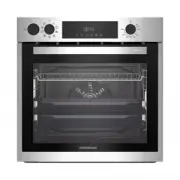 Grundig GEBD11300X
Manual
Grundig GEBD11300X
Manual
 Grundig GEBM11300XC
Manual
Grundig GEBM11300XC
Manual
 Grundig GEBM11301XC
Manual
Grundig GEBM11301XC
Manual
 Grundig GIEI638980IF
Manual
Grundig GIEI638980IF
Manual
 Grundig GIEI624470PF
Manual
Grundig GIEI624470PF
Manual
 Grundig GIEI938980I
Manual
Grundig GIEI938980I
Manual
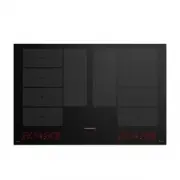 Grundig GIEI838980INH
Manual
Grundig GIEI838980INH
Manual
 Grundig GIEV613420E
Manual
Grundig GIEV613420E
Manual
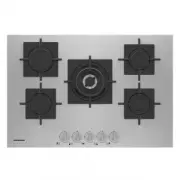 Grundig GIGF7235220X
Manual
Grundig GIGF7235220X
Manual
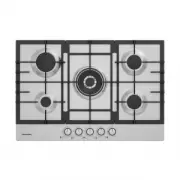 Grundig GIGA7235250X
Manual
Grundig GIGA7235250X
Manual
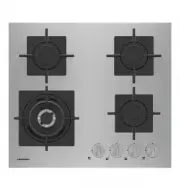 Grundig GIGF6234120X
Manual
Grundig GIGF6234120X
Manual
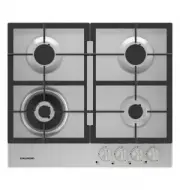 Grundig GIGA6234250X
Manual
Grundig GIGA6234250X
Manual